Catering Delivery Driver App – The Complete Guide for 2026

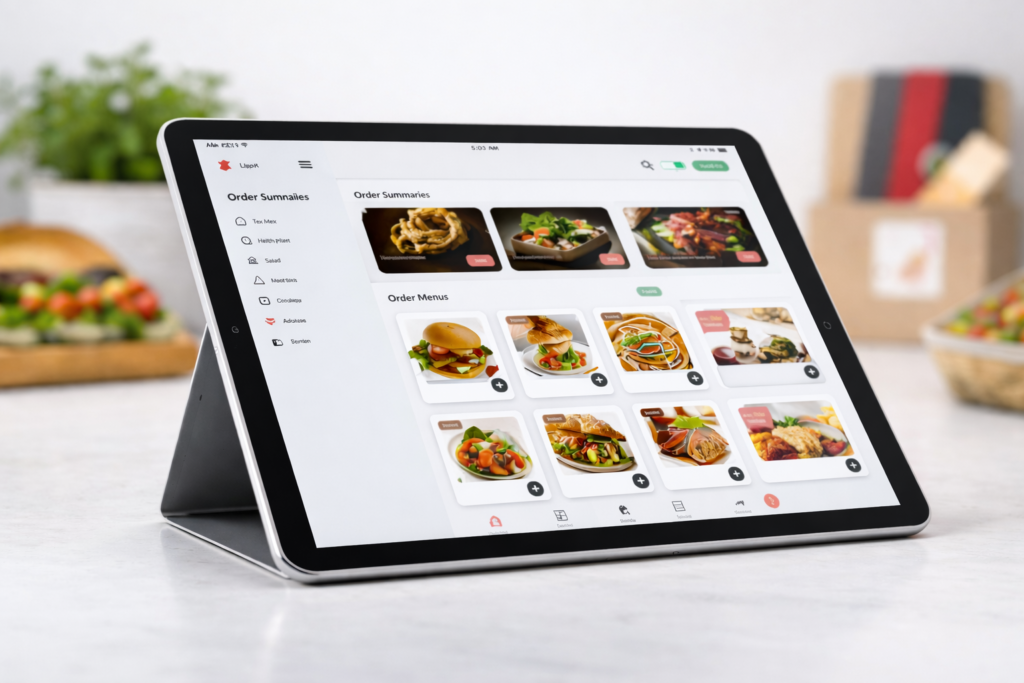
Catering delivery driver app interface displaying multi-item orders, route optimizations, and order assignments for event-based catering logistics
A catering delivery driver app is a specialized mobile application designed for drivers who deliver catered food orders, managing routes, assignments, tracking, delivery confirmations, and earnings directly from their smartphone. Unlike general gig-economy apps, these apps are tailored to catering delivery operations, giving drivers tools to increase efficiency and accuracy throughout the delivery workflow. A catering delivery driver app directly impacts driver performance, customer satisfaction, and operational transparency across the entire delivery chain.

In this guide, we’ll explain why businesses and drivers alike are searching for the best catering delivery driver app, how these apps work in practice, what features matter most, and how to evaluate solutions against alternatives like third-party food delivery networks. We’ll also explore apps for food delivery drivers more broadly and share insights on choosing the best catering delivery app for drivers and catering operations in 2026.

Why Catering Delivery Apps Are Essential Today

The food industry has shifted dramatically over the past decade. Customers increasingly expect on-demand delivery of everything, from everyday meals to fully catered event orders. While third-party marketplaces helped popularize delivery, they often present challenges:

  • High commission fees that cut into restaurant and caterer margins.
  • Brand dilution and limited customer data access.
  • Delivery complexity for escorting large, multi-item orders to events.

A specialized catering food delivery driver app puts control back in the hands of businesses and drivers. Instead of depending on external marketplaces, apps built around catering delivery requirements allow for:

  • Custom routing and assignment logic
  • Real-time tracking for large orders
  • Automated delivery confirmations and proof-of-delivery
  • Earnings and job details designed around catering-specific workflows

This shift is part of a broader trend where businesses are reducing dependence on external delivery platforms and investing in delivery technology that keeps margins, control, and customer relationships in-house.

What Is a Catering Delivery Driver App (And How It Differs) 

A typical delivery driver app supports parcel or restaurant deliveries, allowing drivers to accept jobs, navigate routes, and confirm deliveries. But a catering delivery driver app is distinct:
Key Differences

Standard Driver App Catering Delivery Driver App
Supports general food deliveries Optimized for large, multi-item catering orders
Simple pick-up & drop-off tasks Detailed stops with load verification & event timing
Often third-party marketplace oriented May integrate with business systems directly
Typically single delivery Often multiple stops with specialized routing

This specialization enables catering delivery drivers to efficiently handle orders that may involve:

  • Multiple delivery locations
  • Time-sensitive event schedules
  • Bulk packaging
  • Special handling instructions
  • Staff coordination at delivery sites

Dedicated catering apps bridge the gap between general driver tools and event-level delivery requirements.

Benefits of Using the Best Catering Delivery Driver App 
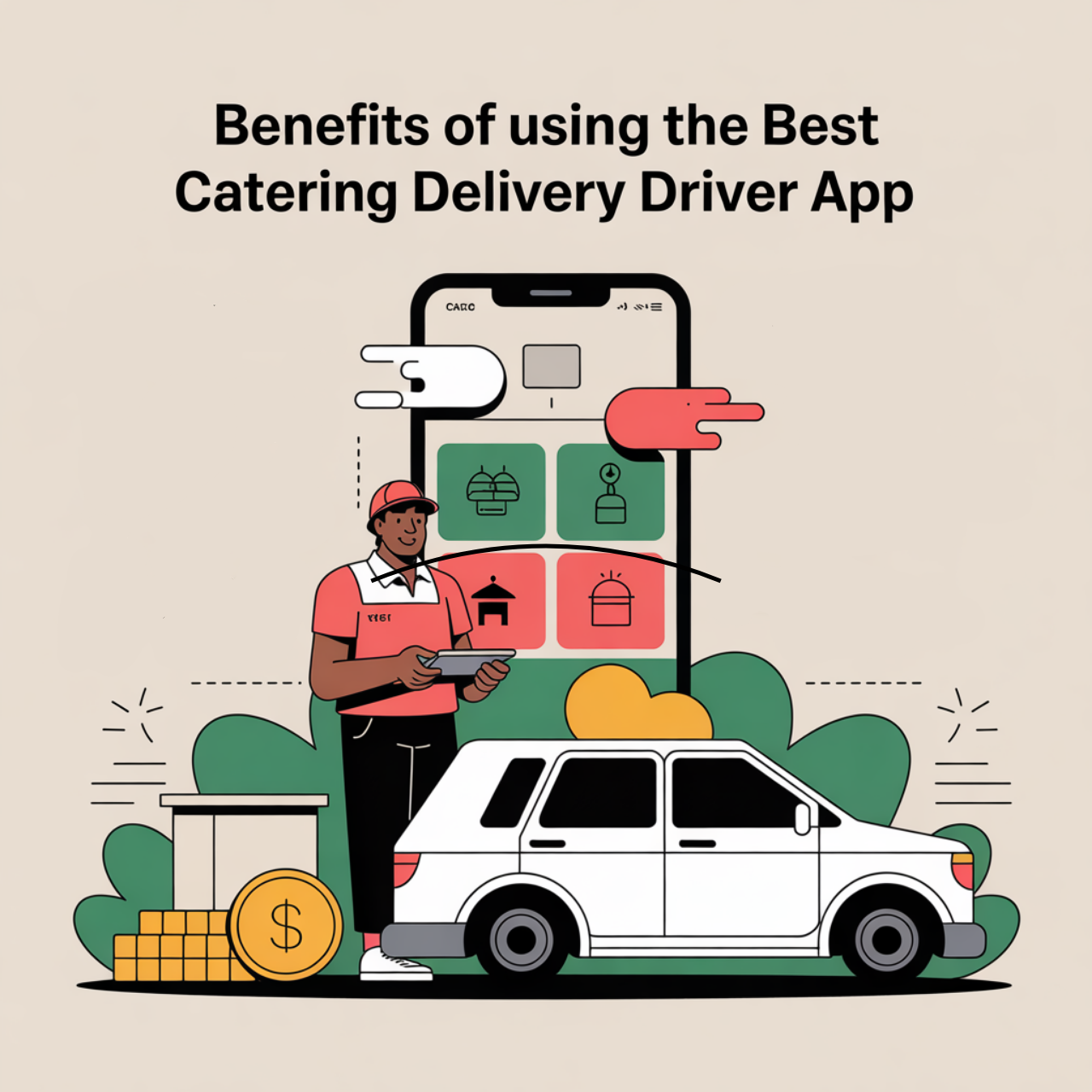
Driver using the best catering delivery app with optimized routing for large orders. Modern app interface with a car and money representing earnings and operational efficiency

When drivers and businesses transition from generic delivery tools to a best catering delivery driver app, they see measurable benefits.

Increased Efficiency

These apps streamline driver workflows by consolidating job details, route guidance, and delivery instructions in-app. Drivers no longer juggle multiple tools, spreadsheets, or manual assignments.

Better Accountability and Tracking

With real-time GPS tracking and automated delivery confirmations, businesses can ensure orders are delivered on time and drivers have proper visibility over each stop. Features like photo capture, timestamping, and digital signatures increase transparency.

Built for Catering Specific Needs

Unlike generic apps for food delivery drivers, catering delivery solutions handle complex orders, special requirements, and communication layers needed for events such as weddings, corporate functions, and large private parties.

Improved Driver Satisfaction

Drivers appreciate apps that reduce confusion, provide clear directions, and simplify earnings tracking. This leads to better service quality and fewer missed deliveries, a big competitive advantage in catering delivery logistics.

Lower Operational Costs

By owning the delivery workflow, caterers reduce dependency on third-party delivery platforms that often require high fees or stringent terms. This means more revenue stays with the business rather than being paid as marketplace commissions.

Core Features Every Catering Delivery Driver App Must Have

For a catering delivery driver app to truly support operations, it needs a mix of robust, driver-centric features and business-grade delivery management capabilities.

Below are the key functionalities that define the best solutions in 2026:

  • Real-Time GPS and Route Optimization
    Live tracking helps drivers navigate efficiently and allows businesses to monitor progress. Advanced apps suggest optimized routing based on traffic and multiple stops.
  • Order Assignment & Scheduling
    Drivers need a prioritized list of jobs, clear timing windows, and tools for confirming load details before leaving the restaurant or catering kitchen.
  • Proof of Delivery (POD)
    POD is vital for large orders. Top apps support signatures, photos of delivered items, and timestamped confirmations, critical for billing and accountability.
  • Earnings Dashboards
    A driver-focused app must clearly present earnings, incentives, and bonuses tied to performance.
  • In-App Communication
    Type, call, or message drivers directly from within the app. This ensures coordination during multi-stop catering routes or last-minute changes.
  • Offline Functionality
    Drivers can continue to access delivery details even without internet connectivity, essential for areas with weaker coverage.
  • Compliance & Safety Controls
    Driver safety features such as built-in break reminders, speed alerts, and risk alerts improve compliance and driver well-being.

The best catering delivery apps integrate all these capabilities, providing a single tool that makes delivery drivers more efficient and delivery operations more predictable.

How Catering Delivery Apps Compare to Third-Party Marketplaces

Understanding how a catering delivery driver app fits into the wider delivery ecosystem is essential, especially when businesses are considering alternatives like third-party marketplaces (DoorDash, Uber Eats, etc.).
Third-Party Marketplaces
Pros:

  • Instant customer access
  • Large user base

Cons:

  • High commission fees (often 20-30%)
  • Limited driver control
  • No brand ownership

Dedicated Catering Delivery Apps
Pros:

  • Full ownership and control
  • Tailored to business requirements
  • Better performance tracking
  • Lower long-term costs

Which Option Works Best for Your Business

For businesses focused on scaling their own delivery fleet and strengthening brand loyalty, a dedicated catering delivery solution is often more sustainable over the long term.

A hybrid approach, using third-party marketplaces for immediate demand while developing an in-house delivery ecosystem, is a strategy many enterprises pursue as they build capacity and customer loyalty.

Popular Use Cases for Catering Delivery Apps

Catering delivery driver apps are not one-size-fits-all. They address specific scenarios where delivery complexity, timing, and precision are mission-critical.

  • Wedding & Events Catering
    Deliver large orders with detailed instructions, multiple drop-offs, and strict timing windows.
  • Corporate & Office Catering
    Manage scheduled orders, recurring client requests, and time-sensitive business deliveries.
  • Institutional Catering
    Support schools, hospitals, and organizations with bulk deliveries requiring tracking and compliance.
  • Multi-Stop Logistics
    Optimize multi-stop orders where routing efficiency directly impacts customer experience and operational cost.

Each of these use cases benefits from tailored tools that generic food delivery driver apps simply were not built to manage efficiently.

How to Choose the Best Catering Delivery App for Drivers

With so many options and features, how do you decide which best catering delivery app for drivers is right for you?

  • Evaluate Specific Needs
    Look at your average order size, delivery volume, and routing complexity. A driver app that works well for single delivery tasks may not scale for catering logistics.
  • Check Integration Capabilities
    Does the app integrate with your existing order management system? Can it sync with your kitchen and dispatch workflows?
  • Measure Feature Completeness
    Compare route optimization, earnings dashboards, POD tools, and in-app communication. Effective solutions go beyond simple job notifications.
  • Prioritize User Experience
    Catering drivers need intuitive, fast tools that work on the go. Apps with smooth onboarding and minimal friction improve retention and performance.
  • Look for Analytics & Insights
    The best delivery apps provide dashboards that highlight delivery times, performance, order patterns, and areas for optimization.

Every business and driver operation will have unique priorities, but these criteria provide a solid checklist when considering catering delivery app solutions.

The Future of Catering Delivery Technology

Looking ahead, catering delivery technology will continue to evolve. Expect advancements like:

  • Artificial Intelligence (AI) routing that learns delivery patterns
  • Predictive scheduling tools to anticipate peak windows
  • Driver performance scoring with personalized recommendations
  • Automated billing tied to delivery milestones

This future will benefit both drivers and businesses by reducing uncertainty while increasing predictability and profitability for delivery fleets.

Conclusion

In a world where customer expectations are rising and logistics complexity is increasing, dedicated technology is no longer optional.

A catering delivery driver app empowers drivers to perform at their best while giving businesses the control and insights they need to run profitable delivery operations. From optimized routes and detailed assignments to analytics and driver performance tools, the right app bridges gaps that traditional delivery models can’t.

Whether you are a caterer searching for the best solution for your delivery team or a driver looking for apps that support your career in food delivery, understanding what makes a catering delivery driver tool effective will help you make better decisions and deliver exceptional service every time.

Build your custom catering delivery app today with Qualix Solutions to optimize your delivery operations and elevate your business. Visit Qualix Solutions to get started.

FAQs

What is a catering delivery driver app?

A catering delivery driver app is a specialized tool that helps businesses efficiently manage large, multi-item catering orders with optimized routes, real-time tracking, and automated delivery confirmations. It streamlines operations, enhances performance, and ensures timely deliveries for catering events.

How do catering delivery apps benefit businesses compared to regular food delivery apps?

Unlike general delivery apps, catering delivery driver apps are tailored for complex orders, multiple stops, and event-specific schedules. They provide businesses with more control, transparency, and efficiency in handling catering logistics, ensuring customer satisfaction and reduced operational costs.

How can a catering delivery driver app reduce operational costs for businesses?

By eliminating the need for third-party delivery services, catering apps help businesses retain control, avoid high commission fees, and optimize delivery workflows. This results in more revenue staying with the business and fewer delays in deliveries.

What should businesses look for when choosing a catering delivery driver app?

When selecting an app, businesses should prioritize features like route optimization, order management integration, proof of delivery, and earnings tracking. It’s essential to choose a solution that aligns with your specific catering delivery needs and integrates seamlessly with existing business systems.

Relevant Guides & Services

 

Custom Mobile App Development

Custom Web Development

UI/UX Design

Next.JS Development Company

ASP.NET Development Company

Tags

What do you think?

Leave a Reply

Your email address will not be published. Required fields are marked *

Related articles

how top consultancies use ai and automation

How Top Consultancies Use AI and Automation

The way consulting firms operate is changing fast. If you look at how top consultancies use AI and automation today, the shift is not just about technology, it’s about speed, decision-making, and how teams deliver value. Firms that once relied heavily on manual research, spreadsheets, and long turnaround cycles are now using AI to compress timelines from weeks to hours. Automation is removing repetitive work, while AI systems are helping consultants focus on strategy instead of data cleanup. This guide breaks down how top consultancies use AI and automation tools across real business functions, what tools they rely on, and how these changes impact clients across industries in the USA and globally. What Does AI and Automation Mean in Consulting? Before diving into use cases, it’s important to understand what AI and automation actually look like in consulting environments. AI (Artificial Intelligence): Systems that analyze data, generate insights, predict outcomes, or create content Automation: Workflows that run without manual input (data syncing, reporting, alerts, task triggers) Together, they help consultancies: Reduce manual work Improve accuracy Deliver faster results Scale operations without increasing headcount Why Top Consultancies Are Investing in AI Top firms are not adopting AI for trend value, they are solving real operational problems. Key Drivers 1. Time Pressure from ClientsClients expect faster insights and real-time reporting, not weekly updates. 2. Data OverloadBusinesses now operate across dozens of tools, creating fragmented data. 3. Cost EfficiencyManual consulting hours are expensive. Automation reduces unnecessary workload. 4. Competitive AdvantageFirms that use AI deliver faster and more accurate recommendations. How Top Consultancies Use AI and Automation in the World Across global consulting firms, AI is now embedded into daily operations. The use cases are consistent whether you look at the USA, Europe, or Asia. 1. Automated Data Collection and Integration Consultancies connect systems like CRM, ERP, analytics platforms, and marketing tools to create a single data flow. Example:Instead of manually exporting reports, automation pipelines pull data from multiple sources into one dashboard. Impact: Eliminates data silos Reduces reporting errors Saves hours of manual work 2. AI-Powered Market Research Research teams now use AI tools to: Analyze competitor websites Summarize industry reports Identify trends from large datasets Example:A consultant can input a market query and get a structured analysis within minutes instead of days. Impact: Faster decision-making Better strategic recommendations 3. Predictive Analytics for Business Decisions AI models help consultancies predict: Sales trends Customer churn Demand forecasting Example:Instead of reacting to declining sales, consultants can identify risks early and suggest proactive actions. Impact: Data-driven strategy Reduced business risk 4. Workflow Automation Across Departments Automation connects different teams: Sales → Operations Marketing → CRM Finance → Reporting Example:When a deal is closed, automation triggers: Invoice creation Customer onboarding Internal task assignments Impact: Faster execution Better team alignment 5. AI for Client Reporting and Dashboards Consultancies are replacing static reports with dynamic dashboards powered by AI. Features include: Real-time data updates Automated insights Natural language summaries Impact: Clients get instant visibility Reduced reporting workload How Top Consultancies Use AI and Automation Tools To implement these use cases, firms rely on a mix of AI and automation tools. Common Tool Categories 1. Workflow Automation Platforms Automate repetitive tasks Connect different applications 2. AI Analytics Tools Forecast trends Analyze large datasets 3. CRM and Revenue Platforms Track customer journeys Automate sales processes 4. AI Content and Research Tools Generate reports Summarize data How Top Consultancies Use AI and Automation Tools for Business AI and automation are not limited to internal operations, they directly impact business outcomes. 1. Sales Optimization Consultancies use AI to: Score leads Predict deal success Automate follow-ups Result:Higher conversion rates and shorter sales cycles 2. Marketing Performance Automation helps: Track campaign performance Adjust strategies in real time Personalize messaging Result:Better ROI on marketing spend 3. Customer Experience AI enables: Personalized recommendations Faster support responses Behavior-based engagement Result:Improved customer retention 4. Financial Planning Automation ensures: Accurate forecasting Real-time financial reporting Reduced manual errors Result:Stronger financial control How Top Consultancies Use AI and Automation for Website Apps Consulting firms are also transforming how digital products are built and optimized. 1. AI-Driven Website Personalization Websites now adapt based on: User behavior Industry Traffic source Example:A visitor from a SaaS company sees different messaging than a manufacturing visitor. 2. Automated Lead Capture and Routing AI systems: Qualify leads instantly Route them to the right team Trigger follow-ups automatically 3. Chatbots and Conversational AI Websites now use AI assistants to: Answer queries Book meetings Guide users through services 4. Performance Optimization AI tools analyze: Page speed User behavior Conversion patterns Result:Continuous improvement without manual audits How Top Consultancies Use AI and Automation in the USA In the USA, adoption is more mature due to: Higher competition Advanced tech infrastructure Client expectations for real-time insights Key Trends in the USA Heavy use of predictive analytics Integration across 10–20+ tools AI-driven revenue operations Strong focus on data governance and compliance Consultancies in the USA are not just using AI, they are building entire service lines around it. Real-World Scenario: Before vs After AI Adoption Before AI and Automation Reports created manually Data scattered across tools Delayed decision-making High operational costs After AI and Automation Real-time dashboards Connected systems Faster strategic decisions Reduced manual workload Challenges Consultancies Face with AI Adoption Even top firms face challenges when implementing AI. 1. Data Quality Issues AI depends on clean, structured data. 2. Tool Overload Too many tools can create complexity instead of efficiency. 3. Change Management Teams need training to adopt new systems. 4. Integration Complexity Connecting multiple systems requires technical expertise. How to Start Using AI and Automation in Consulting If you’re looking to implement similar strategies, start with a structured approach: Step 1: Identify Repetitive Tasks Find processes that consume time but add little strategic value. Step 2: Map Your Tools Understand where your data lives and how systems interact. Step 3: Implement Automation First Start with workflows before introducing complex AI models. Step 4: Add AI for Insights Use AI for

Read more
where to buy ap automation software with ai-based fraud detection

Where to Buy AP Automation Software with AI-Based Fraud Detection

If you’re searching for where to buy ap automation software with ai-based fraud detection, you’re likely dealing with rising invoice volumes, fraud risks, and manual bottlenecks in your finance team. As an AI Accounts Payable Consultant, I’ve seen companies lose thousands due to duplicate invoices, fake vendors, and weak validation controls. The shift to AI-driven AP automation is no longer optional. It’s now a core financial control layer that combines invoice processing, fraud detection, and real-time data validation into one system. This guide will help you: Identify the best platforms Understand AI capabilities in AP Compare 20+ leading tools Choose the right solution for your business size   Top 23 AP Automation Platforms with AI-Based Fraud Detection   Below is a curated list of leading platforms globally. 1. Coupa Coupa offers advanced AI for spend analysis and fraud detection. It is widely used by enterprises for full procure-to-pay automation. 2. Stampli Stampli focuses on collaboration and invoice processing. Its AI assistant helps detect anomalies and automate approvals. 3. Rillion Rillion delivers strong invoice automation with built-in fraud detection features. It integrates well with ERP systems. 4. Tipalti Tipalti specializes in global payments and compliance. It uses AI to validate tax data and detect suspicious transactions. 5. AvidXchange AvidXchange focuses on mid-market businesses. It provides automated invoice processing and fraud monitoring tools. 6. Basware Basware offers strong AI-driven invoice processing and fraud detection capabilities for large enterprises. 7. Airbase Airbase combines AP automation with expense management. Its AI tools help detect duplicate payments and anomalies. 8. Bill.com Bill.com is popular among SMBs. It provides AI-driven invoice processing and payment automation. 9. Ramp Ramp focuses on cost control and fraud detection using AI-based transaction monitoring. 10. Melio Melio simplifies payments and invoice processing. It includes basic fraud detection features. 11. MineralTree MineralTree offers AI-powered invoice processing and payment fraud prevention tools. 12. Yooz Yooz provides strong OCR and AI-based invoice capture with anomaly detection features. 13. Kofax Kofax delivers advanced document processing and AI validation for invoices. 14. ABBYY ABBYY is known for AI-driven document recognition and invoice data extraction. 15. Sage Intacct Sage Intacct includes AP automation features with built-in fraud controls. 16. SAP Concur SAP Concur provides AP and expense automation with AI fraud detection capabilities. 17. Oracle NetSuite NetSuite offers integrated AP automation with real-time fraud detection. 18. Vic.ai Vic.ai is a leader in autonomous accounting. It uses AI for invoice coding and fraud detection. 19. Hypatos Hypatos focuses on deep learning for invoice processing and anomaly detection. 20. Rossum Rossum provides AI-based invoice capture and validation. 21. Tradeshift Tradeshift combines AP automation with supplier network intelligence and fraud detection. 22. Quadient AP Automation Quadient offers AI-powered invoice capture and workflow automation. 23. Beanworks Beanworks is a mid-market AP tool with automation and fraud monitoring features. Why AI-Based Fraud Detection is Critical in AP Automation Traditional AP systems rely on rules. AI-powered systems rely on patterns. That’s the difference between: Detecting fraud after it happens Preventing it before payment is made   Real-world problem: A mid-sized company approved invoices from a fake vendor for 3 months. Why? Because the system only checked PO matching, not behavioral anomalies. AI-based AP systems detect: Duplicate invoices across vendors Suspicious payment patterns Vendor impersonation Abnormal GL allocations This is where ai data verification solutions line item validation accounts payable becomes essential. What to Look for Before Buying AP Automation Software   Before deciding where to buy ap automation software with ai-based fraud detection, evaluate these core capabilities: 1. AI Invoice Recognition & Coding Look for tools offering: Automatic invoice capture Smart GL mapping Historical learning This is key for best ai-powered tools for automatic invoice coding and gl allocation. 2. Fraud Detection Engine The system should: Flag anomalies Detect duplicates Validate vendor behavior 3. ERP Integration Top tools integrate with: SAP Oracle ERP NetSuite This is crucial when evaluating top 20 ap automation tools with erp integration. 4. Touchless Processing Modern AP tools aim for: 80–95% invoice automation Exception-based workflows These are known as top touchless invoice engines with machine learning for exception handling. Best Use Cases by Business Size   Mid-Market Companies If you are looking for most cost-effective ai solutions for mid-market ap fraud prevention, consider: AvidXchange Yooz Beanworks These tools balance cost and functionality. Enterprise Companies For best enterprise systems for automating digital payment journeys 2026, top options include: Coupa Tipalti SAP Concur   AI-First Platforms For ap automation platforms using ai agents: Vic.ai Hypatos Rossum These tools go beyond automation and use agentic AI for decision-making. Real-Life Scenario: Fraud Prevention with AI AP   A logistics company processed 10,000 invoices monthly. Problem: Duplicate payments increased Manual approvals slowed operations After implementing AI AP automation: Fraud incidents dropped by 70% Invoice processing time reduced by 60% Finance team shifted from data entry to analysis   Where to Buy AP Automation Software with AI-Based Fraud Detection   You can purchase AP automation tools through: 1. Direct Vendor Websites Most platforms like Coupa or Tipalti sell directly. 2. Certified Implementation Partners Consulting firms help with: Tool selection Integration Custom workflows 3. Marketplaces & ERP Ecosystems Platforms like: Salesforce AppExchange SAP Store offer AP automation integrations. Key Trends for 2026 1. Agentic AI in AP AI agents will: Approve invoices Detect fraud Trigger workflows This aligns with best ap software with agentic ai add-ons for enterprises 2026. 2. Touchless AP Goal: 95% invoice automation 3. Real-Time Fraud Detection AI models will analyze transactions instantly. How to Choose the Right Solution Ask these questions: Does it integrate with your ERP? Can it detect fraud in real time? What is the automation rate? Does it support global payments?   Best AI-Powered Tools for Automatic Invoice Coding and GL Allocation – Final Thoughts Choosing where to buy ap automation software with ai-based fraud detection depends on your business size, ERP ecosystem, and risk exposure. The biggest mistake companies make is buying software without fixing their AP process. AI tools amplify your system. If your AP

Read more
how to use ai to automate tasks

How to Use AI to Automate Tasks for Real Business Impact

Artificial intelligence is no longer a future concept, it is already changing how companies operate daily. If you’re asking how to use AI to automate tasks, you’re likely dealing with repetitive work, disconnected systems, or manual processes slowing your team down. This guide explains how to automate tasks using AI, shows where it actually works, and gives you 60+ real-life use cases and 15 proven AI tools you can apply immediately. 60+ Real-Life Examples of AI Task Automation Sales (10 Examples) Auto-assign leads based on territory AI lead scoring using behavior Automated follow-up emails Call transcription and summaries Pipeline forecasting Meeting scheduling automation CRM data enrichment Deal risk prediction Proposal generation Sales activity logging Marketing (10 Examples) Email campaign personalization AI-generated ad copy Social media scheduling Content recommendations SEO keyword clustering Chatbot lead capture A/B testing automation Customer segmentation Landing page optimization Campaign performance insights Customer Support (10 Examples) AI chatbots for FAQs Ticket classification Auto-response suggestions Sentiment analysis Knowledge base recommendations Call routing automation Issue prioritization SLA monitoring Feedback summarization Self-service automation Operations (10 Examples) Invoice processing Order tracking automation Inventory forecasting Vendor communication automation Data reconciliation Report generation Workflow approvals Contract analysis Procurement automation Payment reminders IT & Engineering (10 Examples) Incident detection Log analysis Automated ticket resolution Code generation System monitoring Security threat detection Infrastructure scaling Deployment automation Backup management Password reset automation HR & Admin (10+ Examples) Resume screening Interview scheduling Employee onboarding workflows Payroll processing Policy compliance checks Internal helpdesk automation Performance tracking Exit process automation Document generation Meeting summaries Task reminders Internal communication automation How to Automate Repetitive Tasks Using AI Agents AI agents are one of the fastest-growing trends. If you’re exploring how to automate repetitive tasks using AI agents, here’s how they work: AI agents can: Take actions across tools Make decisions based on context Execute multi-step workflows Example: Customer submits request → AI agent checks CRM → updates record → sends response → logs activity How Can I Use AI to Automate My IT Tasks? For IT teams, AI is especially powerful. Examples: Automatically resolve support tickets Detect anomalies in system logs Predict outages before they happen Auto-scale infrastructure Generate scripts for repetitive fixes Real scenario: Instead of manually reviewing logs, AI identifies unusual patterns and alerts your team instantly. 15 Best AI Tools to Automate Tasks Here are the most effective tools across categories: Workflow Automation Zapier Make (Integromat) n8n AI & Language Models OpenAI (ChatGPT API) Claude Google Gemini Sales & RevOps HubSpot AI Salesforce Einstein Clari Marketing Automation Jasper AI Copy.ai Customer Support Intercom AI Zendesk AI IT Automation Moveworks Aisera Step-by-Step: How to Use AI to Automate Tasks 1. Identify Repetitive Work Start by listing tasks that are: Time-consuming Rule-based Repeated daily or weekly Examples: Data entry Lead qualification Email responses Report generation 2. Map Inputs and Outputs Every task has: Input → Data, trigger, or action Process → Rules or logic Output → Result Example: Input: New form submission Process: AI checks lead quality Output: Assign to sales + send email 3. Choose the Right AI Tool Different tools serve different purposes: Workflow automation Natural language processing Predictive analytics IT automation 4. Build AI Workflows This is where automation happens: Trigger → Action → Decision → Output Example: New lead → AI scores lead → If high intent → Notify sales → Send follow-up email 5. Monitor and Improve AI improves over time, but only if you: Track outcomes Adjust logic Train models with better data Why AI Task Automation Matters Now   Most teams today operate across 10–20 tools. Sales, marketing, operations, and IT often work in silos. The result: Delayed responses to leads Manual data entry errors Poor forecasting visibility Time wasted on repetitive tasks AI fixes this by: Automating decisions, not just actions Connecting systems through workflows Reducing human dependency on routine work What Does It Mean to Automate Tasks Using AI? When people ask how can I use AI to automate tasks, they often think about simple automation like scheduling emails. But AI goes further. AI automation includes: Understanding data (not just moving it) Making decisions based on patterns Triggering workflows automatically Learning from outcomes Example: Instead of manually assigning leads, AI analyzes behavior and assigns them to the best-performing sales rep automatically. How to Choose the Right Tasks to Automate Not everything should be automated. Focus on: High-frequency tasks Low-risk decisions Data-heavy processes Avoid: Strategic decision-making Complex human judgment tasks Common Mistakes to Avoid Automating broken processes Using too many tools without integration Ignoring data quality Not tracking performance Over-automating customer interactions AI Automation Use Cases That Drive Revenue If your goal is growth, focus on: Lead response automation (within 5 minutes) Forecasting accuracy improvements Customer retention workflows Sales pipeline visibility How AI Improves RevOps Strategy AI helps RevOps teams: Align sales, marketing, and finance Improve forecasting accuracy Eliminate data silos Increase revenue predictability Future of AI Task Automation In the next 2–3 years: AI agents will replace manual workflows Decision-making will become automated Businesses will rely less on manual operations How to Use AI to Automate Repetitive Tasks​ – FAQs   How to use AI to automate tasks? Start by identifying repetitive tasks, map inputs and outputs, choose AI tools, build workflows, and continuously optimize performance.   How can I use AI to automate repetitive tasks? Use AI tools to handle data entry, emails, reporting, and workflows. AI can analyze patterns and execute actions automatically. How to automate tasks using AI tools? Select tools like Zapier, HubSpot AI, or OpenAI. Create workflows with triggers, conditions, and actions. How can I use AI to automate my IT tasks? Use AI for ticket resolution, log monitoring, security detection, and infrastructure automation. How to automate repetitive tasks using AI agents? Deploy AI agents that can execute multi-step workflows, make decisions, and interact across systems. Relevant Guides & Services   CRM Software for Non Profit Organizations Catering Delivery Driver App Apps for Enterpreneurs Multimodal Communication Web3 iOS App Development Social Media App Development

Read more
Contact us

Partner with Us for Comprehensive IT

We’re happy to answer any questions you may have and help you determine which of our services best fit your needs.

Your benefits:
What happens next?
1

We Schedule a call at your convenience 

2

We do a discovery & consulting meeting 

3

We prepare a proposal 

Schedule a Free Consultation