Company

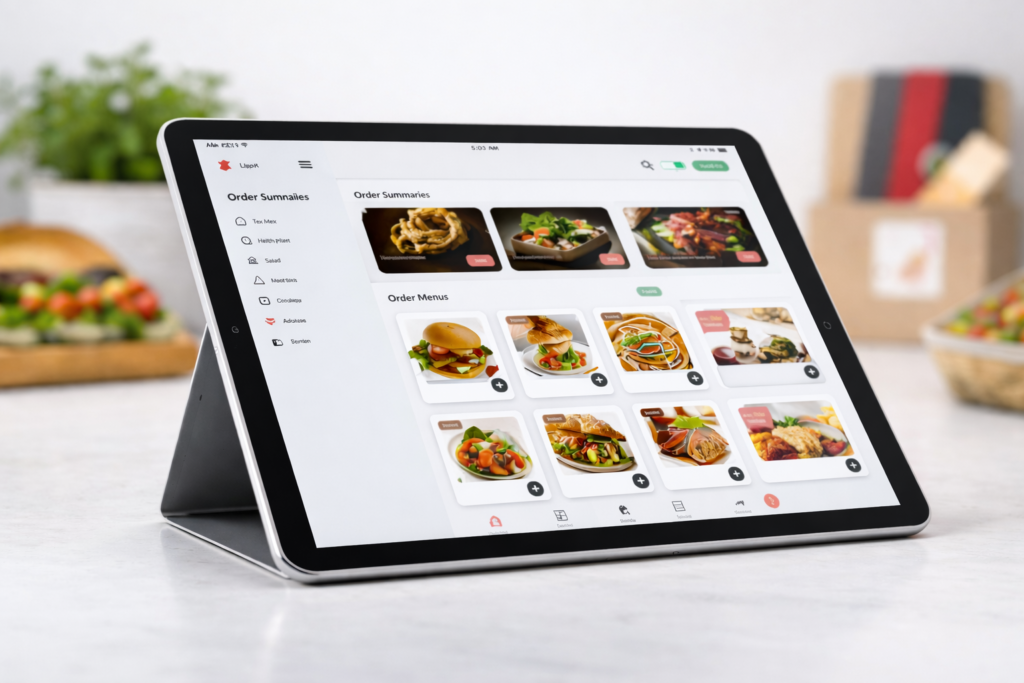
Catering delivery driver app interface displaying multi-item orders, route optimizations, and order assignments for event-based catering logistics

Catering Delivery Driver App – The Complete Guide for 2026

A catering delivery driver app is a specialized mobile application designed for drivers who deliver catered food orders, managing routes, assignments, tracking, delivery confirmations, and earnings directly from their smartphone. Unlike general gig-economy apps, these apps are tailored to catering delivery operations, giving drivers tools to increase efficiency and accuracy throughout the delivery workflow. A catering delivery driver app directly impacts driver performance, customer satisfaction, and operational transparency across the entire delivery chain. In this guide, we’ll explain why businesses and drivers alike are searching for the best catering delivery driver app, how these apps work in practice, what features matter most, and how to evaluate solutions against alternatives like third-party food delivery networks. We’ll also explore apps for food delivery drivers more broadly and share insights on choosing the best catering delivery app for drivers and catering operations in 2026. Why Catering Delivery Apps Are Essential Today The food industry has shifted dramatically over the past decade. Customers increasingly expect on-demand delivery of everything, from everyday meals to fully catered event orders. While third-party marketplaces helped popularize delivery, they often present challenges: High commission fees that cut into restaurant and caterer margins. Brand dilution and limited customer data access. Delivery complexity for escorting large, multi-item orders to events. A specialized catering food delivery driver app puts control back in the hands of businesses and drivers. Instead of depending on external marketplaces, apps built around catering delivery requirements allow for: Custom routing and assignment logic Real-time tracking for large orders Automated delivery confirmations and proof-of-delivery Earnings and job details designed around catering-specific workflows This shift is part of a broader trend where businesses are reducing dependence on external delivery platforms and investing in delivery technology that keeps margins, control, and customer relationships in-house. What Is a Catering Delivery Driver App (And How It Differs)  A typical delivery driver app supports parcel or restaurant deliveries, allowing drivers to accept jobs, navigate routes, and confirm deliveries. But a catering delivery driver app is distinct: Key Differences Standard Driver App Catering Delivery Driver App Supports general food deliveries Optimized for large, multi-item catering orders Simple pick-up & drop-off tasks Detailed stops with load verification & event timing Often third-party marketplace oriented May integrate with business systems directly Typically single delivery Often multiple stops with specialized routing This specialization enables catering delivery drivers to efficiently handle orders that may involve: Multiple delivery locations Time-sensitive event schedules Bulk packaging Special handling instructions Staff coordination at delivery sites Dedicated catering apps bridge the gap between general driver tools and event-level delivery requirements. Benefits of Using the Best Catering Delivery Driver App  When drivers and businesses transition from generic delivery tools to a best catering delivery driver app, they see measurable benefits. Increased Efficiency These apps streamline driver workflows by consolidating job details, route guidance, and delivery instructions in-app. Drivers no longer juggle multiple tools, spreadsheets, or manual assignments. Better Accountability and Tracking With real-time GPS tracking and automated delivery confirmations, businesses can ensure orders are delivered on time and drivers have proper visibility over each stop. Features like photo capture, timestamping, and digital signatures increase transparency. Built for Catering Specific Needs Unlike generic apps for food delivery drivers, catering delivery solutions handle complex orders, special requirements, and communication layers needed for events such as weddings, corporate functions, and large private parties. Improved Driver Satisfaction Drivers appreciate apps that reduce confusion, provide clear directions, and simplify earnings tracking. This leads to better service quality and fewer missed deliveries, a big competitive advantage in catering delivery logistics. Lower Operational Costs By owning the delivery workflow, caterers reduce dependency on third-party delivery platforms that often require high fees or stringent terms. This means more revenue stays with the business rather than being paid as marketplace commissions. Core Features Every Catering Delivery Driver App Must Have For a catering delivery driver app to truly support operations, it needs a mix of robust, driver-centric features and business-grade delivery management capabilities. Below are the key functionalities that define the best solutions in 2026: Real-Time GPS and Route Optimization Live tracking helps drivers navigate efficiently and allows businesses to monitor progress. Advanced apps suggest optimized routing based on traffic and multiple stops. Order Assignment & Scheduling Drivers need a prioritized list of jobs, clear timing windows, and tools for confirming load details before leaving the restaurant or catering kitchen. Proof of Delivery (POD) POD is vital for large orders. Top apps support signatures, photos of delivered items, and timestamped confirmations, critical for billing and accountability. Earnings Dashboards A driver-focused app must clearly present earnings, incentives, and bonuses tied to performance. In-App Communication Type, call, or message drivers directly from within the app. This ensures coordination during multi-stop catering routes or last-minute changes. Offline Functionality Drivers can continue to access delivery details even without internet connectivity, essential for areas with weaker coverage. Compliance & Safety Controls Driver safety features such as built-in break reminders, speed alerts, and risk alerts improve compliance and driver well-being. The best catering delivery apps integrate all these capabilities, providing a single tool that makes delivery drivers more efficient and delivery operations more predictable. How Catering Delivery Apps Compare to Third-Party Marketplaces Understanding how a catering delivery driver app fits into the wider delivery ecosystem is essential, especially when businesses are considering alternatives like third-party marketplaces (DoorDash, Uber Eats, etc.). Third-Party Marketplaces Pros: Instant customer access Large user base Cons: High commission fees (often 20-30%) Limited driver control No brand ownership Dedicated Catering Delivery Apps Pros: Full ownership and control Tailored to business requirements Better performance tracking Lower long-term costs Which Option Works Best for Your Business For businesses focused on scaling their own delivery fleet and strengthening brand loyalty, a dedicated catering delivery solution is often more sustainable over the long term. A hybrid approach, using third-party marketplaces for immediate demand while developing an in-house delivery ecosystem, is a strategy many enterprises pursue as they build capacity and customer loyalty. Popular Use Cases for Catering Delivery Apps Catering

Read more
Modern entrepreneur workspace with laptop, tablet analytics dashboard, and smartphone apps used for managing business productivity and digital tools

Best Apps for Entrepreneurs to Run and Grow a Smarter Business

Running a business requires managing many responsibilities at the same time. Entrepreneurs often handle marketing, communication, finances, customer relationships, and operations while trying to grow their companies. This workload can quickly become overwhelming without the right systems in place. This is why apps for entrepreneurs have become essential in modern business. Instead of hiring large teams, founders can use digital tools to automate tasks, improve productivity, and manage their businesses more efficiently. From project management platforms to artificial intelligence tools, modern apps help entrepreneurs save time and make better decisions. According to McKinsey research, digital collaboration tools can improve productivity by up to 25 percent in organizations that adopt them effectively. In this guide, we explore the best apps for entrepreneurs, including productivity tools, AI platforms, marketing software, financial management tools, and networking apps that help businesses operate smoothly. Why Apps Are Important for Entrepreneurs Entrepreneurs usually operate with limited resources and tight schedules. Managing everything manually can slow business growth and create unnecessary stress. Digital tools help business owners streamline operations and stay organized. Using the right apps for startup entrepreneurs offers several advantages. Automate repetitive tasks Improve team communication Manage projects more efficiently Track finances and business performance Improve marketing and customer engagement When founders use modern productivity tools, they can spend less time on administrative work and more time focusing on strategy and growth. Best Productivity Apps for Entrepreneurs Productivity apps help entrepreneurs stay organized, manage tasks, and maintain consistent workflows. Notion Notion is one of the most popular productivity tools used by startups and growing businesses. It combines notes, databases, task management, and documentation into a single workspace. Entrepreneurs commonly use Notion to manage business planning, product development, and marketing strategies. Common uses include: business documentation  marketing calendars knowledge management project workflows Because of its flexibility, Notion is considered one of the must have apps for entrepreneurs. Todoist Todoist helps entrepreneurs organize daily tasks and manage deadlines in a simple and clean interface. Key features include: task prioritization intelligent scheduling project tracking cross platform syncing Entrepreneurs who manage multiple responsibilities find Todoist useful for staying organized and focused. Trello Trello uses a visual board system to organize projects and tasks. Teams can track progress using lists and cards that move through different stages of work. Entrepreneurs use Trello for: marketing campaign tracking product development planning task management workflow organization The visual format makes it easy to understand project progress at a glance. ClickUp ClickUp is a powerful project management platform designed for growing teams. It combines tasks, documents, goal tracking, and time management in one platform. Entrepreneurs choose ClickUp because it allows them to manage multiple projects without switching between different tools. Best AI Apps for Entrepreneurs Artificial intelligence is transforming how businesses operate. AI powered platforms help entrepreneurs automate work, create content, and analyze data more efficiently. ChatGPT ChatGPT is widely used by entrepreneurs for writing, brainstorming, research, and customer support automation. Business owners often use it to: generate marketing content write blog articles develop business ideas answer customer questions AI tools like ChatGPT allow entrepreneurs to scale operations without significantly increasing their workload. Jasper AI Jasper AI focuses on marketing and content creation. Entrepreneurs use Jasper to generate advertising copy, blog posts, and social media content. This makes it one of the best AI apps for entrepreneurs who rely heavily on digital marketing. Zapier Zapier is an automation platform that connects different business applications. It allows entrepreneurs to create automated workflows between tools. Examples include: sending new leads from forms to a CRM automatically updating spreadsheets triggering email campaigns organizing uploaded files Automation tools reduce repetitive work and help businesses run more efficiently. Free Apps for Entrepreneurs Many startups operate with limited budgets. Fortunately, several powerful free apps for entrepreneurs can support daily operations. Slack Slack is a communication platform designed for team collaboration. It organizes conversations into channels and allows teams to share files and information easily. Benefits include: real time messaging team communication channels file sharing integration with business tools Slack is widely used by startups and remote teams. Google Workspace Google Workspace includes several essential tools that entrepreneurs use every day. These include: Gmail Google Docs Google Sheets Google Drive Google Meet These tools allow teams to collaborate on documents, store files, and communicate easily. Canva Canva is a design platform that helps entrepreneurs create marketing visuals without professional design skills. Entrepreneurs use Canva to design: social media graphics marketing presentations website visuals brand materials Templates and drag and drop editing make design accessible for anyone. Apps for Entrepreneurs to Connect and Network Networking plays a key role in business growth. Entrepreneurs benefit from connecting with mentors, partners, and investors. LinkedIn LinkedIn is one of the most valuable professional networking platforms. Entrepreneurs use LinkedIn to build relationships, generate leads, and recruit employees. Many founders consider LinkedIn the most important app for entrepreneurs to connect with other professionals. Lunchclub Lunchclub is an AI powered networking platform that introduces entrepreneurs to professionals with similar interests or goals. The platform creates meaningful connections that can lead to partnerships, collaborations, or investments. Clubhouse Clubhouse is an audio discussion platform where entrepreneurs participate in conversations about startups, marketing strategies, and business trends. These discussions allow founders to learn from experienced professionals and expand their networks. Financial Management Apps for Entrepreneurs Financial management is one of the most important aspects of running a business. Accounting apps simplify expense tracking, invoicing, and reporting. QuickBooks QuickBooks is one of the most widely used accounting platforms for small businesses. Entrepreneurs use QuickBooks to: track expenses manage invoices monitor financial reports prepare tax documents The platform helps business owners maintain clear financial records. Wave Wave offers free accounting tools for freelancers and small businesses. Features include: invoicing expense tracking financial reporting Wave is often recommended as one of the best free apps for entrepreneurs who need simple accounting tools. Marketing Apps for Entrepreneurs Marketing tools help businesses attract customers and build strong brands. HubSpot HubSpot provides a powerful customer relationship

Read more
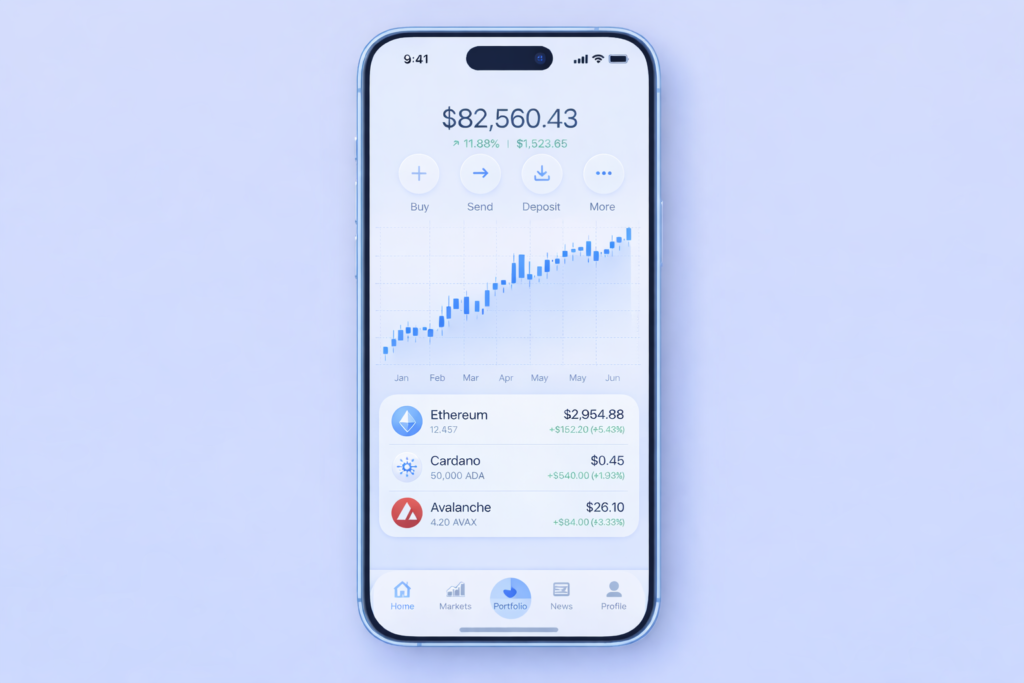
A modern Web3 iOS app interface displaying portfolio stats, blockchain data visualizations, and cryptocurrency values, all integrated into a sleek mobile dashboard on a smartphone.

Web3 iOS App Development

Web3 iOS app development is redefining how mobile applications are created and experienced on Apple devices. Traditional iOS apps rely on centralized servers and controlled data systems. In contrast, web3 iOS app development enables fully decentralized applications where users own their data, control their identities, and interact directly with blockchain networks. Adoption of Web3 apps development is growing rapidly as more companies seek security, transparency, and user empowerment in their mobile products. With the rise of decentralized finance, tokenized assets, and next generation cryptographic services, web3 ios technologies are driving a new class of mobile software. In this guide, you will learn what Web3 means for Apple platforms, how web3 in iOS apps works, which tools and frameworks to choose, and the strategic benefits and challenges of building decentralized mobile applications. Understanding this ecosystem will help you build next generation mobile experiences that attract users and deliver long term value. Section 1: What is Web3 iOS App Development? Web3 iOS app development refers to building mobile applications for iPhone and iPad that integrate decentralized technologies such as blockchain networks, smart contracts, and peer to peer authentication. These apps offer a shift away from centralized infrastructure to models where users control their own data and cryptographic keys. At its core, Web3 is about decentralization. Traditional apps store user accounts and content on central servers owned by companies. Web3 apps connect to distributed blockchain nodes where data is shared securely across networks that do not require a single central authority. This allows mobile applications to provide greater transparency, stronger security, and global interoperability for digital assets and identity services. Web3 in iOS systems typically involves integrating wallets, blockchain networking libraries, smart contract calls, and decentralized storage with native UI components in Swift and Xcode. Instead of relying on email passwords or database authentication, users can authenticate and sign transactions using decentralized wallet credentials. Section 2: Why Web3 Matters for iOS Apps Understanding why Web3 matters starts from the contrast between how data is managed in traditional apps versus decentralized systems. User Ownership of Data Web3-based applications give users complete ownership and control of their digital assets and personal information. Centralized platforms often collect and manage user data on private servers. Decentralized design puts the user in control of their keys and access rights, enabling stronger privacy and user agency. Enhanced Security and Trust Blockchain technologies provide secured transaction validation without intermediaries. Smart contracts automate business logic and record confirmed activity in immutable ledgers, protecting against fraud and unauthorized manipulation. This increases trust for financial services, digital rights platforms, and identity verification flows. New Revenue Models Web3 iOS applications create new ways to monetize products and services, including token gating, on-chain payments, NFT marketplaces, and decentralized finance modules built directly into the user experience. These features unlock revenue streams unavailable in traditional models. Decentralized Identity and Authentication Web3 apps can authenticate users using decentralized identity schemes that eliminate the need for usernames and passwords. This reduces risk while improving user experience, especially for mobile services requiring frequent authentication. Section 3: Core Components of Web3 iOS Applications Building Web3 enabled apps on iOS requires understanding the main layers and functions of decentralized technologies. Blockchain Networks Web3 apps connect to blockchain networks such as Ethereum, Solana, or layer 2 solutions. These networks act as decentralized backends where transactions can be verified and recorded across distributed nodes. Network providers like Alchemy and Infura enable secure connections without running full nodes. Wallet Integration Wallets are central to Web3 authentication and transactions. Users connect wallets like WalletConnect or MetaMask Mobile to authenticate and sign transactions. Integrating wallets into iOS apps enables token transfers, balance checks, and smart contract interactions securely. Smart Contracts Smart contracts are self executing rules that run on blockchain networks. These contracts handle business logic for token exchanges, decentralized finance protocols, and governance features without manual server control. Decentralized Storage Applications often use decentralized storage systems like IPFS or Filecoin to store data in distributed networks instead of centralized servers. This improves resilience and data persistence across networks. Integration Libraries Web3 libraries such as Web3.swift, EthereumKit, and native SDKs allow iOS apps to communicate with blockchain networks, handle contracts, and update UI based on decentralized state. Developers use these libraries to connect smart contract data with native app components. Section 4: Tools and Frameworks for Web3 iOS App Development Choosing the right stack is critical for quality delivery and performance. Swift and Xcode Swift is the official language for iOS app development, and Xcode is the primary IDE. These tools are essential for creating native applications with responsive UI, secure data handling, and compatibility with Apple guidelines. Web3 Libraries Web3.swift and EthereumKit provide native integration with Ethereum and other networks. WalletConnect integrations allow secure wallet connections using deep links or QR scans. These libraries let developers build core decentralized features for wallets and contracts. Blockchain Node Providers Services like Alchemy, Infura, and Moralis simplify connection to blockchain networks without running your own node infrastructure. They provide APIs for data reads, event subscriptions, and transaction broadcasting. Smart Contract Tools Tools such as Remix IDE, Hardhat, and Ganache assist developers in writing, testing, and deploying smart contracts before linking them to iOS applications. Decentralized Oracles and Data Indexing Chainlink enables external data integration for reliable real world data. The Graph indexes blockchain data for efficient queries. Such tools connect off chain data to on chain logic in web3 applications. Section 5: Step by Step Web3 iOS App Development Process This section explains a general workflow for building web3 iOS applications from planning to deployment. Step 1: Define Objectives and Business Logic Outline what decentralized features your app will provide. Identify whether you need crypto payments, wallet support, token based access, or smart contract automation. Step 2: Choose a Blockchain Network Select a blockchain network based on cost, speed, and ecosystem needs. Ethereum and layer 2 solutions remain popular for token standards and broad tool support. Step 3: Design Wallet Interactions Implement wallet connections using SDKs that

Read more
food delivery bicycle courier passing urban restaurant

Food Delivery Companies Payment Comparison 2026

The food delivery industry has grown explosively over the last decade, transforming how millions of people dine and how restaurants operate. Platforms such as DoorDash, Uber Eats, Grubhub, and Postmates (now integrated into the Uber Eats ecosystem) serve as intermediaries that connect hungry customers with local restaurants and independent drivers. However, food delivery companies’ payment structures can be complex. Understanding restaurant commissions, customer fees, payment terms, and real net revenue is essential whether you’re a restaurant owner evaluating profitability or a customer trying to save money. In this food delivery companies payment comparison, we’ll break down how each platform charges, how revenue flows to restaurants, and how customers are billed, including nuances often overlooked in simpler summaries. Key Factors to Consider in Food Delivery Payment Comparisons Before diving into the best food delivery companies payment comparison, it’s important to understand the core variables that affect costs for both restaurants and customers: Restaurant Commissions: Third‑party delivery apps typically charge restaurants a percentage of the order total as commission. These can vary based on plan type and negotiated contract. Processing & Operational Fees: In addition to base commission rates, many platforms charge processing or payment‑related fees, which can further reduce restaurant net revenue. Delivery & Service Fees for Customers: Customers pay delivery fees, service fees, small‑order fees, and sometimes surge pricing during peak times. These vary widely by location and order details. Payout Terms: The timing and method by which restaurants receive payout (weekly, daily advance, or accelerated for a fee) impacts cash flow. Marketing & Promotion Fees: Optional promotional services — such as enhanced visibility or priority listing — can increase a restaurant’s overall cost. 1. Delivery Service Fees: How Much Are They Really Understanding how food delivery platforms charge both restaurants and customers requires moving beyond flat estimates into more realistic ranges based on industry data. DoorDash Restaurant Commissions: Typically around 15 %–30 % per order, depending on which merchant plan the restaurant selects and any promotional add‑ons.  Additional Costs: Optional fees for marketing or enhanced placement can further increase costs.  Customer Fees: Delivery and service fees vary significantly by city, market conditions, and order size.  Payout Options: Restaurants generally receive payouts on a regular schedule, often weekly, but accelerated payout options may be available. Takeaway: DoorDash’s pricing is variable and context dependent, while commission percentages are broad, actual restaurant costs are shaped by contractual choices and optional services. Uber Eats Restaurant Commissions: Generally within a 15 %–30 % range, though some platforms or plans may have tiered fees depending on services chosen. Processing Fees: Some platforms additionally charge processing fees separate from commissions. Customer Fees: Delivery and service fees vary by region and can adjust with promotions or dynamic pricing.  Payout Terms: Typically weekly or at a schedule defined in merchant contracts. Note: Because Uber Eats has a wide global footprint and diverse plan options, exact costs can differ between markets and individual agreements. Grubhub Restaurant Commissions: Grubhub has been known to offer greater flexibility in commission rates. Some plans range from 5 % to 20 % for its marketplace option or a fixed lower rate for direct orders. Processing Fees: May include order processing charges that reduce net income.  Customer Fees: As with other platforms, delivery and service fees vary by region and time of day.  Payout Terms: Weekly or negotiated based on partnership agreements. Takeaway: Grubhub’s structure can be more flexible than others, especially for restaurants that bundle delivery with direct order services. Postmates (Now Integrated with Uber Eats) Restaurant Commissions: Since becoming part of the Uber Eats ecosystem, Postmates typically aligns with Uber Eats pricing structures. Customer Fees: Similar to Uber Eats, with variability based on market factors.  2. Are Delivery Platforms Always Cheaper for Customers There is no single cheapest food delivery app, as costs can vary greatly depending on the location, restaurant partnerships, and the specific items ordered. Real‑World Pricing Variability Data suggests that which app is cheapest depends heavily on location, restaurant partnerships, and the specific items ordered: A recent analysis found that Grubhub was the lowest‑cost option in most U.S. states when comparing popular fast‑food menu items. However, in some metropolitan areas and specific chains, DoorDash and Uber Eats can be cheaper. Overall, dynamic fees and promotions mean price comparison at checkout is the only way to know which is cheapest for a particular order. Why Costs Vary Menu prices: Restaurants may price items differently across platforms. Delivery & service fees: These can change with surge demand and time of day. Promotions & subscriptions: Loyalty programs may reduce or waive fees. Ultimately, order totals can vary significantly even for the same restaurant and the same meal, so customers should compare options before finalizing an order. 3. What Do Restaurants Actually Earn from Delivery Restaurants generally have lower profit margins on delivery orders than on dine‑in due to the added commissions and fees. Typical Profit Impact Most third‑party platforms charge 15 % to 30 % commission fees on delivery orders.  After additional processing and marketing fees, real net margins on delivery orders can shrink substantially, some industry analyses suggest margins fall to 5 %-10 %, much lower than typical dine‑in margins. This means that while delivery orders can boost sales volume and reach new customers, they often deliver less net profit compared to dine‑in sales. Negotiated Rates High‑volume restaurants may negotiate lower commission rates — for example, 18 % to 22 % — especially when they bring significant order volume to a platform.  Hidden and Indirect Costs Some industry analysts suggest that when factoring in all indirect costs such as payment processing, order handling, and channel marketing, the effective cost of delivery to a restaurant can exceed the advertised commission rate.  4. Restaurant Payout Frequency & Cash Flow Payout timing varies by platform and by merchant agreement: Weekly payouts are common. Accelerated or daily payouts may be available for an additional fee or as part of premium plans. Some services offer adjusted payout terms for high‑volume partners. Faster payout options can help restaurants manage cash flow but may come at a cost. 5. Marketing, Promotions

Read more
Major tech companies in New York City shaping the future of technology, featuring innovation and digital transformation in the tech industry.

Major Tech Company NYT: Why San Francisco Remains the Heart of Innovation

San Francisco has long been the home to some of the world’s major tech companies, as defined by the NYT. These companies have not only dominated the tech industry but have shaped the future of how we live, work, and communicate. In this article, we’ll explore why major tech companies in San Francisco continue to lead the way in innovation and disruption. Let’s take a deep dive into these major tech companies, how they’ve impacted the industry, and their role in the future of technology. Major Tech Companies Founded in San Francisco   San Francisco has always been a city of opportunity, innovation, and forward-thinking. It’s no surprise that many major tech companies started here. These companies have revolutionized the world in various ways, from making information more accessible to connecting people across the globe. 1. Apple Inc. Apple is perhaps the most famous of all tech companies, and it’s no accident that it was founded in Cupertino, just a short drive from San Francisco. With products like the iPhone, iPad, and Mac, Apple has redefined personal technology. Its innovations have influenced not just the tech industry, but the way we interact with technology every day. Apple’s commitment to sleek design, ease of use, and powerful functionality continues to make it a leader in the field. It was Apple that first showed the world how technology can be both beautiful and functional, setting the standard for how devices should look and feel. 2. Google (Alphabet Inc.) Founded by Larry Page and Sergey Brin while they were pursuing their Ph.Ds at Stanford University, Google began as a search engine and quickly grew into the tech behemoth it is today. Google’s reach extends far beyond search with services like Gmail, Google Maps, and YouTube. What makes Google stand out is its constant drive for innovation. It’s not just about providing services; it’s about creating new possibilities. The company’s focus on artificial intelligence, cloud computing, and self-driving cars is positioning it as a major player in the next phase of technological evolution. 3. Twitter While Twitter’s headquarters is in San Francisco, the company’s roots trace back to a few passionate engineers who saw the potential in microblogging. Founded by Jack Dorsey, Biz Stone, and Evan Williams, Twitter is now one of the leading social media platforms, allowing people to connect and share their thoughts in real-time. Twitter revolutionized how people communicate, particularly during breaking news events, political moments, or social movements. Its 280-character limit is now a global standard for quick and impactful messaging. 4. Uber Another major tech company founded in San Francisco is Uber. What started as a ride-sharing app has grown into a massive player in the transportation industry. Founded by Garrett Camp and Travis Kalanick, Uber has expanded into food delivery, freight shipping, and even autonomous vehicles. Uber’s approach to convenience and efficiency has disrupted the traditional taxi industry, while its global expansion has made it a household name. It also paved the way for other gig-economy companies, changing how we think about work. 5. Salesforce Salesforce, founded by Marc Benioff, is one of the world’s leading customer relationship management (CRM) software providers. What makes Salesforce unique is its cloud-based approach, allowing businesses to manage their sales, customer service, and marketing efforts from anywhere in the world. Salesforce has consistently been at the forefront of cloud technology and continues to grow with a focus on artificial intelligence and automation. As businesses increasingly move to the cloud, Salesforce remains one of the most trusted names in enterprise software. The Rise of Tech Companies in San Francisco The tech companies that started in San Francisco aren’t just limited to the giants like Google, Apple, and Facebook. There’s a new wave of startups coming out of the Bay Area, ready to change the world in ways we can’t yet imagine. San Francisco has become the epicenter of the tech world because it fosters creativity, innovation, and risk-taking. These companies often bring fresh ideas to the table, focusing on everything from healthcare to cybersecurity. 1. Airbnb Airbnb has become synonymous with short-term rentals. Founded by Brian Chesky, Joe Gebbia, and Nathan Blecharczyk in San Francisco, Airbnb has transformed the hospitality industry. What started as a way for the founders to make extra cash by renting out air mattresses in their apartment has now grown into a global platform with millions of listings. Airbnb’s success shows how tech companies can disrupt even the most established industries. The company’s ability to connect travelers with hosts has created an entirely new economy of shared services. 2. Stripe Founded by brothers Patrick and John Collison, Stripe has grown to become one of the most significant players in the online payments space. Stripe provides an easy-to-integrate platform for businesses to accept payments online. Its tools have made it easier for small businesses to scale, democratizing access to payment technology. Stripe has raised billions of dollars in venture capital, making it one of the most successful startups to emerge from San Francisco in recent years. The company continues to innovate, adding new services like fraud prevention and banking tools. 3. Slack Slack is one of the most popular communication tools for businesses today. Founded by Stewart Butterfield, Eric Costello, and Serguei Mourachov, Slack has grown into a platform that helps teams collaborate, chat, and share files. Slack’s user-friendly interface and integration with other services like Google Drive and Trello have made it a must-have for modern workplaces. Slack’s success highlights how tech companies in San Francisco are making work more efficient and helping companies streamline communication. It’s no longer just about emailing back and forth; it’s about real-time collaboration. Why San Francisco Is Still the Tech Hub San Francisco continues to attract talent and investment from all over the world. The city’s unique combination of culture, innovation, and networking opportunities makes it the perfect place for a tech company to thrive. Here’s why San Francisco remains the go-to place for tech companies: 1. Access to Talent San Francisco

Read more
Illustration of custom software development process with developer analyzing data dashboard, charts, and web interface on computer screen

Custom Software Development for Scalable and Business-Focused Solutions

  Custom software development is crucial for businesses operating in fast-changing digital environments, where customer expectations, security threats, and competition evolve rapidly. Off-the-shelf software often falls short by failing to meet the specific needs of a business, forcing teams to adapt their workflows to the software rather than the other way around. It provides a solution by creating systems tailored to a company’s unique operations. This approach enhances efficiency, control, and scalability, allowing businesses to streamline processes and grow without being limited by generic software.. What Is Custom Software Development? It is a process of designing and building software specifically for one organization. The solution is created around defined business goals, user requirements, operational processes and industry regulations. Unlike ready-made platforms, custom solutions: Focus only on the features your business truly needs Remove unnecessary tools that complicate workflows Offer full control over updates and system direction Adapt as your company grows Instead of paying for features you never use, you invest in a system built with purpose. The result is software that feels natural to your team and supports daily operations without friction. Why Businesses Move Toward Custom Solutions Companies usually consider custom software when growth, efficiency, and security become priorities. As operations expand, limitations of standard tools become more visible. Alignment with Real Workflows Every business has unique processes. Even companies in the same industry operate differently. Custom software reflects those differences. When systems are built around your operations: Manual work is reduced Departments communicate more smoothly Data flows without duplication Bottlenecks become easier to identify and remove This improves productivity without forcing teams to learn complicated workarounds. Designed for Long-Term Growth Growth often exposes the limits of generic tools. Subscription tiers increase. Features are locked behind upgrades. Integration becomes difficult. Custom applications are designed to scale effortlessly. You can add new modules, optimize performance, and expand infrastructure as needed. The system evolves alongside your business, rather than restricting its growth. Stronger and More Controlled Security Security is not optional anymore. Data protection regulations are strict, and breaches can cause serious financial and reputational damage. The system defines security architecture from the start, integrating access levels, encryption standards, authentication processes, and compliance requirements. This proactive approach strengthens security and mitigates potential vulnerabilities. Better Integration Across Systems Most businesses rely on multiple platforms. Accounting software, CRM tools, HR systems, marketing platforms, and payment gateways all need to communicate. Custom software can be developed to integrate directly with: Existing internal systems Third-party APIs Cloud services Legacy databases This creates a unified digital environment where information moves efficiently and accurately. Industries That Rely on Custom Software Application Development Custom software application development is not limited to one sector. Many industries depend on tailored systems because of operational complexity. Healthcare Healthcare organizations manage sensitive patient data and strict compliance requirements. Custom systems support patient records, appointment scheduling, reporting tools, and secure communication channels. These systems must prioritize both usability and data protection. Finance and FinTech Financial institutions require accuracy, security, and reliability. Custom platforms help manage transactions, compliance tracking, fraud detection, and risk analysis. Because regulations change frequently, having adaptable software is a major advantage. E-commerce and Retail Retail businesses need systems that manage inventory, orders, customer accounts, and analytics in real time. Custom platforms make it easier to adjust pricing models, manage promotions, and analyze buying behavior without relying on rigid third-party limitations. Logistics and Supply Chain In logistics, visibility is everything. Tracking shipments, optimizing routes, managing warehouses, and generating reports all require connected systems. Custom development ensures that real-time data is accessible and accurate across the network. Manufacturing Manufacturing companies depend on precise planning and monitoring. Custom ERP systems, production tracking tools, and performance dashboards improve operational control and reduce downtime. The Development Process A structured development process ensures quality and long-term success. Skipping steps often leads to budget overruns or unstable systems. 1. Requirement Analysis This stage focuses on understanding the business. Developers and stakeholders work together to define goals, technical needs, user roles, and expected outcomes. Clear documentation at this point prevents confusion later. 2. Planning and Architecture Once requirements are defined, the technical blueprint is created. This includes selecting the technology stack, designing database structures, defining timelines, and outlining system architecture. Proper planning reduces risk during development. 3. UI and UX Design User interface and user experience design ensure the system is easy to use. Wireframes and prototypes are created to visualize the product before development begins. A clean and intuitive interface reduces training time and increases adoption. 4. Development Phase During development, engineers build the system following coding standards and security best practices. Many teams use Agile methodology, which means the software is delivered in phases. This allows regular feedback and gradual improvement. 5. Testing and Quality Assurance Testing ensures stability and reliability. This includes performance testing, security checks, compatibility testing, and user acceptance testing. Identifying issues early saves time and cost in the future. 6. Deployment and Monitoring After successful testing, the system is deployed to a live environment. Deployment includes server configuration, data migration, and system monitoring setup. A smooth launch is critical for business continuity. 7. Ongoing Maintenance and Improvement Software is never truly finished. Updates, performance improvements, and security patches are necessary to maintain efficiency. Long-term support ensures the system continues to deliver value. Core Software Development Services Professional development companies provide a range of services tailored to business needs. Web and Mobile Application Development Custom applications are built for desktop and mobile environments thus ensuring accessibility across devices. Enterprise Software Development Large organizations require systems that support complex workflows and high user loads. Enterprise solutions focus on reliability and scalability. Cloud-Based Solutions Cloud-native development allows businesses to scale resources easily while improving accessibility and backup reliability. API Development and Integration APIs allow systems to communicate smoothly. Proper integration eliminates data silos and manual data transfers. Software Modernization Legacy systems can be upgraded without fully replacing them. Modernization improves speed, security, and compatibility with new technologies. Choosing the Right Software Development Company

Read more
Contact us

Partner with Us for Comprehensive IT

We’re happy to answer any questions you may have and help you determine which of our services best fit your needs.

Your benefits:
What happens next?
1

We Schedule a call at your convenience 

2

We do a discovery & consulting meeting 

3

We prepare a proposal 

Schedule a Free Consultation