
Software development drives one of the fastest-growing sectors in the global economy. Industry reports from Grand View Research estimate the market at over $730 billion in 2024, with projected growth exceeding $1.3 trillion by 2030 at an annual rate of more than 11%.

For organizations across the United States, mastering this lifecycle is non-negotiable. It turns vague ideas into precise, functional tools that meet specific business goals and user demands.
Modern teams rely on structured frameworks, like the Software Development Life Cycle (SDLC). These interconnected steps ensure every line of code serves a strategic purpose.
By leveraging agile methodologies and continuous testing, businesses build scalable, secure systems. These systems deliver long-term value and a formidable competitive edge.
This guide breaks down the core processes, various application types, and tangible benefits professional software development brings to ambitious companies.
The increasing reliance on software across industries, from cloud computing to artificial intelligence, continues to drive massive global investment, with enterprise software spending expected to approach $1 trillion annually, according to data from Statista.
Key Takeaways
- Software development is a structured process for creating and maintaining digital applications.
- It powers a massive and rapidly growing global economy.
- A defined lifecycle (SDLC) is crucial for aligning technical work with business strategy.
- Modern methodologies help build scalable and secure systems for the future.
- Professional development transforms digital infrastructure into a key driver of business value.
- Understanding different software types is essential for selecting the right solution.
- The ultimate goal is to create efficient tools that meet specific user and organizational needs.
Introduction to Software Development
The modern business landscape is fundamentally shaped by programmable systems that operate independently of physical machines. These digital instructions form the backbone of everything from utility grids to personal devices.
This foundational layer enables the creation of tailored applications. Companies leverage these tools to carve out unique market positions.
Setting the Stage for Digital Innovation
Digital innovation thrives on automation. Complex tasks are handled by code, allowing operations to scale efficiently.
Manual labor costs no longer rise proportionally with growth. This efficiency drives the current 11.7% annual market growth in the United States.
The Role of Software in Modern Business
Modern enterprises use applications to integrate disparate systems. Seamless data flow between departments boosts organizational efficiency.
The role of these programs has evolved. Simple utilities have become complex, cloud-native ecosystems supporting millions of businesses daily.
| Aspect | Traditional Approach | Software-Driven Approach | Primary Impact |
| Data Management | Manual filing, spreadsheets | Centralized databases, real-time analytics | Faster, accurate decisions |
| Process Automation | Repetitive human tasks | Automated workflows, bots | Lower costs, higher output |
| Customer Interaction | In-person, phone calls | 24/7 digital portals, apps | Improved service, global reach |
This shift underscores why professional software development is critical. It transforms static infrastructure into a dynamic engine for value creation.
What is Software Development: Definition and Scope
The global demand for digital solutions underscores the importance of a well-defined creation process. This field involves the comprehensive steps of defining, building, testing, and maintaining applications. It supports a market valued at $429 billion.
Understanding the Core Concepts
Software engineers and developers collaborate closely. They translate complex business needs into functional code. The final product must align with user expectations.
The scope of this work is broad. It includes system, application, and embedded programs. Each type requires specialized programming languages and tools.
Effective planning and requirements management are critical. Teams define the project scope before writing a single line. This upfront work prevents costly changes later.
| Type | Primary Function | Common Tools & Languages | Typical Use Case |
| System Software | Manages hardware and basic operations | C, C++, Assembly | Operating systems, drivers |
| Application Software | Performs specific tasks for users | Java, Python, JavaScript | Web apps, mobile apps, business tools |
| Embedded Software | Controls dedicated hardware devices | C, Rust, specialized IDEs | Medical devices, automotive systems |
A structured approach ensures products are secure and maintainable. This methodology delivers long-term value throughout the entire lifecycle.
The Software Development Lifecycle (SDLC) Explained
A structured framework guides every successful project from initial concept to long-term support. This lifecycle, known as the SDLC, provides a roadmap for teams to build robust applications.
It standardizes the development process to enhance quality and manage risk. Following these phases ensures the final product aligns with business goals.
SDLC Stages: Planning to Maintenance
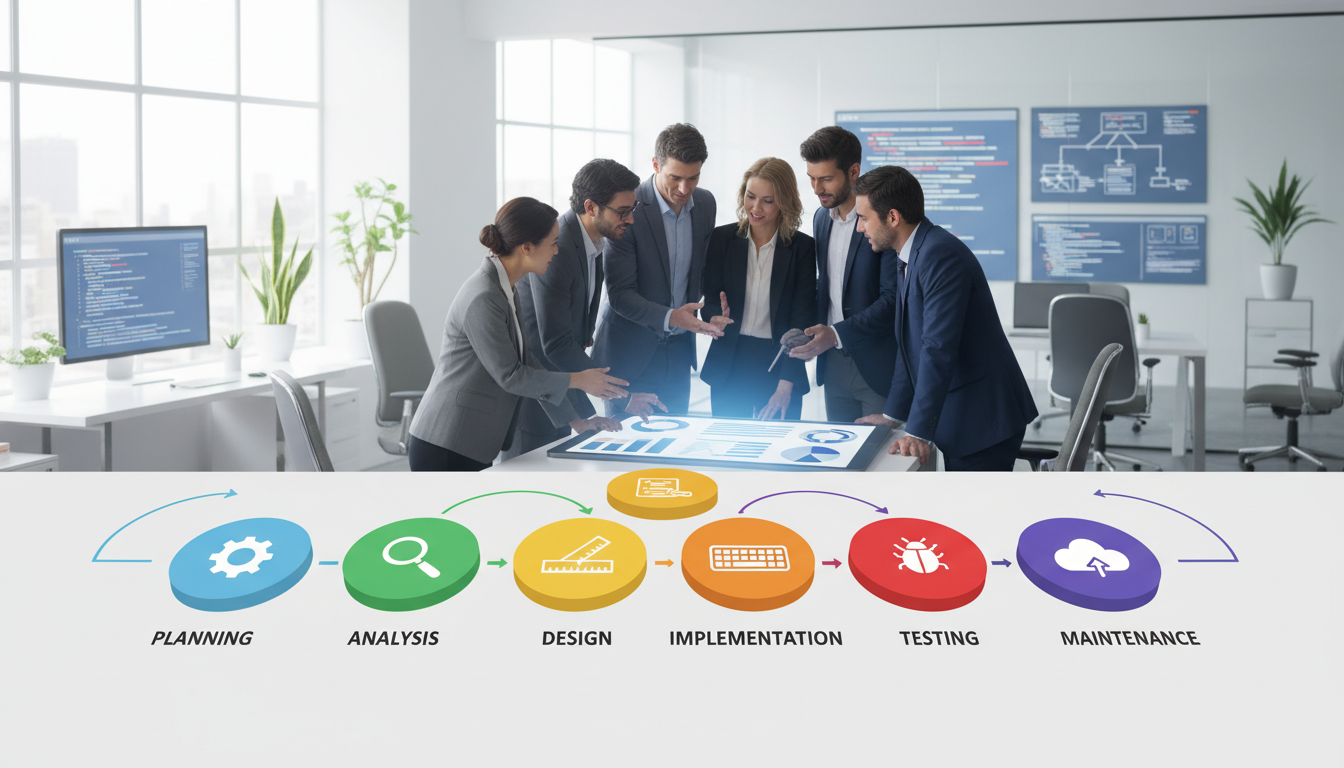
The software development process typically involves seven key phases:
- Planning: Defining project scope and objectives.
- Analysis: Gathering detailed requirements.
- Design: Creating system architecture.
- Implementation: Writing the actual code.
- Testing: Identifying and fixing bugs.
- Deployment: Releasing the application to users.
- Maintenance: Providing updates and support.
Each stage feeds into the next, creating a logical flow. Software engineers rely on this sequence to embed security and scalability early.
Best Practices and Process Optimization
Modern teams integrate continuous testing throughout the lifecycle. This approach catches defects long before deployment.
Regular feedback loops with stakeholders are crucial. They ensure the product evolves according to user needs.
Standardizing the deployment maintenance cycle leads to predictable outcomes. It also helps developers meet regulatory requirements efficiently.
Comparing Development Methodologies
The 2001 Agile Manifesto marked a pivotal shift in how engineers approach complex projects. Teams now select from several established models to guide their work.
Each framework offers distinct advantages for managing scope, risk, and delivery.
Agile vs Waterfall: Key Differences and a Comparison Table
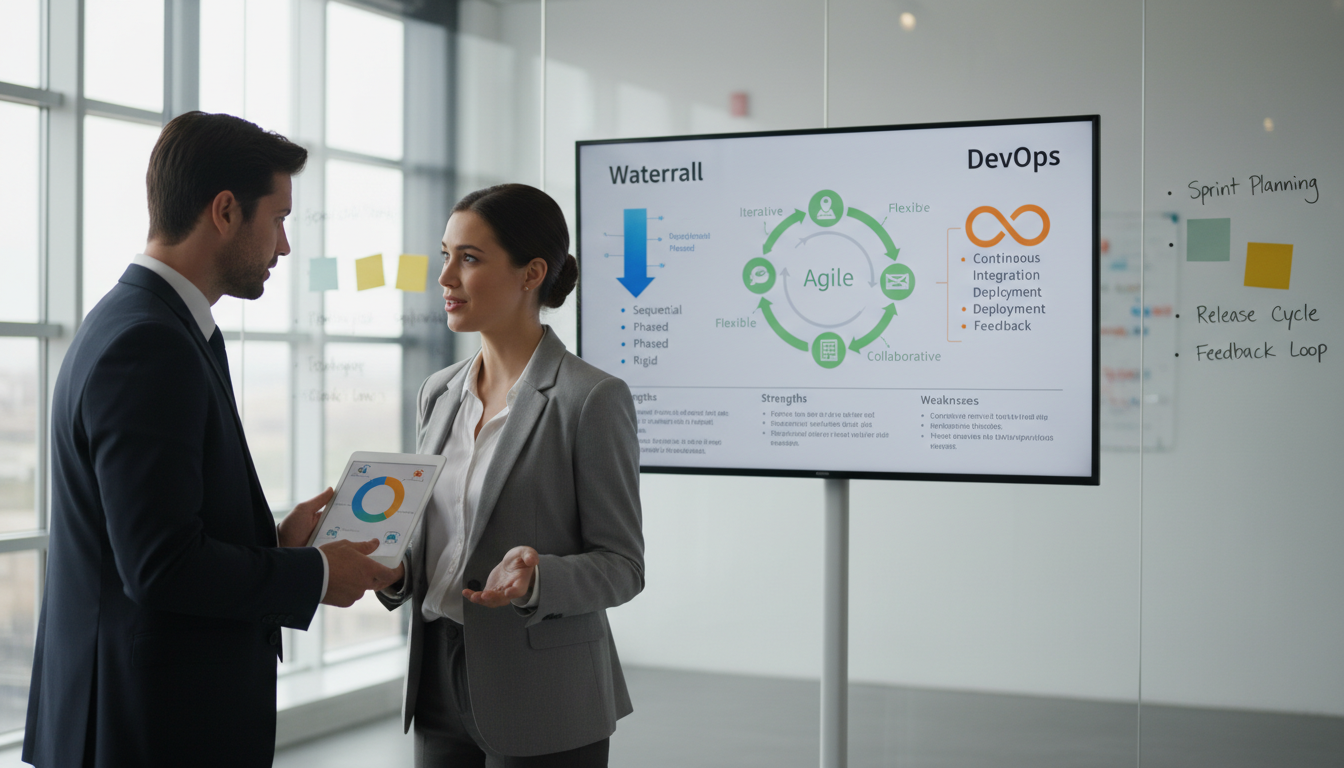
The Waterfall model is a linear, sequential approach. Each phase, like planning or design, must finish before the next begins.
This method suits projects with highly stable, well-defined requirements. Changes later in the process are difficult and costly.
Agile methodology prioritizes flexibility and customer feedback. Work occurs in short, iterative cycles called sprints.
This allows teams to adapt quickly to new information or shifting priorities. It is ideal for dynamic environments.
| Aspect | Waterfall Model | Agile Methodology | Ideal Project Type |
| Approach | Linear & Sequential | Iterative & Cyclical | Waterfall: Stable specs. Agile: Evolving needs. |
| Flexibility | Low; changes are costly | High; adapts each sprint | Waterfall: Fixed contracts. Agile: Market-driven. |
| Customer Involvement | Mainly at start and end | Continuous throughout | Waterfall: Clear vision. Agile: Collaborative. |
| Testing Phase | Separate, after implementation | Integrated into each cycle | Both ensure quality but at different times. |
| Delivery Timeline | Single final product | Incremental, working features | Waterfall: Predictable date. Agile: Faster value. |
Hybrid, V-Model, and Iterative Approaches
Hybrid models blend the structure of Waterfall with Agile’s speed. They allow teams to manage complex projects while maintaining rigorous quality checks.
The V-Model emphasizes verification and validation at each stage. It pairs development phases with corresponding testing activities.
Rapid application development (RAD) focuses on building prototypes early. Users provide feedback before final implementation, accelerating the entire process.
Iterative approaches break large projects into smaller, manageable cycles. Each cycle produces a working version, reducing overall risk.
Exploring Types of Software Development
From bespoke enterprise systems to rapid citizen development, the landscape of application creation is diverse. Organizations select specific approaches based on their technical needs, budget, and desired speed.
Understanding these categories helps leaders make informed strategic decisions. The right choice directly impacts a project’s success and scalability.
Custom Software, Cloud-Native, and Low-Code Options
Custom-built applications offer complete control for unique business requirements. This path is ideal for complex, proprietary systems.
Cloud-native development utilizes microservices and containers like Docker. This architecture ensures programs run consistently across any environment.
Low-code platforms empower non-technical staff to build functional tools. They dramatically shorten the time needed to launch a new product.
| Type | Primary Control | Development Speed | Scalability | Best For |
| Custom Software | Full control over features & code | Slower, meticulous process | High, but requires planning | Unique, complex business logic |
| Cloud-Native | High, within cloud framework | Fast, using pre-built services | Elastic and automatic | Modern, distributed applications |
| Low-Code | Limited by platform capabilities | Very rapid prototyping | Platform-dependent | Internal tools & simple workflows |
Front-End, Back-End, and Full-Stack Development
Front-end developers craft the visual interface a user interacts with directly. Their work focuses on design, responsiveness, and experience.
Back-end specialists manage server logic, databases, and application programming interfaces (APIs). They ensure data flows securely and operations perform reliably.
Full-stack engineers bridge both domains. They possess skills across the entire system architecture, enabling them to build cohesive and optimized applications.
Deep Dive into SDLC Stages and Techniques
The journey from concept to a live, functioning application is mapped through distinct, interconnected phases. Mastering each stage is vital for delivering a robust and valuable product.
Requirement Analysis and Design
Everything begins with requirement analysis. Stakeholders and teams collaborate to define the project scope and specific business goals. This foundational work ensures the entire process aligns with user needs.
Next, software engineers create detailed blueprints during the design phase. They plan system architecture, data flow, and how APIs will connect different applications. This planning prevents costly changes later.
Implementation, Testing, and Deployment
Implementation involves writing the actual code. Modern developers often use AI tools to generate functions, speeding up programming. The focus is on building clean, efficient modules.
Quality assurance testing is critical. Automated tools scan the code for flaws and security vulnerabilities. This phase validates all requirements before launch.
Finally, deployment releases the product to users. Ongoing maintenance monitors performance and applies updates. This cycle ensures long-term reliability and security for the application.
Modern Trends: DevOps, CI/CD, and AI in Development
Modern engineering practices have evolved beyond traditional coding to embrace automation and intelligence at every stage. This shift accelerates the entire lifecycle from planning to deployment.
Leveraging Automation for Continuous Improvement
The DevOps methodology merges programming and IT operations into a single, collaborative team. This union focuses on automating the build, test, and release process.
Continuous Integration and Delivery (CI/CD) pipelines are central to this approach. They allow teams to merge code changes frequently. Each merge triggers automated tests and can deploy updates to users swiftly.
| Practice Area | Traditional Approach | DevOps-Enabled Approach | Key Benefit |
| Code Integration | Manual, scheduled merges | Automated on every commit | Faster feedback, fewer conflicts |
| Testing | Separate phase after completion | Continuous, automated in pipeline | Early bug detection |
| Deployment | Infrequent, major releases | Frequent, small, automated updates | Reduced risk, faster delivery |
| Security | Audit at project end | Integrated scanning (DevSecOps) | Proactive vulnerability protection |
Artificial intelligence tools, like GitHub Copilot, assist programmers by suggesting functions. This accelerates coding and helps identify potential errors.
Real-time monitoring provides immediate feedback on application performance. This data fuels a cycle of continuous refinement, ensuring products meet user needs effectively.
Business Benefits for Startups
For emerging companies, the right technical approach can mean the difference between scaling and stalling. Strategic software development delivers tangible advantages that address their unique constraints.

Accelerating Time-to-Market with MVPs
A Minimum Viable Product tests core features with real users. This lean approach validates the business model before major investment.
Focusing on essential requirements dramatically shortens the launch timeline. Startups gain crucial early feedback and a competitive edge.
| Development Approach | Primary Focus | Time Investment | Risk Level |
| Full-Scale Product | Complete feature set | Months to years | High |
| MVP Strategy | Core value proposition | Weeks to months | Managed |
| Hybrid Model | Scalable core + iterative adds | Moderate, phased | Medium |
Scalable architecture ensures the system grows with the company. It handles increased traffic without a complete rebuild.
Many startups access specialized engineers through outsourcing. This provides expertise in building secure, high-performance applications.
Agile practices enable quick pivots based on user feedback. The final product better meets evolving market needs.
Enterprise Software Development and Digital Transformation
Large organizations face a unique challenge: transforming legacy infrastructure into agile, data-driven platforms. This modernization effort is a core driver of digital transformation. It moves beyond basic automation to enable strategic business growth.
Scalability, Security, and IT Integration
Scalability is a primary concern for enterprise applications. Software engineers must design systems capable of handling millions of transactions without performance loss. This design must also maintain rigorous security standards from the start.
IT integration ensures new software works seamlessly with existing databases and third-party services. This creates a unified digital ecosystem, crucial for operational efficiency. A structured development model helps manage these complex projects across departments.
Security protocols, like encryption, are woven into the development process. This proactive approach protects sensitive data against evolving cyber threats. It aligns technical work with long-term business objectives for sustained value.
Cost Considerations in the USA for Software Projects
Financial planning is a cornerstone of any successful technical initiative, with costs varying widely based on scope. Understanding this financial landscape is crucial for effective budgeting.
Investment amounts depend heavily on the final product’s complexity and intended scale.
Budget Ranges from $10k to $200k+
In the United States, a simple minimum viable product might start around $10,000. A complex, enterprise-grade system can easily exceed $200,000.

This broad spectrum reflects differences in features, security needs, and integration depth. A clear project scope is the first step toward an accurate estimate.
| Project Type | Typical Cost Range | Primary Cost Drivers |
| Basic MVP / Simple App | $10,000 – $50,000 | Core features, limited integrations, standard UI |
| Mid-Market Business System | $50,000 – $150,000 | Custom logic, database design, API connections |
| Complex Enterprise Platform | $150,000 – $200,000+ | High scalability, advanced security, legacy system integration |
Factors Influencing Software Development Costs
Complex requirements directly increase the time engineers need. A larger team or specialized technology stack also raises the price.
Thorough planning and design phases prevent expensive scope changes later. They keep the entire process within the allocated budget.
Investing in testing during creation saves significant money. Fixing flaws after deployment is far more costly.
Organizations must also budget for long-term maintenance. Ongoing updates keep the application secure and fully functional for users.
Outsourcing and Custom Software Solutions
Companies today face a critical strategic choice: build technical capabilities internally or leverage external expertise. Outsourcing provides access to global talent pools. This approach often reduces costs and accelerates the delivery of complex projects.
In-house vs Outsourcing: Benefits and Drawbacks
Each model offers distinct advantages. An in-house team ensures deep cultural alignment and direct oversight. Outsourcing brings specialized skills and flexible scaling without long-term hiring overhead.
| Factor | In-House Development | Outsourced Development |
| Cost Structure | Higher fixed salaries, benefits, and tools | Variable project-based or hourly rates |
| Speed & Flexibility | Slower to scale, stable capacity | Rapid team scaling, on-demand talent |
| Talent Access | Limited to local or relocated hires | Global pool of niche specialists |
| Control & Communication | Direct, daily oversight and collaboration | Requires structured processes and clear contracts |
| Long-term Knowledge | Institutional knowledge remains internal | Knowledge may reside with the partner |
Choosing the Right Partner for Your Business Needs
Selecting an external team requires careful evaluation. Review their experience with similar applications and industries. Assess their security protocols and ability to integrate with your existing IT systems.
Many partners use rapid application development techniques. RAD delivers functional prototypes quickly for user feedback. This accelerates the entire development process.
Clear requirements and consistent communication are the cornerstones of success. They ensure the final product meets all business expectations and is delivered on time.
Conclusion
Transforming ideas into robust digital solutions requires a blend of skill, process, and vision. This dynamic software development process empowers companies to innovate and scale effectively. It provides a formidable edge in today’s digital marketplace.
Understanding structured lifecycles and methodologies allows organizations to make smart technology investments. The roles of software engineers and software developers are central to this success. Clear requirements and rigorous testing ensure every application meets its goals.
Modern tools and automated processes enhance efficiency for teams. As AI and cloud-native technologies advance, automation will define the future. This evolution promises even greater speed and reliability for new products.
Selecting the right model is crucial for any project. Ready to build a custom solution? Our expert team guides you through each stage, from initial code to final deployment.
FAQ
What are the primary stages in the development process?
The core stages are planning, analysis, design, implementation, testing, deployment, and ongoing maintenance. This structured progression, often called the Software Development Lifecycle (SDLC), helps teams manage projects efficiently and deliver a reliable product.
How does Agile differ from the Waterfall methodology?
A: Waterfall is a linear, sequential approach where each phase must be completed before the next begins. Agile, in contrast, is iterative and collaborative, breaking projects into small sprints for frequent feedback and adaptation. Agile is favored for its flexibility in changing markets.
What is Rapid Application Development (RAD)?
RAD is a model that prioritizes quick prototyping and user feedback over strict, lengthy planning. It emphasizes adaptable tools and active user involvement to accelerate delivery, making it ideal for projects with fluid requirements.
Why is DevOps important in modern software delivery?
DevOps bridges the gap between creation and IT operations. It fosters a culture of collaboration, automation, and continuous monitoring. This integration leads to faster, more secure releases and more stable systems.
What are the main benefits for a startup building a custom application?
A tailored solution provides a competitive edge, aligns perfectly with unique workflows, and scales with growth. It enables a startup to launch a Minimum Viable Product (MVP) quickly, validate ideas with real users, and iterate based on concrete data.
What key factors influence the final cost of a project?
Major cost drivers include project complexity, chosen technology stack, team location and rates, and security needs. Rigorous planning and clear requirements help control expenses, while ongoing changes typically increase the budget.
What is the role of continuous testing in the process?
Continuous testing involves automated checks throughout the entire lifecycle, not just at the end. This practice identifies bugs early when they are cheaper to fix, ensures code quality with each update, and supports a reliable CI/CD pipeline.
How do enterprises ensure security and scalability?
Large organizations implement robust security protocols like encryption and access controls from the initial design phase. For scalability, they often adopt cloud-native architectures and microservices, allowing systems to handle growing user loads and data seamlessly.

Naveed Ahmed is the founder of Qualix Solutions, a custom software and AI solutions company helping founders and operations leaders turn complex business problems into reliable, scalable software. A former Microsoft Technical Leader with 17 years at the company, Naveed held roles spanning software development management, technical product management, data architecture, and information architecture, delivering platforms for deal management, services product data, SAP integration, and workforce skills systems.
At Qualix, he leads a distributed team building SaaS products, web and mobile applications, AI and machine learning solutions, intelligent automation, and data engineering platforms for clients across professional services, healthcare, and telecommunications. Naveed writes about custom software development, AI solutions for mid-market businesses, product strategy, SaaS architecture, and the operational realities of running a modern software company.