IT Consulting

how top consultancies use ai and automation

How Top Consultancies Use AI and Automation

The way consulting firms operate is changing fast. If you look at how top consultancies use AI and automation today, the shift is not just about technology, it’s about speed, decision-making, and how teams deliver value. Firms that once relied heavily on manual research, spreadsheets, and long turnaround cycles are now using AI to compress timelines from weeks to hours. Automation is removing repetitive work, while AI systems are helping consultants focus on strategy instead of data cleanup. This guide breaks down how top consultancies use AI and automation tools across real business functions, what tools they rely on, and how these changes impact clients across industries in the USA and globally. What Does AI and Automation Mean in Consulting? Before diving into use cases, it’s important to understand what AI and automation actually look like in consulting environments. AI (Artificial Intelligence): Systems that analyze data, generate insights, predict outcomes, or create content Automation: Workflows that run without manual input (data syncing, reporting, alerts, task triggers) Together, they help consultancies: Reduce manual work Improve accuracy Deliver faster results Scale operations without increasing headcount Why Top Consultancies Are Investing in AI Top firms are not adopting AI for trend value, they are solving real operational problems. Key Drivers 1. Time Pressure from ClientsClients expect faster insights and real-time reporting, not weekly updates. 2. Data OverloadBusinesses now operate across dozens of tools, creating fragmented data. 3. Cost EfficiencyManual consulting hours are expensive. Automation reduces unnecessary workload. 4. Competitive AdvantageFirms that use AI deliver faster and more accurate recommendations. How Top Consultancies Use AI and Automation in the World Across global consulting firms, AI is now embedded into daily operations. The use cases are consistent whether you look at the USA, Europe, or Asia. 1. Automated Data Collection and Integration Consultancies connect systems like CRM, ERP, analytics platforms, and marketing tools to create a single data flow. Example:Instead of manually exporting reports, automation pipelines pull data from multiple sources into one dashboard. Impact: Eliminates data silos Reduces reporting errors Saves hours of manual work 2. AI-Powered Market Research Research teams now use AI tools to: Analyze competitor websites Summarize industry reports Identify trends from large datasets Example:A consultant can input a market query and get a structured analysis within minutes instead of days. Impact: Faster decision-making Better strategic recommendations 3. Predictive Analytics for Business Decisions AI models help consultancies predict: Sales trends Customer churn Demand forecasting Example:Instead of reacting to declining sales, consultants can identify risks early and suggest proactive actions. Impact: Data-driven strategy Reduced business risk 4. Workflow Automation Across Departments Automation connects different teams: Sales → Operations Marketing → CRM Finance → Reporting Example:When a deal is closed, automation triggers: Invoice creation Customer onboarding Internal task assignments Impact: Faster execution Better team alignment 5. AI for Client Reporting and Dashboards Consultancies are replacing static reports with dynamic dashboards powered by AI. Features include: Real-time data updates Automated insights Natural language summaries Impact: Clients get instant visibility Reduced reporting workload How Top Consultancies Use AI and Automation Tools To implement these use cases, firms rely on a mix of AI and automation tools. Common Tool Categories 1. Workflow Automation Platforms Automate repetitive tasks Connect different applications 2. AI Analytics Tools Forecast trends Analyze large datasets 3. CRM and Revenue Platforms Track customer journeys Automate sales processes 4. AI Content and Research Tools Generate reports Summarize data How Top Consultancies Use AI and Automation Tools for Business AI and automation are not limited to internal operations, they directly impact business outcomes. 1. Sales Optimization Consultancies use AI to: Score leads Predict deal success Automate follow-ups Result:Higher conversion rates and shorter sales cycles 2. Marketing Performance Automation helps: Track campaign performance Adjust strategies in real time Personalize messaging Result:Better ROI on marketing spend 3. Customer Experience AI enables: Personalized recommendations Faster support responses Behavior-based engagement Result:Improved customer retention 4. Financial Planning Automation ensures: Accurate forecasting Real-time financial reporting Reduced manual errors Result:Stronger financial control How Top Consultancies Use AI and Automation for Website Apps Consulting firms are also transforming how digital products are built and optimized. 1. AI-Driven Website Personalization Websites now adapt based on: User behavior Industry Traffic source Example:A visitor from a SaaS company sees different messaging than a manufacturing visitor. 2. Automated Lead Capture and Routing AI systems: Qualify leads instantly Route them to the right team Trigger follow-ups automatically 3. Chatbots and Conversational AI Websites now use AI assistants to: Answer queries Book meetings Guide users through services 4. Performance Optimization AI tools analyze: Page speed User behavior Conversion patterns Result:Continuous improvement without manual audits How Top Consultancies Use AI and Automation in the USA In the USA, adoption is more mature due to: Higher competition Advanced tech infrastructure Client expectations for real-time insights Key Trends in the USA Heavy use of predictive analytics Integration across 10–20+ tools AI-driven revenue operations Strong focus on data governance and compliance Consultancies in the USA are not just using AI, they are building entire service lines around it. Real-World Scenario: Before vs After AI Adoption Before AI and Automation Reports created manually Data scattered across tools Delayed decision-making High operational costs After AI and Automation Real-time dashboards Connected systems Faster strategic decisions Reduced manual workload Challenges Consultancies Face with AI Adoption Even top firms face challenges when implementing AI. 1. Data Quality Issues AI depends on clean, structured data. 2. Tool Overload Too many tools can create complexity instead of efficiency. 3. Change Management Teams need training to adopt new systems. 4. Integration Complexity Connecting multiple systems requires technical expertise. How to Start Using AI and Automation in Consulting If you’re looking to implement similar strategies, start with a structured approach: Step 1: Identify Repetitive Tasks Find processes that consume time but add little strategic value. Step 2: Map Your Tools Understand where your data lives and how systems interact. Step 3: Implement Automation First Start with workflows before introducing complex AI models. Step 4: Add AI for Insights Use AI for

Read more
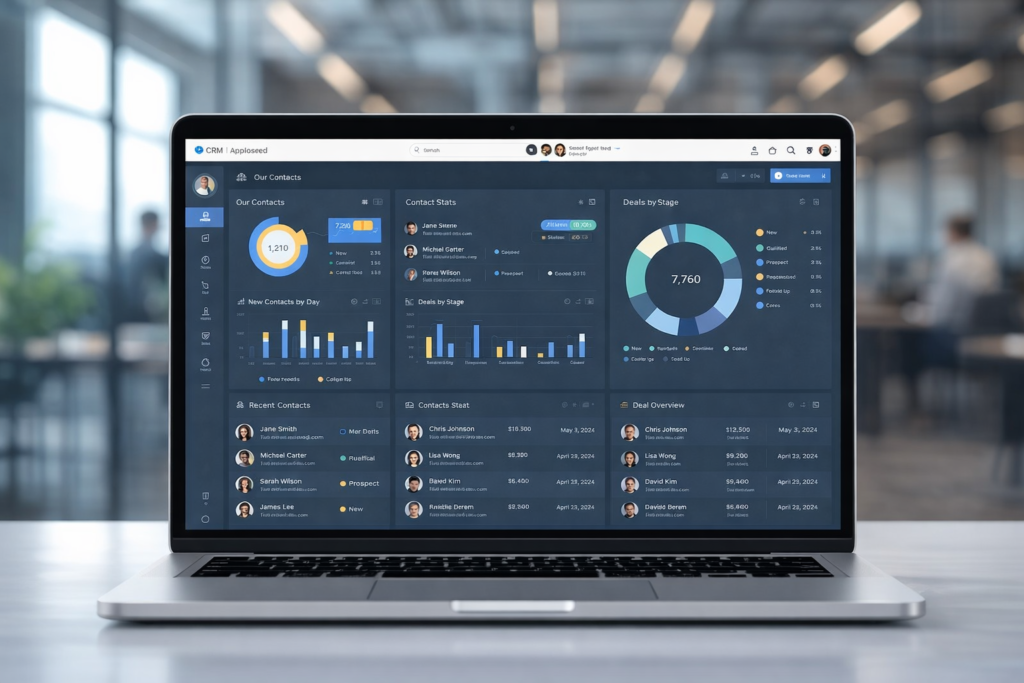
sleek laptop displaying a CRM software dashboard for nonprofit organizations. The screen shows various charts, donor statistics, and campaign performance insights

Benefits of CRM Software for Nonprofit Organizations

In today’s competitive and resource‑constrained environment, understanding the benefits of CRM software for nonprofit organizations has become essential for mission‑driven teams aiming to operate more effectively and create lasting impact. Nonprofit CRM systems are far more than digital address books — they transform how charities and nonprofit organizations manage relationships, communicate with supporters, drive fundraising outcomes, coordinate volunteers, and measure results. With donor behaviour shifting, expectations rising, and reporting requirements becoming more demanding, adopting a robust CRM is no longer optional — it is a strategic necessity. This article explores how nonprofit CRM software works, the tangible advantages it delivers, and the ways organizations can leverage CRM tools to strengthen engagement, boost productivity, and accelerate impact. What Is CRM Software for Nonprofit Organizations? CRM stands for Constituent Relationship Management. In the nonprofit context, a CRM system centralizes and manages information about every person and organization that interacts with your cause — from donors and volunteers to beneficiaries, partners, and stakeholders. Unlike CRMs built for commercial sales teams, nonprofit CRMs are tailored to track donor history, gifts, volunteer activity, event participation, campaign engagement, and program outcomes. At its core, a nonprofit CRM creates a single, centralized repository for constituent data, eliminating scattered spreadsheets and fragmented records. All engagement history, interaction data, communication preferences, and financial records are stored in one system that can be shared across teams and departments. 1. Centralized Data and Better Constituent Insights One of the most significant benefits of CRM software for nonprofit organizations is the ability to consolidate all supporter and constituent data under one roof. Without a CRM, nonprofits often rely on disjointed tools, email lists, spreadsheets, paper files, which leads to data silos, outdated information, and a lack of visibility across the organization. A CRM system collects data in real time and makes it accessible to every authorized user. When donor history, volunteer activity, campaign responses, and communications are all in one place, nonprofit teams can: Gain a comprehensive understanding of supporter behaviour. Personalize outreach based on documented preferences and giving history. Use segmentation to tailor communications to specific groups of constituents. This holistic visibility enables nonprofits to make data‑driven decisions, target the right audiences with the right messages, and improve cultivation strategies that lead to greater engagement and contributions. 2. Enhanced Donor and Supporter Engagement Cultivating lasting donor relationships is central to nonprofit sustainability. CRM software equips nonprofit teams with detailed donor profiles that include giving history, communication preferences, volunteer involvement, event attendance, and more. This empowers organizations to deliver meaningful, personalized interactions. With a CRM, nonprofits can: Tailor communication based on donor behaviour and past engagement. Track giving patterns and identify supporters most likely to renew or upgrade their contributions. Create segmented outreach lists for targeted campaigns such as monthly giving appeals, holiday drives, or stewardship messages. These personalized engagement strategies strengthen donor trust, increase donor retention, and grow lifetime value, which are all crucial metrics for long‑term success 3. Automation of Routine Tasks Manual administrative work sucks time and energy out of nonprofit teams, often leaving staff bogged down with repetitive tasks like data entry, sending thank‑you messages, or updating records. CRM software automates many of these routine workflows, freeing staff to focus on high‑impact initiatives. Automation capabilities include: Scheduled donor acknowledgements and receipts Triggered follow‑ups after donations or event registrations Automatic reminders for pledge fulfilments Campaign progress notifications Integration of donor actions with email automation and reporting tools By automating routine work, nonprofits reduce human error, improve consistency, and multiply organizational productivity. 4. Improved Reporting and Transparency Donors, grantmakers, regulators, and boards increasingly demand transparency about how funds are raised, allocated, and measured. CRM systems offer robust reporting tools that make it easy to generate accurate, real‑time reports on fundraising trends, volunteer contributions, campaign outcomes, and engagement metrics. With advanced reporting nonprofits can: Produce analytics reports for board meetings Support grant applications with hard data Identify fundraising performance gaps and opportunities Track key performance indicators and outcomes against strategic goals Accurate reporting builds credibility, supports accountability, and reinforces trust with stakeholders. 5. Volunteer Management and Coordination Volunteers are an indispensable part of most nonprofits, yet managing volunteer schedules, tracking hours, understanding skills, and maintaining engagement can easily become chaotic without the right system. CRM software streamlines volunteer coordination by enabling nonprofits to: Store volunteer profiles and engagement history Track skill sets and preferences Manage schedules and event participation Send targeted communication and re‑engagement reminders Instead of relying on manual scheduling tools or fragmented email threads, a CRM centralizes everything and helps match volunteers to opportunities that align with their interests — which improves volunteer satisfaction and retention. 6. Fundraising Efficiency and Campaign Tracking A nonprofit CRM isn’t just an address book — it’s a fundraising engine. The right CRM supports every phase of the fundraising cycle, from prospecting and cultivation to solicitation and stewardship. Features that support fundraising include: Campaign performance dashboards Donation tracking and pledge management Recurring gift processing Segment‑based appeals Integrated online donation forms CRMs often integrate seamlessly with payment processors, fundraising pages, and marketing tools, providing a streamlined flow from gift receipt to donor record update. This end‑to‑end visibility improves fundraising accuracy, reduces errors, and helps organizations make informed strategy decisions. 7. Integration With Other Key Software Nonprofit teams rarely rely on a single tool. Instead, operations depend on multiple systems, accounting platforms, event management tools, email marketing services, website donation forms, and advocacy platforms. A modern CRM integrates with these systems, allowing data to flow seamlessly from one tool to another without manual duplication of effort. Integration offers major advantages: Avoid double entry of data Improve accuracy across systems Give staff a unified view of constituent interactions Support more strategic planning with comprehensive insights By reducing software silos, CRM integration boosts efficiency and ensures that teams are working from the same source of truth. 8. Program Tracking and Client Management For many nonprofits, the mission extends beyond fundraising into direct service delivery. Nonprofit CRM software can function as client management software, tracking interactions with program

Read more
agile software development

What Is Agile Software Development? Principles, Methodologies, and Benefits for Businesses

Is your company’s project management approach holding back innovation and speed to market? Traditional methods often struggle to keep up with shifting customer demands. This modern framework, rooted in the 2001 Agile Manifesto, prioritizes adaptability and customer collaboration over rigid plans. In 2001, seventeen software practitioners formalized these principles in the Agile Manifesto, a foundational document published by the Agile Alliance. It represents a fundamental shift in how teams build products. Instead of lengthy cycles, work progresses in short, iterative sprints. This allows for continuous feedback and immediate adjustments. The result is a dynamic process that delivers high-quality outcomes faster. Organizations can pivot quickly when market conditions change, ensuring their projects stay aligned with core business goals. This guide will unpack its core principles and popular methodologies. Leaders from startups to large enterprises will learn how to leverage this approach for tangible advantages like improved efficiency and sustained growth. Key Takeaways Agile is a modern project management philosophy emphasizing flexibility and rapid response to change. It originated from the Agile Manifesto, created by 17 software practitioners in 2001. The approach breaks projects into smaller, manageable iterations called sprints. It fosters closer collaboration between development teams and customers or stakeholders. Businesses can achieve faster time-to-market and better align projects with evolving goals. Both startups and large enterprises can scale this methodology to improve outcomes. Adopting these practices can transform a company’s innovation cycle and market responsiveness. What Is Agile Software Development? A transformative approach to building products focuses on rapid iterations and customer input. This framework prioritizes delivering functional increments frequently, often every few weeks. Defining Agile in the Modern Context Modern agile software development is a cultural shift. It empowers team members to make decisions based on real-time project needs. The definition centers on an iterative process. It values customer satisfaction through early and continuous delivery of valuable software. This mindset moves away from documentation-heavy, rigid processes of the past. Teams now embrace adaptability and direct collaboration. The Agile Manifesto and Its Origins In 2001, seventeen programmers met in Snowbird, Utah. Key figures included Kent Beck, Jeff Sutherland, and Ken Schwaber. They sought to define lightweight methods for software development. This meeting produced the Agile Manifesto, solidifying core values for current practices. While roots trace back to 1957, the 2001 gathering was pivotal. It framed programming as a collaborative, human-centric endeavor rather than a rigid task. Aspect Traditional Plan-Driven Approach Modern Agile Approach Project Planning Detailed, upfront specification Adaptive, iterative roadmap Feedback Cycles Lengthy, often at project end Short, continuous sprints Team Structure Hierarchical, role-specific Cross-functional, collaborative Documentation Extensive, mandatory Minimal, just enough Core Agile Principles and Values These foundational beliefs prioritize human elements and tangible results above all else. The Agile Manifesto outlines twelve guiding principles for flexible and efficient work by modern teams. Individuals and Interactions Over Processes and Tools This core value states that people and communication drive success. Empowered teams who collaborate directly deliver more value than those bound by rigid procedures. The right tools support, but do not replace, effective teamwork. This belief fosters a culture of trust and open dialogue. Working Software and Customer Collaboration Delivering functional working software frequently is the primary measure of progress. It provides tangible value to the customer early in the lifecycle. Constant collaboration with the customer replaces fixed contracts. This partnership allows product needs to evolve smoothly with stakeholder input. Focus Area Traditional Emphasis Agile Value Priority Team Dynamics Following strict processes and using mandated tools Individuals, interactions, and team communication Project Deliverables Comprehensive documentation and plans Frequent delivery of working software Stakeholder Relationship Contract negotiation and fixed requirements Ongoing customer collaboration and feedback Exploring Agile Methodologies and Frameworks Several structured frameworks exist to translate agile principles into daily practice. These agile methodologies provide clear roadmaps for teams. They turn adaptive values into consistent project management actions. Each framework offers unique tools for iterative progress. Scrum: Roles, Sprints, and Standups Scrum is a popular framework formalized in 1995. It uses fixed-length cycles called sprints, usually two weeks long. Three key roles guide the process. The Product Owner defines goals. The Scrum Master facilitates the team. The Development Team delivers increments. Daily stand-up meetings keep everyone aligned. This structure handles complex work effectively. Kanban, Lean, and XP: Alternative Approaches Kanban offers a visual approach to workflow. Teams use boards to track tasks and limit work in progress. Extreme Programming, or XP, emerged in 1996. It emphasizes technical practices like pair programming. Two developers work together at one workstation. Lean thinking focuses on cutting waste. It maximizes value in product development. Feature-Driven Development followed in 1997. Methodology Primary Focus Key Practice Best For Scrum Iterative progress via sprints Daily stand-up meetings Complex projects with changing needs Kanban Visualizing workflow and limiting work in progress Using a Kanban board Continuous delivery and maintenance Extreme Programming (XP) Technical excellence and customer satisfaction Pair programming Teams needing high code quality Lean Maximizing value by eliminating waste Value stream mapping Large-scale environments optimizing efficiency The Agile Lifecycle and Iterative Development A structured yet flexible lifecycle drives continuous value delivery in product creation. This process relies on short, time-boxed periods called iterations or sprints.   These cycles typically last from one to four weeks. They allow teams to manage complexity while maintaining a steady pace. Sprint Planning and Backlog Management During sprint planning, the team selects the most important tasks from the product backlog. This focus ensures the next iteration delivers maximum value to the customer. Effective backlog management keeps priorities clear for the upcoming sprint and future iterations. Everyone understands the immediate goals. Iterative Testing and Continuous Integration Continuous integration is a vital practice in the agile software development lifecycle. Code changes merge frequently to detect issues early. Each iteration concludes with a review of working software. Stakeholder feedback gathered here directly informs the next planning session. Agile vs Waterfall: A Comparative Analysis Two dominant philosophies guide how teams manage their projects: Agile and Waterfall. The Waterfall model requires completing phases like requirements

Read more
Close-up of a computer chip on a circuit board representing AI and Machine Learning development in business technology solutions

AI & ML Development Solutions: Building Intelligence That Delivers Real Business Value

AI and Machine Learning are no longer optional technologies for growing businesses. They are practical tools used to improve efficiency, reduce costs, and support better decision-making. However, value only comes when AI & ML development solutions are designed around real business problems, not abstract innovation goals. This article explains what AI and ML development solutions actually involve, where they create value, and how businesses can implement them responsibly and effectively. What AI & ML Development Solutions Offer AI & ML development solutions focus on building intelligent systems that analyze data, recognize patterns, and produce useful outputs such as predictions, recommendations, or automation. Unlike generic software, AI systems improve over time as they learn from data. When implemented correctly, they support faster operations, improved accuracy, and better strategic planning. Many organizations choose custom AI/ML solutions to ensure alignment with internal workflows, data sources, and long-term objectives. Why Businesses Are Adopting AI & ML Solutions Businesses invest in AI & ML solutions to solve problems that traditional systems cannot handle efficiently. Common objectives include: Automating manual processes Improving forecasting and planning Enhancing customer interactions Reducing operational errors Extracting insights from large datasets When AI initiatives are tied to specific outcomes, they become tools for growth rather than experimental technology. The Importance of AI/ML Solution Providers for Businesses AI success depends heavily on execution. Experienced AI/ML solution providers for businesses help organizations avoid costly mistakes by focusing on feasibility, data readiness, and scalability. A reliable provider works closely with stakeholders to: Identify meaningful use cases Validate data quality and availability Design models that fit real operations Plan for long-term maintenance and improvement This approach ensures AI delivers measurable value instead of theoretical benefits. Custom AI/ML Solutions vs. Generic AI Tools Off-the-shelf AI tools may work for basic needs, but they often lack flexibility. Custom AI/ML solutions are built specifically for a company’s data, processes, and performance requirements. Why Custom AI/ML Solutions Matter Better accuracy using proprietary data Seamless integration with existing systems Greater control over model behavior Easier scaling as business needs grow Customization allows AI systems to support business strategy rather than restrict it. AI and ML Development Services and Solutions Explained Professional AI and ML development services and solutions typically follow a structured process: Business problem identification Data collection and preparation Model development and training Performance evaluation Deployment and monitoring This lifecycle ensures AI systems are reliable, maintainable, and aligned with business goals. Industry Applications of AI & ML Development Solutions Healthcare AI & ML Software Solutions Healthcare organizations leverage AI to enhance accuracy, streamline operations, and ensure compliance. AI and ML software solutions for healthcare support: Medical image analysis Patient risk prediction Administrative workflow automation Clinical decision support Precision and data security are essential, making thoughtful implementation critical. Finance AI and ML Solutions Financial institutions rely on finance AI and ML solutions to manage risk and process large volumes of data. Common use cases include: Fraud detection Credit scoring Market trend analysis Transaction monitoring AI enables faster and more informed financial decisions. Generative AI and ML Solutions It is used to create content, assist users, and analyze large information sets. Generative AI and ML solutions are applied in: Customer support systems Knowledge management platforms Content generation workflows Product documentation Clear boundaries and validation processes are essential to ensure reliability. How AI and ML Solutions and Services Create ROI AI generates ROI when it improves efficiency or reduces costs in measurable ways. Effective AI and ML solutions and services focus on outcomes such as: Time savings Error reduction Cost optimization Revenue growth Defining performance metrics early helps businesses evaluate success objectively. Choosing the Right AI & ML Development Solutions Company Selecting the right AI & ML development solutions company requires more than technical expertise. Businesses should look for partners who emphasize: Business alignment Transparent development processes Data and security best practices Scalable system design Long-term support A strong partner treats AI as a strategic investment, not a one-time project. At Qualix Solutions, we offer tailored AI & ML solutions that align with your business goals and future growth. Our expert team ensures transparent development, robust security practices, and scalable systems to support your evolving needs. Explore how we can help drive your success at Qualix Solutions. AI and Machine Learning Development Services Across the Lifecycle Professional AI and machine learning development services support organizations at every stage: Strategy and planning Proof of concept development Full-scale deployment Continuous optimization This ensures AI systems remain effective as data, markets, and business needs change. Common Challenges in AI & ML Development Businesses often face challenges such as: Incomplete or poor-quality data Undefined success metrics Integration complexity Unrealistic expectations Addressing these early improves the success rate of AI initiatives and prevents wasted investment. Final Thoughts AI success is not driven by technology alone, it depends on clear objectives, reliable data, and disciplined execution. Well-designed AI & ML development solutions help businesses transform raw data into actionable intelligence. By working with the right strategy and the right AI and ML solutions and services, organizations can adopt AI responsibly and use it as a long-term driver of efficiency and growth. FAQs How do you ensure data security in AI/ML development? Data security is ensured through encryption, access controls, and secure cloud or on-prem environments. AI/ML systems are designed to follow compliance standards and protect sensitive business data at every stage. How long does it take to develop an AI/ML solution? AI/ML development timelines depend on complexity, data readiness, and business goals. Simple solutions may take a few weeks, while advanced systems require several months. Which industries can benefit from AI/ML solutions? AI/ML benefits industries such as healthcare, finance, retail, manufacturing, logistics, and education. Any industry using data to improve decisions or efficiency can gain value from AI. Will AI/ML development replace my employees? AI/ML is designed to support employees, not replace them. It automates repetitive tasks so teams can focus on strategic, creative, and high-value work.   Relevant Guides & Services Custom Mobile App Development iOS

Read more
Minimalist workspace designed for mobile app development with smartphone, laptop, and business tools.

Custom Mobile App Development: What You Need to Know in 2026

Mobile applications are no longer optional for businesses that want to stay competitive. From customer engagement and internal operations to sales and service delivery, mobile apps play a direct role in how businesses grow. While off-the-shelf apps may work for basic needs, they often fall short when requirements become more specific. This is where Custom Mobile App Development becomes essential. Custom-built mobile apps are designed to match exact business goals, user expectations, and technical requirements. Instead of adapting your operations to a generic app, mobile app custom development adapts the app to your business. What Is Custom Mobile App Development? It is the process of designing and building a mobile application tailored to a business’s unique needs. Unlike ready-made solutions, custom apps are developed from scratch, allowing full control over functionality, design, performance, and scalability. With customized mobile app development, businesses can define: Features specific to their workflows User journeys based on real customer behavior Backend logic that integrates with existing systems Security standards aligned with data sensitivity This approach results in applications that are more reliable, scalable, and aligned with long-term objectives. Why Businesses Choose Mobile App Custom Development Generic apps often come with unnecessary features while lacking critical functionality. Over time, this leads to inefficiencies, poor user experience, and limited scalability. Mobile app custom development solves these challenges by: Building only what the business actually needs Supporting future feature expansion Improving performance and stability Enabling seamless system integrations For businesses that rely on mobile platforms to deliver value, custom development provides long-term control and flexibility. Customized Mobile App Development Benefits The custom mobile application development benefits extend beyond appearance and branding. They directly impact performance, security, and user adoption. Tailored User Experience Custom apps are designed around real user behavior, resulting in intuitive navigation and better engagement. Scalability As your business grows, custom apps can handle increased users, data, and functionality without rebuilding the entire system. Better Performance Clean architecture and optimized code improve load times and reduce crashes. Enhanced Security Security features are built into the app’s foundation, reducing reliance on third-party plugins and minimizing vulnerabilities. Seamless Integrations Custom apps can easily integrate with CRMs, ERPs, payment gateways, and third-party services. Custom Mobile App Development for Startups For early-stage companies, custom mobile apps development for startups offers a strong foundation for growth. Startups often need flexibility to test ideas, adjust features, and scale quickly. Custom development allows startups to: Launch MVPs without unnecessary features Pivot functionality based on user feedback Maintain ownership of their product Avoid limitations of no-code or template platforms By building a custom app early, startups reduce technical debt and prepare for long-term expansion. Custom Mobile App Development Services Explained Professional custom mobile application development services typically cover the entire lifecycle of an application, including: Product discovery and planning UI/UX design Backend and frontend development API and third-party integrations Quality assurance and testing Deployment and ongoing maintenance Working with an experienced development partner ensures the app is built with scalability, performance, and security in mind. Custom Mobile Application Design and Development Design plays a critical role in adoption and retention. Mobile application design and development focuses on usability, accessibility, and consistency across devices. Key design considerations include: Platform-specific UI guidelines (iOS & Android) User flow optimization Accessibility standards Performance-driven layouts When design and development work together, the result is a stable and user-friendly mobile application. Custom Enterprise Mobile App Development Large organizations often require complex mobile solutions that support internal processes and large user bases. Custom enterprise mobile app development is designed for: Internal communication tools Employee management systems Secure data access Workflow automation Role-based permissions Enterprise apps prioritize security, scalability, and system integration, making custom development the preferred approach. Choosing a Custom Mobile App Development Company Selecting the right custom mobile app development company is critical to project success. Businesses should look for teams that understand both technical requirements and business goals. Important factors include: Experience with similar projects Transparent development process Strong communication practices Post-launch support capabilities Proven security and testing standards Reliable custom mobile app development companies focus on long-term value rather than quick delivery. Custom Mobile Software Development Process A structured development process ensures quality and reduces risk. Custom mobile software development generally follows these stages: Requirement analysis and planning UX/UI design Development and integration Testing and quality assurance Deployment Maintenance and updates Each stage ensures the application meets functional, technical, and user expectations. iOS, Android, and Cross-Platform Development Custom mobile apps can be built for: iOS Android Cross-platform frameworks The right choice depends on target audience, budget, performance needs, and long-term goals. Custom development allows businesses to choose the most suitable approach rather than being locked into one platform. Long-Term Value of Custom Mobile App Development While custom apps may require more initial planning, they offer better long-term value by reducing limitations, improving performance, and supporting growth. Businesses benefit from: Lower maintenance costs over time Better user retention Easier feature upgrades Improved data security Stronger brand consistency Custom apps are built to evolve rather than be replaced. Why Businesses Work With Qualix Solutions Qualix Solutions delivers custom mobile app development services focused on practical business outcomes. Our approach prioritizes clean architecture, performance optimization, and scalable design. We support: Startups launching MVPs Businesses modernizing mobile platforms Enterprises building secure internal apps By aligning technology with business strategy, we help clients build mobile solutions that deliver long-term value. Conclusion Custom Mobile App Development provides businesses with the flexibility, control, and scalability needed to succeed in a mobile-first world. Instead of adjusting your operations to a generic app, custom development ensures the app works around your business. From startups to enterprises, investing in customized mobile app development creates a stronger foundation for growth, innovation, and user satisfaction. For organizations seeking reliable custom mobile application development services, Qualix Solutions offers tailored mobile solutions built to perform, scale, and adapt. FAQs Will mobile application development be dead in 10 years? Mobile application development is unlikely to disappear as businesses continue to rely on

Read more
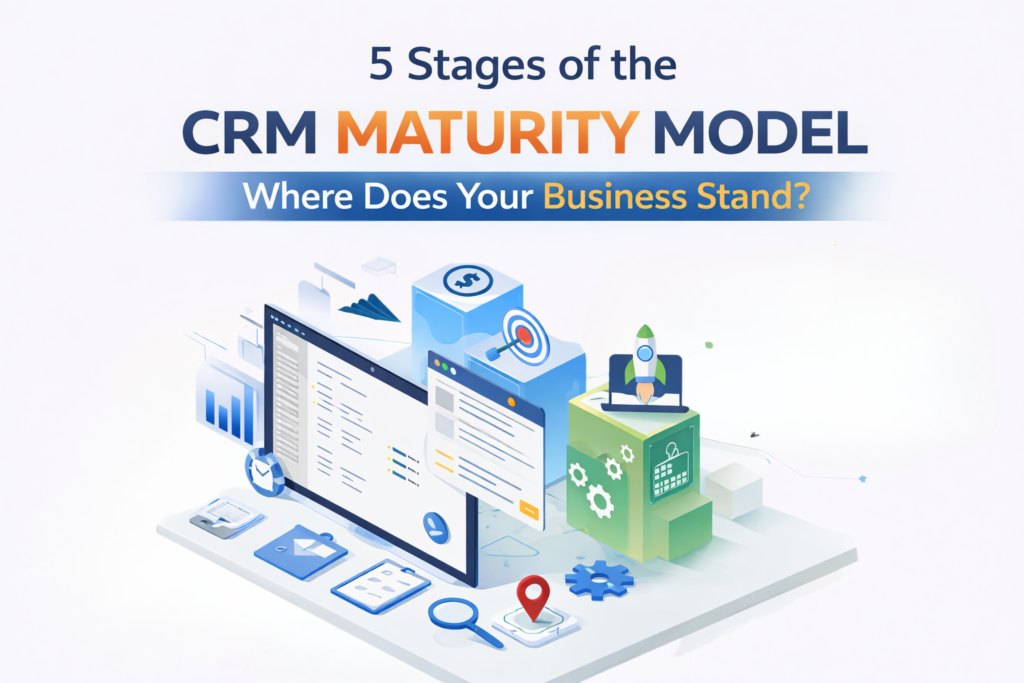
A modern infographic showcasing the 5 stages of the CRM Maturity Model, from Initial (Basic Integration) to Optimized (Personalized Customer Experience), illustrating the evolution of CRM systems from basic to data-driven and AI-powered tools.

5 Stages of the CRM Maturity Model – Where Does Your Business Stand?

  CRM systems are essential for enhancing customer satisfaction and driving revenue growth. However, simply having a CRM in place isn’t enough; businesses must assess how effectively they’re using it to unlock its full potential. The CRM maturity model helps evaluate and optimize CRM practices at every stage. By understanding where your business stands on the CRM maturity scale, you can identify gaps and take actionable steps to improve customer interactions, align your CRM with business goals, and maximize your investment. Overview of the CRM Maturity Model The CRM maturity model maps how effectively businesses use customer relationship management technology and processes. It progresses from simple contact storage to strategic relationship development that directly impacts revenue. This framework isn’t about software features but about organizational capability. Two companies with identical CRM platforms can operate at completely different maturity levels based on how they use the system and align processes with business goals. A proper CRM maturity assessment evaluates your current state across people, processes, and technology, identifying specific actions needed to move forward. Stage 1: Initial/Ad Hoc Approach At the first stage, your business likely relies on basic systems that lack structure or integration. Many companies in this phase use rudimentary tools like spreadsheets or free software to track customer information. There is little to no automation or strategic planning behind these efforts. Characteristics: Basic Tracking: Businesses may track contact details or basic customer interactions, but there’s no centralized system for managing this information. Siloed Data: Customer data is often scattered across different systems or even physical files, making it difficult to have a comprehensive view of each customer. Manual Processes: Inefficiencies can arise as most task is done manually. Challenges: Inconsistent Information: Without a centralized system, it’s hard to ensure that all customer data is accurate and up to date. Limited Visibility: It’s difficult to get a complete view of customer interactions, which means opportunities for improving customer service and engagement may be missed. Assessment: If your business finds itself in this stage, it’s essential to move toward a more structured approach. Centralizing your customer data and automating some basic processes will help streamline efforts and make your team more efficient. Stage 2: Managed Approach As your business matures, it begins to formalize its approach to managing customer data. At this stage, systems are more structured and efficient, but they may still be limited in scope. There is a clearer understanding of the importance of customer data, and businesses start to implement systems to track more than just basic details. Characteristics: Structured Tools: Companies start using more robust systems that provide better ways to organize customer information, even if these tools are not yet fully integrated across the business. Process Formalization: Basic workflows and processes are established to handle customer data, though automation may still be in its early stages. Improved Reporting: Businesses can generate reports to track performance, but insights may still be limited to basic metrics. Challenges: Data Gaps: While data is more organized, there might still be gaps or redundancies that prevent businesses from getting a full understanding of their customers. Limited Integration: Departments may still work in silos, with different teams using separate systems that don’t communicate with one another. Assessment: At this point, you’ve moved beyond basic tracking and are starting to develop a more strategic approach. To reach the next stage, your focus should shift to integrating your systems and improving your ability to derive insights from the data you’ve collected. Stage 3: Defined Strategy At this stage, businesses have fully implemented systems that integrate with other key functions like sales, marketing, and customer service. A clear customer engagement strategy is in place, and departments are aligned on using data to improve the customer experience. There’s more focus on optimization and refining processes. Characteristics: Cross-Department Integration: Your system is now integrated across multiple departments, allowing for a seamless flow of customer data and better collaboration between teams. Strategic Use of Data: Businesses use customer data not just for tracking, but to inform marketing campaigns, sales strategies, and service improvements. Standardized Processes: Clear workflows are in place to ensure consistency across customer interactions, whether through sales, customer support, or marketing efforts. Challenges: Customization: Your system might still require some customization to meet the specific needs of your business. Ongoing Data Quality: Ensuring that the data is high-quality and relevant requires continuous attention and management. Assessment: If your business has reached this stage, you’ve begun using your systems to drive decision-making and customer engagement. However, to truly optimize, your next focus should be on advanced analytics and personalization. Stage 4: Data-Driven Approach The Data-Driven stage is where your business starts to harness the power of advanced analytics. This is where you can predict customer behavior, identify trends, and optimize your processes based on real-time insights. Technology like machine learning and artificial intelligence begins to play a role in decision-making. Characteristics: Advanced Analytics: Your systems are not just collecting data but actively analyzing it to uncover insights that can drive strategic decisions. Personalized Interactions: With a deeper understanding of customer behavior, businesses can tailor their messaging, product recommendations, and overall customer experience. Real-Time Insights: Data is collected and analyzed in real-time, allowing businesses to make immediate, informed decisions. Challenges: Scalability: While predictive analytics can be incredibly useful, scaling these systems to handle large amounts of data can be challenging. Data Governance: With an increasing volume of data, maintaining its quality and security becomes crucial. Assessment: At this stage, your business is highly focused on data to improve decision-making and customer interactions. Your next challenge is to ensure that all systems and processes scale effectively to keep up with the growing amount of data and customer needs. Stage 5: Optimized Customer Experience The final stage represents the pinnacle of CRM maturity. Here, businesses have fully integrated systems that provide a seamless experience across all customer touchpoints. Everything from marketing to sales to service is data-driven, and customers receive a highly personalized experience tailored to their unique

Read more
Illustration of custom software development process with developer analyzing data dashboard, charts, and web interface on computer screen

Custom Software Development for Scalable and Business-Focused Solutions

  Custom software development is crucial for businesses operating in fast-changing digital environments, where customer expectations, security threats, and competition evolve rapidly. Off-the-shelf software often falls short by failing to meet the specific needs of a business, forcing teams to adapt their workflows to the software rather than the other way around. It provides a solution by creating systems tailored to a company’s unique operations. This approach enhances efficiency, control, and scalability, allowing businesses to streamline processes and grow without being limited by generic software.. What Is Custom Software Development? It is a process of designing and building software specifically for one organization. The solution is created around defined business goals, user requirements, operational processes and industry regulations. Unlike ready-made platforms, custom solutions: Focus only on the features your business truly needs Remove unnecessary tools that complicate workflows Offer full control over updates and system direction Adapt as your company grows Instead of paying for features you never use, you invest in a system built with purpose. The result is software that feels natural to your team and supports daily operations without friction. Why Businesses Move Toward Custom Solutions Companies usually consider custom software when growth, efficiency, and security become priorities. As operations expand, limitations of standard tools become more visible. Alignment with Real Workflows Every business has unique processes. Even companies in the same industry operate differently. Custom software reflects those differences. When systems are built around your operations: Manual work is reduced Departments communicate more smoothly Data flows without duplication Bottlenecks become easier to identify and remove This improves productivity without forcing teams to learn complicated workarounds. Designed for Long-Term Growth Growth often exposes the limits of generic tools. Subscription tiers increase. Features are locked behind upgrades. Integration becomes difficult. Custom applications are designed to scale effortlessly. You can add new modules, optimize performance, and expand infrastructure as needed. The system evolves alongside your business, rather than restricting its growth. Stronger and More Controlled Security Security is not optional anymore. Data protection regulations are strict, and breaches can cause serious financial and reputational damage. The system defines security architecture from the start, integrating access levels, encryption standards, authentication processes, and compliance requirements. This proactive approach strengthens security and mitigates potential vulnerabilities. Better Integration Across Systems Most businesses rely on multiple platforms. Accounting software, CRM tools, HR systems, marketing platforms, and payment gateways all need to communicate. Custom software can be developed to integrate directly with: Existing internal systems Third-party APIs Cloud services Legacy databases This creates a unified digital environment where information moves efficiently and accurately. Industries That Rely on Custom Software Application Development Custom software application development is not limited to one sector. Many industries depend on tailored systems because of operational complexity. Healthcare Healthcare organizations manage sensitive patient data and strict compliance requirements. Custom systems support patient records, appointment scheduling, reporting tools, and secure communication channels. These systems must prioritize both usability and data protection. Finance and FinTech Financial institutions require accuracy, security, and reliability. Custom platforms help manage transactions, compliance tracking, fraud detection, and risk analysis. Because regulations change frequently, having adaptable software is a major advantage. E-commerce and Retail Retail businesses need systems that manage inventory, orders, customer accounts, and analytics in real time. Custom platforms make it easier to adjust pricing models, manage promotions, and analyze buying behavior without relying on rigid third-party limitations. Logistics and Supply Chain In logistics, visibility is everything. Tracking shipments, optimizing routes, managing warehouses, and generating reports all require connected systems. Custom development ensures that real-time data is accessible and accurate across the network. Manufacturing Manufacturing companies depend on precise planning and monitoring. Custom ERP systems, production tracking tools, and performance dashboards improve operational control and reduce downtime. The Development Process A structured development process ensures quality and long-term success. Skipping steps often leads to budget overruns or unstable systems. 1. Requirement Analysis This stage focuses on understanding the business. Developers and stakeholders work together to define goals, technical needs, user roles, and expected outcomes. Clear documentation at this point prevents confusion later. 2. Planning and Architecture Once requirements are defined, the technical blueprint is created. This includes selecting the technology stack, designing database structures, defining timelines, and outlining system architecture. Proper planning reduces risk during development. 3. UI and UX Design User interface and user experience design ensure the system is easy to use. Wireframes and prototypes are created to visualize the product before development begins. A clean and intuitive interface reduces training time and increases adoption. 4. Development Phase During development, engineers build the system following coding standards and security best practices. Many teams use Agile methodology, which means the software is delivered in phases. This allows regular feedback and gradual improvement. 5. Testing and Quality Assurance Testing ensures stability and reliability. This includes performance testing, security checks, compatibility testing, and user acceptance testing. Identifying issues early saves time and cost in the future. 6. Deployment and Monitoring After successful testing, the system is deployed to a live environment. Deployment includes server configuration, data migration, and system monitoring setup. A smooth launch is critical for business continuity. 7. Ongoing Maintenance and Improvement Software is never truly finished. Updates, performance improvements, and security patches are necessary to maintain efficiency. Long-term support ensures the system continues to deliver value. Core Software Development Services Professional development companies provide a range of services tailored to business needs. Web and Mobile Application Development Custom applications are built for desktop and mobile environments thus ensuring accessibility across devices. Enterprise Software Development Large organizations require systems that support complex workflows and high user loads. Enterprise solutions focus on reliability and scalability. Cloud-Based Solutions Cloud-native development allows businesses to scale resources easily while improving accessibility and backup reliability. API Development and Integration APIs allow systems to communicate smoothly. Proper integration eliminates data silos and manual data transfers. Software Modernization Legacy systems can be upgraded without fully replacing them. Modernization improves speed, security, and compatibility with new technologies. Choosing the Right Software Development Company

Read more
Contact us

Partner with Us for Comprehensive IT

We’re happy to answer any questions you may have and help you determine which of our services best fit your needs.

Your benefits:
What happens next?
1

We Schedule a call at your convenience 

2

We do a discovery & consulting meeting 

3

We prepare a proposal 

Schedule a Free Consultation