Benefits of CRM Software for Nonprofit Organizations
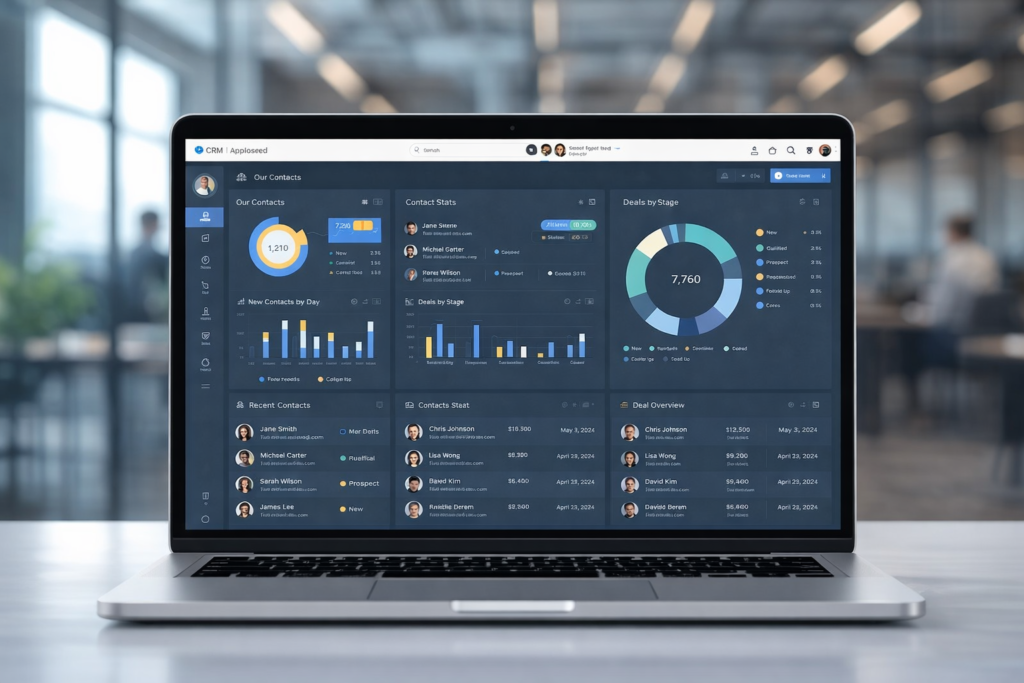
In today’s competitive and resource‑constrained environment, understanding the benefits of CRM software for nonprofit organizations has become essential for mission‑driven teams aiming to operate more effectively and create lasting impact. Nonprofit CRM systems are far more than digital address books — they transform how charities and nonprofit organizations manage relationships, communicate with supporters, drive fundraising outcomes, coordinate volunteers, and measure results. With donor behaviour shifting, expectations rising, and reporting requirements becoming more demanding, adopting a robust CRM is no longer optional — it is a strategic necessity. This article explores how nonprofit CRM software works, the tangible advantages it delivers, and the ways organizations can leverage CRM tools to strengthen engagement, boost productivity, and accelerate impact. What Is CRM Software for Nonprofit Organizations? CRM stands for Constituent Relationship Management. In the nonprofit context, a CRM system centralizes and manages information about every person and organization that interacts with your cause — from donors and volunteers to beneficiaries, partners, and stakeholders. Unlike CRMs built for commercial sales teams, nonprofit CRMs are tailored to track donor history, gifts, volunteer activity, event participation, campaign engagement, and program outcomes. At its core, a nonprofit CRM creates a single, centralized repository for constituent data, eliminating scattered spreadsheets and fragmented records. All engagement history, interaction data, communication preferences, and financial records are stored in one system that can be shared across teams and departments. 1. Centralized Data and Better Constituent Insights One of the most significant benefits of CRM software for nonprofit organizations is the ability to consolidate all supporter and constituent data under one roof. Without a CRM, nonprofits often rely on disjointed tools, email lists, spreadsheets, paper files, which leads to data silos, outdated information, and a lack of visibility across the organization. A CRM system collects data in real time and makes it accessible to every authorized user. When donor history, volunteer activity, campaign responses, and communications are all in one place, nonprofit teams can: Gain a comprehensive understanding of supporter behaviour. Personalize outreach based on documented preferences and giving history. Use segmentation to tailor communications to specific groups of constituents. This holistic visibility enables nonprofits to make data‑driven decisions, target the right audiences with the right messages, and improve cultivation strategies that lead to greater engagement and contributions. 2. Enhanced Donor and Supporter Engagement Cultivating lasting donor relationships is central to nonprofit sustainability. CRM software equips nonprofit teams with detailed donor profiles that include giving history, communication preferences, volunteer involvement, event attendance, and more. This empowers organizations to deliver meaningful, personalized interactions. With a CRM, nonprofits can: Tailor communication based on donor behaviour and past engagement. Track giving patterns and identify supporters most likely to renew or upgrade their contributions. Create segmented outreach lists for targeted campaigns such as monthly giving appeals, holiday drives, or stewardship messages. These personalized engagement strategies strengthen donor trust, increase donor retention, and grow lifetime value, which are all crucial metrics for long‑term success 3. Automation of Routine Tasks Manual administrative work sucks time and energy out of nonprofit teams, often leaving staff bogged down with repetitive tasks like data entry, sending thank‑you messages, or updating records. CRM software automates many of these routine workflows, freeing staff to focus on high‑impact initiatives. Automation capabilities include: Scheduled donor acknowledgements and receipts Triggered follow‑ups after donations or event registrations Automatic reminders for pledge fulfilments Campaign progress notifications Integration of donor actions with email automation and reporting tools By automating routine work, nonprofits reduce human error, improve consistency, and multiply organizational productivity. 4. Improved Reporting and Transparency Donors, grantmakers, regulators, and boards increasingly demand transparency about how funds are raised, allocated, and measured. CRM systems offer robust reporting tools that make it easy to generate accurate, real‑time reports on fundraising trends, volunteer contributions, campaign outcomes, and engagement metrics. With advanced reporting nonprofits can: Produce analytics reports for board meetings Support grant applications with hard data Identify fundraising performance gaps and opportunities Track key performance indicators and outcomes against strategic goals Accurate reporting builds credibility, supports accountability, and reinforces trust with stakeholders. 5. Volunteer Management and Coordination Volunteers are an indispensable part of most nonprofits, yet managing volunteer schedules, tracking hours, understanding skills, and maintaining engagement can easily become chaotic without the right system. CRM software streamlines volunteer coordination by enabling nonprofits to: Store volunteer profiles and engagement history Track skill sets and preferences Manage schedules and event participation Send targeted communication and re‑engagement reminders Instead of relying on manual scheduling tools or fragmented email threads, a CRM centralizes everything and helps match volunteers to opportunities that align with their interests — which improves volunteer satisfaction and retention. 6. Fundraising Efficiency and Campaign Tracking A nonprofit CRM isn’t just an address book — it’s a fundraising engine. The right CRM supports every phase of the fundraising cycle, from prospecting and cultivation to solicitation and stewardship. Features that support fundraising include: Campaign performance dashboards Donation tracking and pledge management Recurring gift processing Segment‑based appeals Integrated online donation forms CRMs often integrate seamlessly with payment processors, fundraising pages, and marketing tools, providing a streamlined flow from gift receipt to donor record update. This end‑to‑end visibility improves fundraising accuracy, reduces errors, and helps organizations make informed strategy decisions. 7. Integration With Other Key Software Nonprofit teams rarely rely on a single tool. Instead, operations depend on multiple systems, accounting platforms, event management tools, email marketing services, website donation forms, and advocacy platforms. A modern CRM integrates with these systems, allowing data to flow seamlessly from one tool to another without manual duplication of effort. Integration offers major advantages: Avoid double entry of data Improve accuracy across systems Give staff a unified view of constituent interactions Support more strategic planning with comprehensive insights By reducing software silos, CRM integration boosts efficiency and ensures that teams are working from the same source of truth. 8. Program Tracking and Client Management For many nonprofits, the mission extends beyond fundraising into direct service delivery. Nonprofit CRM software can function as client management software, tracking interactions with program