Startups

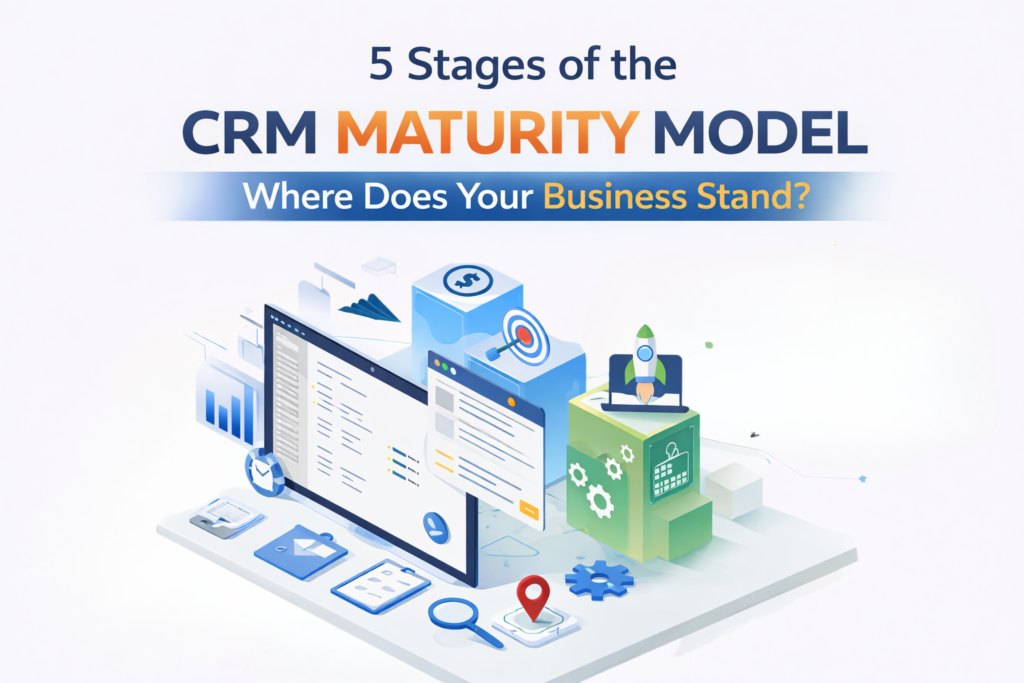
A modern infographic showcasing the 5 stages of the CRM Maturity Model, from Initial (Basic Integration) to Optimized (Personalized Customer Experience), illustrating the evolution of CRM systems from basic to data-driven and AI-powered tools.

5 Stages of the CRM Maturity Model – Where Does Your Business Stand?

  CRM systems are essential for enhancing customer satisfaction and driving revenue growth. However, simply having a CRM in place isn’t enough; businesses must assess how effectively they’re using it to unlock its full potential. The CRM maturity model helps evaluate and optimize CRM practices at every stage. By understanding where your business stands on the CRM maturity scale, you can identify gaps and take actionable steps to improve customer interactions, align your CRM with business goals, and maximize your investment. Overview of the CRM Maturity Model The CRM maturity model maps how effectively businesses use customer relationship management technology and processes. It progresses from simple contact storage to strategic relationship development that directly impacts revenue. This framework isn’t about software features but about organizational capability. Two companies with identical CRM platforms can operate at completely different maturity levels based on how they use the system and align processes with business goals. A proper CRM maturity assessment evaluates your current state across people, processes, and technology, identifying specific actions needed to move forward. Stage 1: Initial/Ad Hoc Approach At the first stage, your business likely relies on basic systems that lack structure or integration. Many companies in this phase use rudimentary tools like spreadsheets or free software to track customer information. There is little to no automation or strategic planning behind these efforts. Characteristics: Basic Tracking: Businesses may track contact details or basic customer interactions, but there’s no centralized system for managing this information. Siloed Data: Customer data is often scattered across different systems or even physical files, making it difficult to have a comprehensive view of each customer. Manual Processes: Inefficiencies can arise as most task is done manually. Challenges: Inconsistent Information: Without a centralized system, it’s hard to ensure that all customer data is accurate and up to date. Limited Visibility: It’s difficult to get a complete view of customer interactions, which means opportunities for improving customer service and engagement may be missed. Assessment: If your business finds itself in this stage, it’s essential to move toward a more structured approach. Centralizing your customer data and automating some basic processes will help streamline efforts and make your team more efficient. Stage 2: Managed Approach As your business matures, it begins to formalize its approach to managing customer data. At this stage, systems are more structured and efficient, but they may still be limited in scope. There is a clearer understanding of the importance of customer data, and businesses start to implement systems to track more than just basic details. Characteristics: Structured Tools: Companies start using more robust systems that provide better ways to organize customer information, even if these tools are not yet fully integrated across the business. Process Formalization: Basic workflows and processes are established to handle customer data, though automation may still be in its early stages. Improved Reporting: Businesses can generate reports to track performance, but insights may still be limited to basic metrics. Challenges: Data Gaps: While data is more organized, there might still be gaps or redundancies that prevent businesses from getting a full understanding of their customers. Limited Integration: Departments may still work in silos, with different teams using separate systems that don’t communicate with one another. Assessment: At this point, you’ve moved beyond basic tracking and are starting to develop a more strategic approach. To reach the next stage, your focus should shift to integrating your systems and improving your ability to derive insights from the data you’ve collected. Stage 3: Defined Strategy At this stage, businesses have fully implemented systems that integrate with other key functions like sales, marketing, and customer service. A clear customer engagement strategy is in place, and departments are aligned on using data to improve the customer experience. There’s more focus on optimization and refining processes. Characteristics: Cross-Department Integration: Your system is now integrated across multiple departments, allowing for a seamless flow of customer data and better collaboration between teams. Strategic Use of Data: Businesses use customer data not just for tracking, but to inform marketing campaigns, sales strategies, and service improvements. Standardized Processes: Clear workflows are in place to ensure consistency across customer interactions, whether through sales, customer support, or marketing efforts. Challenges: Customization: Your system might still require some customization to meet the specific needs of your business. Ongoing Data Quality: Ensuring that the data is high-quality and relevant requires continuous attention and management. Assessment: If your business has reached this stage, you’ve begun using your systems to drive decision-making and customer engagement. However, to truly optimize, your next focus should be on advanced analytics and personalization. Stage 4: Data-Driven Approach The Data-Driven stage is where your business starts to harness the power of advanced analytics. This is where you can predict customer behavior, identify trends, and optimize your processes based on real-time insights. Technology like machine learning and artificial intelligence begins to play a role in decision-making. Characteristics: Advanced Analytics: Your systems are not just collecting data but actively analyzing it to uncover insights that can drive strategic decisions. Personalized Interactions: With a deeper understanding of customer behavior, businesses can tailor their messaging, product recommendations, and overall customer experience. Real-Time Insights: Data is collected and analyzed in real-time, allowing businesses to make immediate, informed decisions. Challenges: Scalability: While predictive analytics can be incredibly useful, scaling these systems to handle large amounts of data can be challenging. Data Governance: With an increasing volume of data, maintaining its quality and security becomes crucial. Assessment: At this stage, your business is highly focused on data to improve decision-making and customer interactions. Your next challenge is to ensure that all systems and processes scale effectively to keep up with the growing amount of data and customer needs. Stage 5: Optimized Customer Experience The final stage represents the pinnacle of CRM maturity. Here, businesses have fully integrated systems that provide a seamless experience across all customer touchpoints. Everything from marketing to sales to service is data-driven, and customers receive a highly personalized experience tailored to their unique

Read more
Custom web development code displayed on laptop screen in modern workspace environment

Custom Web Development: A Practical Approach to Building Websites That Scale

A website should support how your business actually works, not force you to adapt to platform limitations. Many companies start with templates or page builders, but as traffic grows and requirements become more complex, those shortcuts often turn into obstacles. This is where custom web development becomes essential. Custom-built websites are designed around real business needs, technical requirements, and long-term growth plans. Instead of relying on generic features, developing custom website focuses on performance, flexibility, and control from day one. What Custom Web Development Really Means Web development involves building a website or web application specifically for a business, rather than modifying an existing template or theme. The design, functionality, backend logic, and integrations are developed to match exact requirements. In custom website development, decisions are made based on: Business workflows Target users Performance expectations Security requirements Future scalability This approach allows businesses to own their platform fully, without being restricted by third-party limitations. Why Businesses Move Away From Templates Template-based websites can work for basic use cases, but they often create issues as a business grows. Common challenges include slow performance, limited customization, plugin conflicts, and security risks. With web development custom solutions, businesses avoid these problems by building only what they need and nothing they don’t. The result is a website that is easier to maintain, faster to load, and simpler to scale. Benefits of Custom Web Development The benefits of development go beyond appearance. They directly affect performance, usability, and long-term cost. Tailored Functionality Custom development allows features to be built around actual business processes instead of forcing workarounds into pre-built systems. Improved Performance Clean code and optimized architecture lead to faster page loads and better overall site performance. Scalability As traffic, users, or data increase, custom-built websites can grow without needing a complete rebuild. Stronger Security Custom solutions reduce dependence on third-party plugins and allow security measures to be implemented based on real risks. SEO-Ready Structure Custom website development gives full control over site structure, page speed, URLs, and technical SEO foundations. Custom Web Development vs Pre-Built Platforms   Aspect Custom Web Development Pre-Built Platforms Flexibility Fully customizable Limited Performance Optimized Often bloated Security Controlled Plugin-dependent Scalability High Restricted Long-Term Cost Predictable Increases over time For businesses that rely on their website for leads, sales, or operations, custom development provides better long-term value. Custom Web Development Solutions for Different Business Types Different industries require different digital capabilities. These solutions are mostly used for: SaaS products Business dashboards Healthcare and compliance-based systems eCommerce platforms Internal management tools Client portals By aligning the website with business operations, custom solutions improve efficiency and user experience. Technology-Focused Custom Development Options Choosing the right technology stack plays a major role in long-term success. Custom Laravel Web Development Laravel is well-suited for applications that require structured architecture and strong security. Custom Laravel web development is often used for: SaaS platforms CRM systems Enterprise applications It provides flexibility while maintaining clean, maintainable code. Custom Python Web Development Custom Python web development works well for applications that handle complex logic, large datasets, or integrations. Commonly it is used for: Data-driven platforms Automation systems AI-enabled applications Python frameworks allow stable development without sacrificing performance. Custom Magento Web Development For large or complex eCommerce projects, custom Magento web development offers advanced control over products, checkout flows, and integrations. It is suitable for businesses that need flexibility beyond standard eCommerce platforms. How Custom Website Development Is Approached A structured development process reduces risk and ensures long-term usability. Instead of relying on rigid templates, custom website development focuses on building a scalable and technically sound foundation tailored to business needs. At a technical level, this typically includes: Modular backend architecture for scalability Secure API integrations for safe data exchange Optimized databases to maintain speed and stability Role-based user access for controlled permissions SEO-friendly frontend frameworks for search visibility Cloud-ready deployment for flexibility and growth Together, these practices ensure the website remains stable, high-performing, and adaptable as the business evolves. Choosing Custom Web Development Services in USA Many businesses choose custom development services in the USA because of structured development standards, clear communication processes, and experience handling complex projects. Working with established teams often means better documentation, defined workflows, and scalable solutions. Qualix Solutions provides custom web services for U.S. and international clients, focusing on long-term value rather than quick fixes. Their approach emphasizes: Clean, scalable architecture Practical and business-driven solutions Maintainability and performance Sustainable development practices Long-Term Value of Custom Website Development While custom development may require more planning upfront, it typically reduces long-term costs and operational friction. Businesses avoid frequent rebuilds, plugin conflicts, and recurring performance issues. Key long-term advantages include: Easier updates and feature expansion Greater performance stability Lower ongoing maintenance costs Improved user experience Stronger technical foundations Custom websites are designed to grow with the business rather than being replaced every few years. Security, Quality, and Reliability Security becomes critical when a website handles customer data, financial transactions, or internal operations. Custom development allows security to be built into the core system architecture from the start instead of being added later as patches. A responsible development process also includes structured quality assurance, testing, and documentation to ensure the website remains reliable, secure, and stable over time. When Custom Web Development Makes Sense Custom development is especially beneficial when: Your business has specific operational requirements Standard platforms feel restrictive Performance and security directly impact revenue The website is a core business tool You plan significant long-term growth When a website plays a strategic role in business success, custom development offers greater flexibility, control, and long-term sustainability. Conclusion Developing custom websites enables businesses to create websites that align with their current operations and future growth plans. Instead of forcing your business to adapt to a platform, custom development tailors the platform to suit your business. By choosing custom web solutions, companies gain flexibility, stability, and a stronger foundation for long-term success. For businesses looking for reliable custom website development, Qualix Solutions provides practical, scalable, and secure web solutions built around

Read more
Illustration of custom software development process with developer analyzing data dashboard, charts, and web interface on computer screen

Custom Software Development for Scalable and Business-Focused Solutions

  Custom software development is crucial for businesses operating in fast-changing digital environments, where customer expectations, security threats, and competition evolve rapidly. Off-the-shelf software often falls short by failing to meet the specific needs of a business, forcing teams to adapt their workflows to the software rather than the other way around. It provides a solution by creating systems tailored to a company’s unique operations. This approach enhances efficiency, control, and scalability, allowing businesses to streamline processes and grow without being limited by generic software.. What Is Custom Software Development? It is a process of designing and building software specifically for one organization. The solution is created around defined business goals, user requirements, operational processes and industry regulations. Unlike ready-made platforms, custom solutions: Focus only on the features your business truly needs Remove unnecessary tools that complicate workflows Offer full control over updates and system direction Adapt as your company grows Instead of paying for features you never use, you invest in a system built with purpose. The result is software that feels natural to your team and supports daily operations without friction. Why Businesses Move Toward Custom Solutions Companies usually consider custom software when growth, efficiency, and security become priorities. As operations expand, limitations of standard tools become more visible. Alignment with Real Workflows Every business has unique processes. Even companies in the same industry operate differently. Custom software reflects those differences. When systems are built around your operations: Manual work is reduced Departments communicate more smoothly Data flows without duplication Bottlenecks become easier to identify and remove This improves productivity without forcing teams to learn complicated workarounds. Designed for Long-Term Growth Growth often exposes the limits of generic tools. Subscription tiers increase. Features are locked behind upgrades. Integration becomes difficult. Custom applications are designed to scale effortlessly. You can add new modules, optimize performance, and expand infrastructure as needed. The system evolves alongside your business, rather than restricting its growth. Stronger and More Controlled Security Security is not optional anymore. Data protection regulations are strict, and breaches can cause serious financial and reputational damage. The system defines security architecture from the start, integrating access levels, encryption standards, authentication processes, and compliance requirements. This proactive approach strengthens security and mitigates potential vulnerabilities. Better Integration Across Systems Most businesses rely on multiple platforms. Accounting software, CRM tools, HR systems, marketing platforms, and payment gateways all need to communicate. Custom software can be developed to integrate directly with: Existing internal systems Third-party APIs Cloud services Legacy databases This creates a unified digital environment where information moves efficiently and accurately. Industries That Rely on Custom Software Application Development Custom software application development is not limited to one sector. Many industries depend on tailored systems because of operational complexity. Healthcare Healthcare organizations manage sensitive patient data and strict compliance requirements. Custom systems support patient records, appointment scheduling, reporting tools, and secure communication channels. These systems must prioritize both usability and data protection. Finance and FinTech Financial institutions require accuracy, security, and reliability. Custom platforms help manage transactions, compliance tracking, fraud detection, and risk analysis. Because regulations change frequently, having adaptable software is a major advantage. E-commerce and Retail Retail businesses need systems that manage inventory, orders, customer accounts, and analytics in real time. Custom platforms make it easier to adjust pricing models, manage promotions, and analyze buying behavior without relying on rigid third-party limitations. Logistics and Supply Chain In logistics, visibility is everything. Tracking shipments, optimizing routes, managing warehouses, and generating reports all require connected systems. Custom development ensures that real-time data is accessible and accurate across the network. Manufacturing Manufacturing companies depend on precise planning and monitoring. Custom ERP systems, production tracking tools, and performance dashboards improve operational control and reduce downtime. The Development Process A structured development process ensures quality and long-term success. Skipping steps often leads to budget overruns or unstable systems. 1. Requirement Analysis This stage focuses on understanding the business. Developers and stakeholders work together to define goals, technical needs, user roles, and expected outcomes. Clear documentation at this point prevents confusion later. 2. Planning and Architecture Once requirements are defined, the technical blueprint is created. This includes selecting the technology stack, designing database structures, defining timelines, and outlining system architecture. Proper planning reduces risk during development. 3. UI and UX Design User interface and user experience design ensure the system is easy to use. Wireframes and prototypes are created to visualize the product before development begins. A clean and intuitive interface reduces training time and increases adoption. 4. Development Phase During development, engineers build the system following coding standards and security best practices. Many teams use Agile methodology, which means the software is delivered in phases. This allows regular feedback and gradual improvement. 5. Testing and Quality Assurance Testing ensures stability and reliability. This includes performance testing, security checks, compatibility testing, and user acceptance testing. Identifying issues early saves time and cost in the future. 6. Deployment and Monitoring After successful testing, the system is deployed to a live environment. Deployment includes server configuration, data migration, and system monitoring setup. A smooth launch is critical for business continuity. 7. Ongoing Maintenance and Improvement Software is never truly finished. Updates, performance improvements, and security patches are necessary to maintain efficiency. Long-term support ensures the system continues to deliver value. Core Software Development Services Professional development companies provide a range of services tailored to business needs. Web and Mobile Application Development Custom applications are built for desktop and mobile environments thus ensuring accessibility across devices. Enterprise Software Development Large organizations require systems that support complex workflows and high user loads. Enterprise solutions focus on reliability and scalability. Cloud-Based Solutions Cloud-native development allows businesses to scale resources easily while improving accessibility and backup reliability. API Development and Integration APIs allow systems to communicate smoothly. Proper integration eliminates data silos and manual data transfers. Software Modernization Legacy systems can be upgraded without fully replacing them. Modernization improves speed, security, and compatibility with new technologies. Choosing the Right Software Development Company

Read more
top features of supply chain management software

What Are the Top Features of Supply Chain Management Software

Managing a supply chain with spreadsheets and disconnected systems creates bottlenecks, delays, and costly errors. Whether you’re dealing with inventory shortages, supplier issues, or transportation headaches, the right software transforms these challenges into opportunities for efficiency and growth. This guide breaks down the essential features you need when evaluating supply chain management software tools, helping you choose a solution that actually solves your problems. Why Supply Chain Management Software Matter? The importance of supply chain management software goes beyond tracking inventory. Modern software operations eliminates visibility gaps, automates manual processes, ensures compliance, and enables proactive decision-making across your entire network. Supply chain management in the software industry has evolved into sophisticated platforms that connect suppliers, warehouses, carriers, and customers in real-time. These software tools reduce operational costs while improving delivery performance and customer satisfaction. Top Features of Supply Chain Management Software 1. Real-Time Inventory Control Supply chain inventory management software needs robust tracking across all locations. Your system should monitor stock levels in warehouses, stores, trucks, and ships simultaneously. Look for automated reordering that triggers purchases when stock runs low. The best systems adjust these triggers based on sales patterns and upcoming promotions. For regulated industries, serial number and lot tracking becomes mandatory. When quality issues arise, you can trace affected products instantly and execute targeted recalls. Cycle counting features maintain accuracy without shutting down operations. The software schedules regular counts for different sections, catching discrepancies before they balloon into major problems. 2. Demand Forecasting and Planning The capabilities of systems shine in demand prediction. Advanced algorithms analyze sales history, seasonal patterns, and market conditions to forecast future needs. Scenario planning lets you test different strategies before committing resources. Model what happens if a key supplier fails, demand spikes unexpectedly, or new competitors enter your market. Collaborative forecasting pulls insights from sales teams, major customers, and suppliers. This consensus approach beats pure statistical methods because it incorporates market intelligence that data alone misses. 3. Supplier Performance Management Software must track supplier reliability. Performance scorecards measure on-time delivery, defect rates, and responsiveness to issues. Risk assessment tools flag suppliers who pose threats to your operations—whether from financial instability, geographic concentration, or lack of backup options. Supplier portals streamline communication. Vendors access forecasts, submit quotes, and update shipment status directly in your system, cutting email chains and phone calls. 4. Procurement Automation Supply chain tools and techniques for procurement eliminate manual bottlenecks. Automated workflows route purchase requests through approval chains based on dollar amounts and budget availability. E-sourcing features manage RFQs and bids digitally. Compare proposals side-by-side and award contracts based on objective criteria rather than relationships or convenience. Spend analytics reveal purchasing patterns. You’ll spot opportunities to consolidate vendors, negotiate volume discounts, and stop unauthorized spending. 5. Transportation Planning and Execution Logistics management software features optimize how goods move. Multi-modal planning finds the best combination of trucks, trains, ships, and planes based on cost, speed, and reliability requirements. Carrier management tools compare rates, book shipments, and track performance across your transportation network. Freight audit capabilities catch billing errors and overcharges automatically. Load optimization fills vehicles efficiently by considering weight limits, volume constraints, and delivery sequences. Better utilization means fewer trips and lower costs. 6. Warehouse Integration While inventory management software handles strategic decisions, warehouse integration manages daily operations. Systems direct workers along optimal picking paths and suggest the best storage locations for incoming products. Wave planning batches orders intelligently for release to the warehouse floor. Labor tracking identifies productivity patterns and training opportunities. 7. Cloud-Based Architecture Cloud based supply chain software delivers flexibility that on-premise systems can’t match. Access your data from anywhere, scale up or down based on seasonal needs, and skip the hardware maintenance headaches. Automatic updates keep you current with new features and security patches. Implementation happens faster because there’s no infrastructure to build. 8. Analytics and Reporting SCM functionality requires strong analytical tools. Dashboards show different metrics for warehouse managers versus executives. Exception alerts notify you when performance falls outside acceptable ranges. Predictive analytics spot trends before they become problems. Historical analysis reveals long-term patterns that shape strategic planning. 9. Order Fulfillment Management Order promising gives customers accurate delivery dates based on current inventory and production capacity. Allocation logic prioritizes high-value orders and reserves inventory appropriately. Drop-ship and cross-dock support offers fulfillment flexibility. Modify in-flight orders when possible to accommodate customer changes. Returns management handles reverse logistics efficiently—from initial authorization through restocking and credit processing. 10. Global Trade Compliance For international operations, compliance features prevent costly mistakes. Automated documentation generates commercial invoices, certificates of origin, and export declarations correctly. Restricted party screening checks customers and suppliers against government denied-parties lists. Duty optimization analyzes different scenarios to minimize customs charges through smart classification and valuation. 11. Quality Control Integration Elements of supply chain management include quality assurance. Track non-conformances, document corrective actions, and measure supplier quality trends over time. Certificate of analysis management ensures raw materials and finished goods meet specifications before they move through your supply chain. 12. Financial Visibility Top supply chain management software companies integrate financial tracking throughout. ERP connections synchronize activities with accounting for accurate costing. Working capital optimization identifies ways to improve cash flow—whether through inventory reduction, extended payment terms, or faster collection cycles. 13. Collaboration Tools Modern tools and techniques emphasize connectivity. Supplier portals enable self-service access to forecasts and order status. Internal messaging keeps teams aligned without endless email threads. Document management centralizes specifications, drawings, and certificates. Workflow automation routes approvals to the right people based on business rules. 14. Mobile Access Supply chain monitoring software supports workers wherever they are. Warehouse staff use mobile apps to scan barcodes and confirm tasks. Managers approve requests from their phones. Executives check dashboards during meetings or while traveling. Offline capabilities let work continue in areas with poor connectivity, syncing data when connection returns. 15. Intelligent Automation Leading software product for SCM solutions incorporate automation that learns from patterns. Demand sensing detects shifts in buying behavior faster than traditional forecasting. Process optimization identifies

Read more
Contact us

Partner with Us for Comprehensive IT

We’re happy to answer any questions you may have and help you determine which of our services best fit your needs.

Your benefits:
What happens next?
1

We Schedule a call at your convenience 

2

We do a discovery & consulting meeting 

3

We prepare a proposal 

Schedule a Free Consultation