App develoment

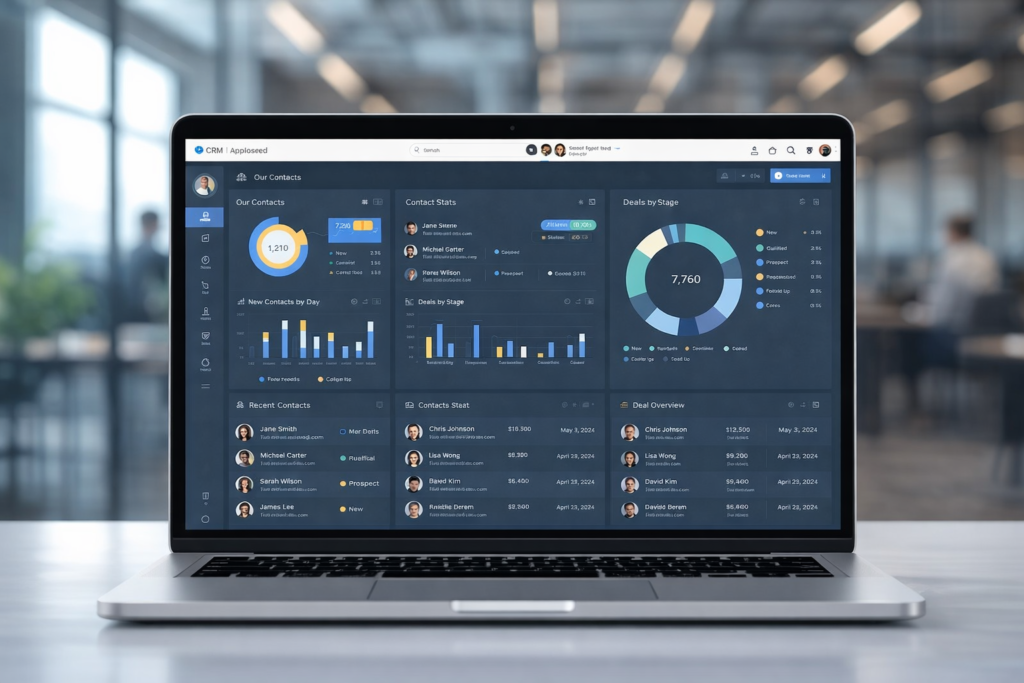
sleek laptop displaying a CRM software dashboard for nonprofit organizations. The screen shows various charts, donor statistics, and campaign performance insights

Benefits of CRM Software for Nonprofit Organizations

In today’s competitive and resource‑constrained environment, understanding the benefits of CRM software for nonprofit organizations has become essential for mission‑driven teams aiming to operate more effectively and create lasting impact. Nonprofit CRM systems are far more than digital address books — they transform how charities and nonprofit organizations manage relationships, communicate with supporters, drive fundraising outcomes, coordinate volunteers, and measure results. With donor behaviour shifting, expectations rising, and reporting requirements becoming more demanding, adopting a robust CRM is no longer optional — it is a strategic necessity. This article explores how nonprofit CRM software works, the tangible advantages it delivers, and the ways organizations can leverage CRM tools to strengthen engagement, boost productivity, and accelerate impact. What Is CRM Software for Nonprofit Organizations? CRM stands for Constituent Relationship Management. In the nonprofit context, a CRM system centralizes and manages information about every person and organization that interacts with your cause — from donors and volunteers to beneficiaries, partners, and stakeholders. Unlike CRMs built for commercial sales teams, nonprofit CRMs are tailored to track donor history, gifts, volunteer activity, event participation, campaign engagement, and program outcomes. At its core, a nonprofit CRM creates a single, centralized repository for constituent data, eliminating scattered spreadsheets and fragmented records. All engagement history, interaction data, communication preferences, and financial records are stored in one system that can be shared across teams and departments. 1. Centralized Data and Better Constituent Insights One of the most significant benefits of CRM software for nonprofit organizations is the ability to consolidate all supporter and constituent data under one roof. Without a CRM, nonprofits often rely on disjointed tools, email lists, spreadsheets, paper files, which leads to data silos, outdated information, and a lack of visibility across the organization. A CRM system collects data in real time and makes it accessible to every authorized user. When donor history, volunteer activity, campaign responses, and communications are all in one place, nonprofit teams can: Gain a comprehensive understanding of supporter behaviour. Personalize outreach based on documented preferences and giving history. Use segmentation to tailor communications to specific groups of constituents. This holistic visibility enables nonprofits to make data‑driven decisions, target the right audiences with the right messages, and improve cultivation strategies that lead to greater engagement and contributions. 2. Enhanced Donor and Supporter Engagement Cultivating lasting donor relationships is central to nonprofit sustainability. CRM software equips nonprofit teams with detailed donor profiles that include giving history, communication preferences, volunteer involvement, event attendance, and more. This empowers organizations to deliver meaningful, personalized interactions. With a CRM, nonprofits can: Tailor communication based on donor behaviour and past engagement. Track giving patterns and identify supporters most likely to renew or upgrade their contributions. Create segmented outreach lists for targeted campaigns such as monthly giving appeals, holiday drives, or stewardship messages. These personalized engagement strategies strengthen donor trust, increase donor retention, and grow lifetime value, which are all crucial metrics for long‑term success 3. Automation of Routine Tasks Manual administrative work sucks time and energy out of nonprofit teams, often leaving staff bogged down with repetitive tasks like data entry, sending thank‑you messages, or updating records. CRM software automates many of these routine workflows, freeing staff to focus on high‑impact initiatives. Automation capabilities include: Scheduled donor acknowledgements and receipts Triggered follow‑ups after donations or event registrations Automatic reminders for pledge fulfilments Campaign progress notifications Integration of donor actions with email automation and reporting tools By automating routine work, nonprofits reduce human error, improve consistency, and multiply organizational productivity. 4. Improved Reporting and Transparency Donors, grantmakers, regulators, and boards increasingly demand transparency about how funds are raised, allocated, and measured. CRM systems offer robust reporting tools that make it easy to generate accurate, real‑time reports on fundraising trends, volunteer contributions, campaign outcomes, and engagement metrics. With advanced reporting nonprofits can: Produce analytics reports for board meetings Support grant applications with hard data Identify fundraising performance gaps and opportunities Track key performance indicators and outcomes against strategic goals Accurate reporting builds credibility, supports accountability, and reinforces trust with stakeholders. 5. Volunteer Management and Coordination Volunteers are an indispensable part of most nonprofits, yet managing volunteer schedules, tracking hours, understanding skills, and maintaining engagement can easily become chaotic without the right system. CRM software streamlines volunteer coordination by enabling nonprofits to: Store volunteer profiles and engagement history Track skill sets and preferences Manage schedules and event participation Send targeted communication and re‑engagement reminders Instead of relying on manual scheduling tools or fragmented email threads, a CRM centralizes everything and helps match volunteers to opportunities that align with their interests — which improves volunteer satisfaction and retention. 6. Fundraising Efficiency and Campaign Tracking A nonprofit CRM isn’t just an address book — it’s a fundraising engine. The right CRM supports every phase of the fundraising cycle, from prospecting and cultivation to solicitation and stewardship. Features that support fundraising include: Campaign performance dashboards Donation tracking and pledge management Recurring gift processing Segment‑based appeals Integrated online donation forms CRMs often integrate seamlessly with payment processors, fundraising pages, and marketing tools, providing a streamlined flow from gift receipt to donor record update. This end‑to‑end visibility improves fundraising accuracy, reduces errors, and helps organizations make informed strategy decisions. 7. Integration With Other Key Software Nonprofit teams rarely rely on a single tool. Instead, operations depend on multiple systems, accounting platforms, event management tools, email marketing services, website donation forms, and advocacy platforms. A modern CRM integrates with these systems, allowing data to flow seamlessly from one tool to another without manual duplication of effort. Integration offers major advantages: Avoid double entry of data Improve accuracy across systems Give staff a unified view of constituent interactions Support more strategic planning with comprehensive insights By reducing software silos, CRM integration boosts efficiency and ensures that teams are working from the same source of truth. 8. Program Tracking and Client Management For many nonprofits, the mission extends beyond fundraising into direct service delivery. Nonprofit CRM software can function as client management software, tracking interactions with program
Read more
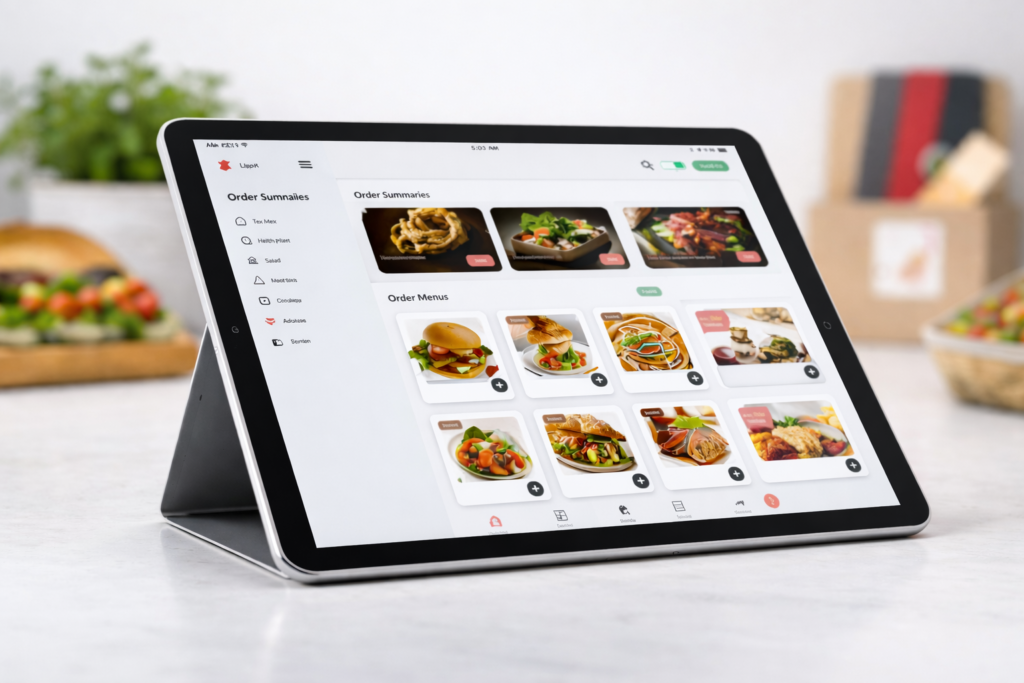
Catering delivery driver app interface displaying multi-item orders, route optimizations, and order assignments for event-based catering logistics

Catering Delivery Driver App – The Complete Guide for 2026

A catering delivery driver app is a specialized mobile application designed for drivers who deliver catered food orders, managing routes, assignments, tracking, delivery confirmations, and earnings directly from their smartphone. Unlike general gig-economy apps, these apps are tailored to catering delivery operations, giving drivers tools to increase efficiency and accuracy throughout the delivery workflow. A catering delivery driver app directly impacts driver performance, customer satisfaction, and operational transparency across the entire delivery chain. In this guide, we’ll explain why businesses and drivers alike are searching for the best catering delivery driver app, how these apps work in practice, what features matter most, and how to evaluate solutions against alternatives like third-party food delivery networks. We’ll also explore apps for food delivery drivers more broadly and share insights on choosing the best catering delivery app for drivers and catering operations in 2026. Why Catering Delivery Apps Are Essential Today The food industry has shifted dramatically over the past decade. Customers increasingly expect on-demand delivery of everything, from everyday meals to fully catered event orders. While third-party marketplaces helped popularize delivery, they often present challenges: High commission fees that cut into restaurant and caterer margins. Brand dilution and limited customer data access. Delivery complexity for escorting large, multi-item orders to events. A specialized catering food delivery driver app puts control back in the hands of businesses and drivers. Instead of depending on external marketplaces, apps built around catering delivery requirements allow for: Custom routing and assignment logic Real-time tracking for large orders Automated delivery confirmations and proof-of-delivery Earnings and job details designed around catering-specific workflows This shift is part of a broader trend where businesses are reducing dependence on external delivery platforms and investing in delivery technology that keeps margins, control, and customer relationships in-house. What Is a Catering Delivery Driver App (And How It Differs)  A typical delivery driver app supports parcel or restaurant deliveries, allowing drivers to accept jobs, navigate routes, and confirm deliveries. But a catering delivery driver app is distinct: Key Differences Standard Driver App Catering Delivery Driver App Supports general food deliveries Optimized for large, multi-item catering orders Simple pick-up & drop-off tasks Detailed stops with load verification & event timing Often third-party marketplace oriented May integrate with business systems directly Typically single delivery Often multiple stops with specialized routing This specialization enables catering delivery drivers to efficiently handle orders that may involve: Multiple delivery locations Time-sensitive event schedules Bulk packaging Special handling instructions Staff coordination at delivery sites Dedicated catering apps bridge the gap between general driver tools and event-level delivery requirements. Benefits of Using the Best Catering Delivery Driver App  When drivers and businesses transition from generic delivery tools to a best catering delivery driver app, they see measurable benefits. Increased Efficiency These apps streamline driver workflows by consolidating job details, route guidance, and delivery instructions in-app. Drivers no longer juggle multiple tools, spreadsheets, or manual assignments. Better Accountability and Tracking With real-time GPS tracking and automated delivery confirmations, businesses can ensure orders are delivered on time and drivers have proper visibility over each stop. Features like photo capture, timestamping, and digital signatures increase transparency. Built for Catering Specific Needs Unlike generic apps for food delivery drivers, catering delivery solutions handle complex orders, special requirements, and communication layers needed for events such as weddings, corporate functions, and large private parties. Improved Driver Satisfaction Drivers appreciate apps that reduce confusion, provide clear directions, and simplify earnings tracking. This leads to better service quality and fewer missed deliveries, a big competitive advantage in catering delivery logistics. Lower Operational Costs By owning the delivery workflow, caterers reduce dependency on third-party delivery platforms that often require high fees or stringent terms. This means more revenue stays with the business rather than being paid as marketplace commissions. Core Features Every Catering Delivery Driver App Must Have For a catering delivery driver app to truly support operations, it needs a mix of robust, driver-centric features and business-grade delivery management capabilities. Below are the key functionalities that define the best solutions in 2026: Real-Time GPS and Route Optimization Live tracking helps drivers navigate efficiently and allows businesses to monitor progress. Advanced apps suggest optimized routing based on traffic and multiple stops. Order Assignment & Scheduling Drivers need a prioritized list of jobs, clear timing windows, and tools for confirming load details before leaving the restaurant or catering kitchen. Proof of Delivery (POD) POD is vital for large orders. Top apps support signatures, photos of delivered items, and timestamped confirmations, critical for billing and accountability. Earnings Dashboards A driver-focused app must clearly present earnings, incentives, and bonuses tied to performance. In-App Communication Type, call, or message drivers directly from within the app. This ensures coordination during multi-stop catering routes or last-minute changes. Offline Functionality Drivers can continue to access delivery details even without internet connectivity, essential for areas with weaker coverage. Compliance & Safety Controls Driver safety features such as built-in break reminders, speed alerts, and risk alerts improve compliance and driver well-being. The best catering delivery apps integrate all these capabilities, providing a single tool that makes delivery drivers more efficient and delivery operations more predictable. How Catering Delivery Apps Compare to Third-Party Marketplaces Understanding how a catering delivery driver app fits into the wider delivery ecosystem is essential, especially when businesses are considering alternatives like third-party marketplaces (DoorDash, Uber Eats, etc.). Third-Party Marketplaces Pros: Instant customer access Large user base Cons: High commission fees (often 20-30%) Limited driver control No brand ownership Dedicated Catering Delivery Apps Pros: Full ownership and control Tailored to business requirements Better performance tracking Lower long-term costs Which Option Works Best for Your Business For businesses focused on scaling their own delivery fleet and strengthening brand loyalty, a dedicated catering delivery solution is often more sustainable over the long term. A hybrid approach, using third-party marketplaces for immediate demand while developing an in-house delivery ecosystem, is a strategy many enterprises pursue as they build capacity and customer loyalty. Popular Use Cases for Catering Delivery Apps Catering

Read more
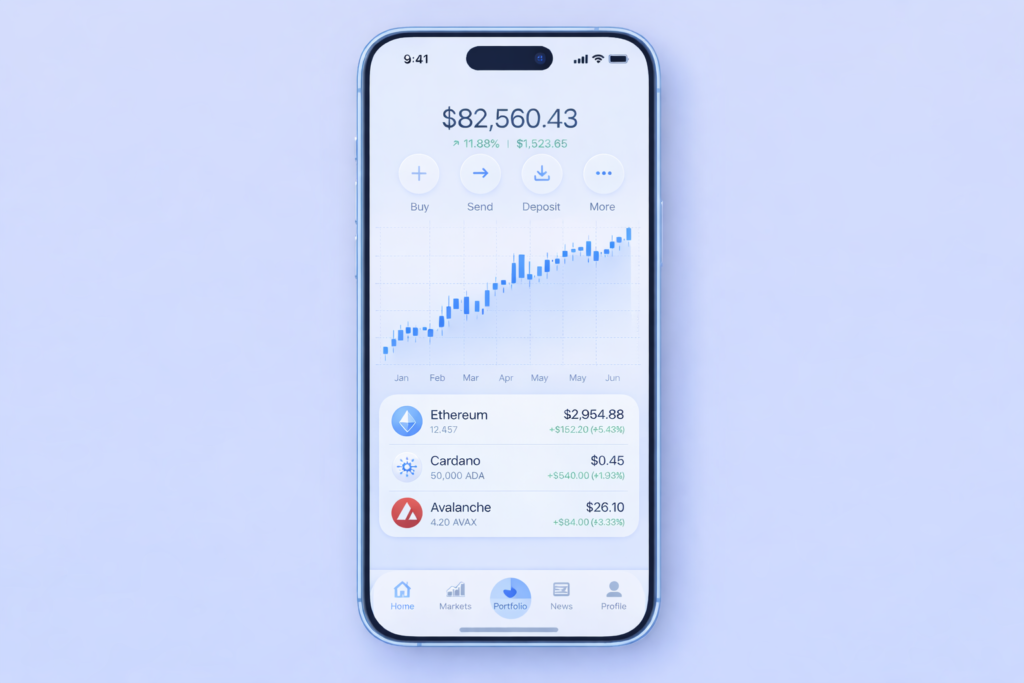
A modern Web3 iOS app interface displaying portfolio stats, blockchain data visualizations, and cryptocurrency values, all integrated into a sleek mobile dashboard on a smartphone.

Web3 iOS App Development

Web3 iOS app development is redefining how mobile applications are created and experienced on Apple devices. Traditional iOS apps rely on centralized servers and controlled data systems. In contrast, web3 iOS app development enables fully decentralized applications where users own their data, control their identities, and interact directly with blockchain networks. Adoption of Web3 apps development is growing rapidly as more companies seek security, transparency, and user empowerment in their mobile products. With the rise of decentralized finance, tokenized assets, and next generation cryptographic services, web3 ios technologies are driving a new class of mobile software. In this guide, you will learn what Web3 means for Apple platforms, how web3 in iOS apps works, which tools and frameworks to choose, and the strategic benefits and challenges of building decentralized mobile applications. Understanding this ecosystem will help you build next generation mobile experiences that attract users and deliver long term value. Section 1: What is Web3 iOS App Development? Web3 iOS app development refers to building mobile applications for iPhone and iPad that integrate decentralized technologies such as blockchain networks, smart contracts, and peer to peer authentication. These apps offer a shift away from centralized infrastructure to models where users control their own data and cryptographic keys. At its core, Web3 is about decentralization. Traditional apps store user accounts and content on central servers owned by companies. Web3 apps connect to distributed blockchain nodes where data is shared securely across networks that do not require a single central authority. This allows mobile applications to provide greater transparency, stronger security, and global interoperability for digital assets and identity services. Web3 in iOS systems typically involves integrating wallets, blockchain networking libraries, smart contract calls, and decentralized storage with native UI components in Swift and Xcode. Instead of relying on email passwords or database authentication, users can authenticate and sign transactions using decentralized wallet credentials. Section 2: Why Web3 Matters for iOS Apps Understanding why Web3 matters starts from the contrast between how data is managed in traditional apps versus decentralized systems. User Ownership of Data Web3-based applications give users complete ownership and control of their digital assets and personal information. Centralized platforms often collect and manage user data on private servers. Decentralized design puts the user in control of their keys and access rights, enabling stronger privacy and user agency. Enhanced Security and Trust Blockchain technologies provide secured transaction validation without intermediaries. Smart contracts automate business logic and record confirmed activity in immutable ledgers, protecting against fraud and unauthorized manipulation. This increases trust for financial services, digital rights platforms, and identity verification flows. New Revenue Models Web3 iOS applications create new ways to monetize products and services, including token gating, on-chain payments, NFT marketplaces, and decentralized finance modules built directly into the user experience. These features unlock revenue streams unavailable in traditional models. Decentralized Identity and Authentication Web3 apps can authenticate users using decentralized identity schemes that eliminate the need for usernames and passwords. This reduces risk while improving user experience, especially for mobile services requiring frequent authentication. Section 3: Core Components of Web3 iOS Applications Building Web3 enabled apps on iOS requires understanding the main layers and functions of decentralized technologies. Blockchain Networks Web3 apps connect to blockchain networks such as Ethereum, Solana, or layer 2 solutions. These networks act as decentralized backends where transactions can be verified and recorded across distributed nodes. Network providers like Alchemy and Infura enable secure connections without running full nodes. Wallet Integration Wallets are central to Web3 authentication and transactions. Users connect wallets like WalletConnect or MetaMask Mobile to authenticate and sign transactions. Integrating wallets into iOS apps enables token transfers, balance checks, and smart contract interactions securely. Smart Contracts Smart contracts are self executing rules that run on blockchain networks. These contracts handle business logic for token exchanges, decentralized finance protocols, and governance features without manual server control. Decentralized Storage Applications often use decentralized storage systems like IPFS or Filecoin to store data in distributed networks instead of centralized servers. This improves resilience and data persistence across networks. Integration Libraries Web3 libraries such as Web3.swift, EthereumKit, and native SDKs allow iOS apps to communicate with blockchain networks, handle contracts, and update UI based on decentralized state. Developers use these libraries to connect smart contract data with native app components. Section 4: Tools and Frameworks for Web3 iOS App Development Choosing the right stack is critical for quality delivery and performance. Swift and Xcode Swift is the official language for iOS app development, and Xcode is the primary IDE. These tools are essential for creating native applications with responsive UI, secure data handling, and compatibility with Apple guidelines. Web3 Libraries Web3.swift and EthereumKit provide native integration with Ethereum and other networks. WalletConnect integrations allow secure wallet connections using deep links or QR scans. These libraries let developers build core decentralized features for wallets and contracts. Blockchain Node Providers Services like Alchemy, Infura, and Moralis simplify connection to blockchain networks without running your own node infrastructure. They provide APIs for data reads, event subscriptions, and transaction broadcasting. Smart Contract Tools Tools such as Remix IDE, Hardhat, and Ganache assist developers in writing, testing, and deploying smart contracts before linking them to iOS applications. Decentralized Oracles and Data Indexing Chainlink enables external data integration for reliable real world data. The Graph indexes blockchain data for efficient queries. Such tools connect off chain data to on chain logic in web3 applications. Section 5: Step by Step Web3 iOS App Development Process This section explains a general workflow for building web3 iOS applications from planning to deployment. Step 1: Define Objectives and Business Logic Outline what decentralized features your app will provide. Identify whether you need crypto payments, wallet support, token based access, or smart contract automation. Step 2: Choose a Blockchain Network Select a blockchain network based on cost, speed, and ecosystem needs. Ethereum and layer 2 solutions remain popular for token standards and broad tool support. Step 3: Design Wallet Interactions Implement wallet connections using SDKs that

Read more
social media app development cost

Social Media App Development Cost and Budget Planning

If you are planning to build a new social app or platform, one of the first questions you must answer is how much it will cost. Social apps are complex products with many moving parts. Getting your budget right early can help you avoid surprises in planning, development, and growth. This guide explains the social media app development cost clearly and simply. It includes price ranges for different types of social apps, explains what drives the cost, and answers common questions like how much does it cost to build an app like Facebook and how much does it cost to run a social media website after launch. The goal is to help you plan your financial strategy with confidence. What Is Social Media App Development Cost? When we talk about social media app development cost, we mean the total money needed to build the app from idea to launch. This includes planning, design, coding, testing, and deployment. There is no fixed price that applies to all social apps. The real cost depends on the type of app you want to build, the features you include, the team that builds it, and the quality and scale you expect. Simple social apps that only allow basic posting and profiles cost much less than full featured platforms with video sharing, chat, real‑time updates, and admin tools. Based on market research, general development ranges are: Basic social app: $30,000 to $80,000 Mid level social app: $80,000 to $150,000 Complex or advanced app: $150,000 to $250,000 or more These figures include planning, design, development, and testing. 1. Main Factors That Affect Social Media App Development Cost A social media app has many parts. Each part costs time and money to build. Here are the main factors that shape the price. Features and App Complexity The number and quality of features are the biggest drivers of cost. A simple app with only user login and a basic feed costs much less than a full‑featured platform with messaging, video uploads, search, notifications, and analytics. Each feature adds time to development, and more complex features add more time. Features like live streaming or AI powered feeds push the cost higher. Platforms (iOS, Android, Web) Developing for one platform such as iOS costs less than building for both iOS and Android. Building a web version too adds additional time and cost. Cross platform tools like React Native or Flutter can reduce cost by letting you use one code base for both iOS and Android. Native tools cost more but give better performance. Design Good design takes time and expertise. Social media apps depend on user experience. You need clear menus, easy navigation, and attractive screens. User experience (UX) and user interface (UI) design will usually make up 10 to 20 percent of your total development cost. Backend and Infrastructure The backend is everything that makes the app work behind the scenes. This includes servers, databases, APIs, user data, feeds, messaging systems, and media storage. A good backend costs more, especially if you expect many users soon after launch. Building a scalable backend is one of the most expensive parts of social media app development. 2. Typical Cost Breakdown for Social Media App Development To understand social media app development cost, here is a breakdown of common stages and price ranges based on industry averages: Planning and Strategy Before development, you need an idea roadmap. This means defining the app features, target audience, technology stack, and user journey. Planning costs depend on how clear your idea is and whether you hire a business analyst or consultant. Typical budget: $2,000 to $10,000 depending on depth of research. User Interface and User Experience (UI/UX) Design work includes wireframes, mockups, user flow screens, and final design files. More screens and animations raise the price. Estimated cost: $8,000 to $40,000. Development (Coding) This includes frontend and backend development. Frontend is what users see. Backend is the system that manages data, servers, and logic. These costs depend on feature list and team rates. Basic app: $30,000 to $60,000 Mid level app: $80,000 to $150,000 Advanced app: $150,000 to $250,000+ (These are general ranges and may vary by team location and features.) Testing Testing the app for bugs, speed, and reliability is needed before launch. The more complex the app, the more testing you need. Typical cost: $5,000 to $20,000. Launch and Deployment Publishing the app to Apple App Store and Google Play and ensuring servers are set up properly costs another part of your budget. Typical launch cost: $3,000 to $10,000. 3. Example Costs by App Type Prices vary widely depending on how advanced your app is. Below are typical cost ranges: Basic Social App A simple social network that allows user login, profiles, basic posting, and a feed. Basic features can be done with less backend work. Estimated social media app development cost: $30,000 to $80,000. Medium Social App This includes photo and video sharing, push notifications, messaging, search, and simple social features. Estimated cost: $80,000 to $150,000. Advanced Social App This includes live video streaming, advanced messaging, complex search, community tools, ads management, and analytics. Estimated cost: $150,000 to $250,000+. 4. How Much Does It Cost to Build an App Like Facebook? When people ask how much does it cost to build an app like Facebook, they usually mean a full platform with many features and potential for millions of users. Facebook is one of the largest social platforms in the world. To build a full clone with similar capabilities is a major project. A fully featured app like Facebook, with personalized feeds, large profile systems, social groups, real time chat, marketplace tools, photo and video sharing, and admin controls will cost much more than a simple or mid range app. General estimates for a Facebook scale app range from $200,000 to $500,000 or more depending on features and team quality. A minimum viable version (MVP) of a Facebook style app with basic features may cost less, but a scalable version that

Read more
Close-up image of a modern smartphone screen displaying a vibrant collection of app icons, showcasing popular apps like YouTube, Instagram, TikTok, and Spotify in high-definition with a blurred gradient background.

The Ultimate Guide to the Most Expensive App Store in the World (2026 Edition)

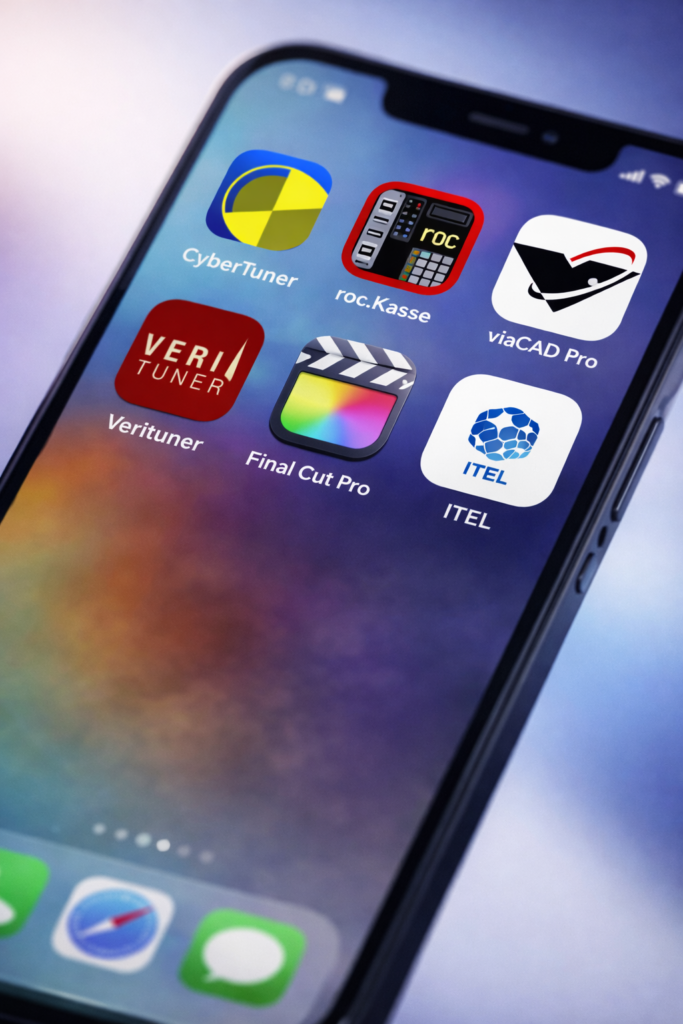
Mobile apps are everywhere, and most cost nothing or just a few dollars. But deep in Apple’s App Store and even on Google’s Play Store you’ll find apps with huge price tags. These are not simple games or normal utilities. They are tools for professionals, niche markets, and at times pure luxury. This is the world of the most expensive app store offerings. In this guide we will answer: What the most expensive app store means Why some apps cost more than the phone you use The story of the old I Am Rich app The priciest apps on iPhone and Android A full top 10 most expensive app on app store list How pricing works in mobile marketplaces Let’s go. What ‘Most Expensive App Store’ Means When people say “most expensive app store,” they usually mean the apps inside a store that are very expensive, not some separate store you must find. Both the Apple App Store and the Google Play Store host paid apps, but Apple tends to have higher‑priced premium tools and software. Google’s Play Store used to cap prices much lower compared to Apple, but recent changes now allow developers to charge up to about £4,999 (over €5,000) for certain apps, if they qualify. So, the phrase ‘most expensive app store’ usually refers to where the most expensive apps are located, and right now, that’s mostly the iPhone App Store Why Do Some Apps Cost So Much A phone app costing hundreds or even thousands of dollars might sound strange. But there are real reasons behind these prices: 1. Professional Tools Some apps act like full software suites professionals rely on. For example, piano technicians use advanced tuning tools that replace physical hardware and cost far more than a simple game. 2. Extra Features and Support Expensive apps often include years of updates, special technical support, cloud features, security, and licensing terms that come with ongoing value. 3. Business Use A restaurant owner might pay for a professional system to run orders and payments on an iPad instead of buying an expensive machine. 4. Status or Fun Not all premium apps are tools. Some exist to show off, bring fun, or simply be unusual, like the famous I Am Rich app, which did almost nothing but cost a lot Most Expensive Apps on the App Store (iPhone) The iPhone’s App Store leads when it comes to expensive paid apps. Many of these are tools built for professionals in specific industries. Here are some of the priciest: 1. CyberTuner – $999.99 This app is at the top of most “most expensive” lists. It helps piano technicians tune instruments with precision using advanced sound tools. 2. roc.Kasse – $999.99 This turns an iPad into a fully working digital cash register. Restaurants, cafes, and shops use this instead of paying for custom machines or systems. 3. viaCAD Pro – $599.99 Used by engineers and architects, this app includes 3D modeling and design tools that normally would require big desktop software. 4. Verituner – $599.99 Another piano‑tuning tool for professionals, this app measures pitches and helps tune more quickly with advanced features. 5. DDS GP – $399.99 A dental tool that helps dentists explain conditions to patients and show different treatment plans. 6. Final Cut Pro – $299.99 Apple’s own professional video editor is one of the more expensive mainstream creative apps, offering powerful editing tools. This pattern shows that the most expensive app store offerings on iPhone are mostly for work or real jobs, not casual everyday use. Most Expensive Apps on the Play Store For a long time, the Android Play Store limited how much developers could charge, making expensive titles rare. But recently, Google increased the allowed maximum price for some developers to around £4,999, meaning much higher prices may arrive. Currently, the most expensive games and apps in the Play Store are mostly novelty or unusual paid titles, like: Fisherpunk – Around $400 This basic game is one of the most expensive Android titles right now, despite simple design. There are also clicker and counter apps priced unusually high, often as jokes or experiments more than mainstream tools. In short, Android’s most expensive app in the Play Store is generally much lower-priced and less specialized than top paid apps on iPhone Are Any Games the “Most Expensive Game on App Store” Most paid games on iPhone and Android cost under $20–$30. Games make money more through in‑app purchases rather than high upfront prices. But a few rare titles, like Fisherpunk on Android, can cost around $400 even if they don’t offer huge features. For Apple’s App Store, there are some expensive apps (for example, iTell was once one of the most expensive entertainment apps), but most of the truly high prices come from professional tools and business software. Top 10 Most Expensive Apps on App Store (2026) Here is a solid list of the priciest apps you can find on Apple’s marketplace in 2026. These reflect current pricing and what is still available for purchase. CyberTuner – $999.99 roc.Kasse – $999.99 Shot Tracer Event – $999.99 VERT Team System – $999.99 Tower Gage – $999.99 iTell – $999.99 (entertainment) viaCAD Pro – $599.99 Verituner – $599.99 DDS GP – $399.99 Final Cut Pro – $299.99 These are some of the most expensive apps sold in the App Store today, spanning tools for music, business, sports, engineering, and more. What We Learn From These Price Tags Looking at the most expensive app store apps shows some clear patterns: Price Tells You Who It’s For The roughly $1,000‑priced apps are usually made for specialists and professionals — not normal everyday users. Value Comes From Use Expensive apps often replace equipment or workflows that cost much more in real life. iPhone Leads Prices Currently, Apple’s App Store still has more high-end apps than Android, though that could change in the future Games Rarely Hit These Prices High upfront prices are much more common with business and professional tools,

Read more
UI/UX design for business growth in 2026 featuring professionals working on user interfaces, smartphone mockups, wireframes, and growth trend graphs

UI UX Design Services for Business Growth in 2026

In 2026, users judge your business long before they speak to your team. They judge it by how your website, app, or digital product feels to use. If the experience is confusing, slow, or frustrating, they often leave permanently. This is why UI UX design services are no longer optional for businesses that want sustainable growth. UI and UX design directly influence conversions, customer retention, brand trust, and operational efficiency. Businesses that treat design as a strategic function outperform those that treat it as decoration. UI/UX Design From a Business Perspective UI and UX design are often discussed from a creative angle, but their real value lies in business impact. UX (User Experience) focuses on how users move through a product, complete tasks, and achieve goals. UI (User Interface) focuses on how those interactions look, feel, and respond visually. Professional ui and ux design services bring these two disciplines together to reduce friction, improve clarity, and guide users toward action. Practical UI/UX Experience That Drives Results At Qualix Solutions, UI/UX design is shaped by hands-on experience working with real products, real users, and real constraints. Our team designs interfaces for websites, mobile applications, SaaS platforms, and enterprise systems where usability directly affects revenue and adoption. This experience helps us design interfaces that solve problems instead of just following trends. Every design decision is tied to user behavior, technical feasibility, and measurable business outcomes. The Difference Between UI and UX Design A common question businesses ask is what is the difference between UI and UX design, especially when planning a new product. Difference Between UI and UX With Example Consider an online banking app: UX design defines how users check balances, transfer money, and manage accounts efficiently. UI design determines how buttons, colors, typography, and layouts make those actions clear and easy to use. Good UX without UI feels functional but dull. Good UI without UX looks attractive but frustrates users. Growth happens when both work together. Why UI/UX Design Matters More Than Ever in 2026 User expectations in 2026 are shaped by the best digital products they use daily. Anything below that standard feels broken. Strong ui ux design and development services help businesses achieve: Higher Conversions Clear flows, intuitive layouts, and reduced friction lead users toward decisions instead of confusing them. Better Retention Users stay with products that feel predictable and easy. UX builds habits; UI reinforces trust. Lower Support Costs Well-designed experiences reduce user errors, confusion, and support requests. Stronger Brand Credibility Professional design signals reliability and attention to detail without saying a word. What Does a UX/UI Designer Actually Do Many stakeholders still ask, what is a ux/ui designer and what value they bring. A professional ux ui designer is responsible for: Understanding user needs and behavior Designing user journeys and interaction flows Creating wireframes and prototypes Collaborating with developers and product teams Testing and refining designs based on real feedback Experienced ui and ux designers balance user needs, business goals, and technical constraints throughout the product lifecycle. UI/UX Design Trends Shaping Business Growth in 2026 The design trends for 2026 are shifting the focus away from visual novelty and placing more emphasis on usability and performance. As businesses evolve, it’s becoming increasingly clear that effective user interfaces (UI) and experiences (UX) are no longer just about looking good—they need to work well and perform seamlessly. Key UI/UX design trends include: Simpler Interfaces with Fewer Distractions: In 2026, there is a growing emphasis on creating minimalist designs that eliminate unnecessary elements. This approach enhances the user experience by allowing users to focus on essential tasks without being distracted by extraneous content or features. Accessibility-First Design for Broader User Reach: Accessibility has become a top priority, with more businesses designing products that cater to a wide range of users, including those with disabilities. By incorporating accessibility features, businesses can ensure a more inclusive digital experience and expand their reach to a broader audience. Data-Driven UX Decisions: Making informed design choices based on real user data is a crucial trend. Businesses are increasingly relying on data analytics to understand user behavior and optimize their designs for maximum engagement and satisfaction. Consistent Experiences Across Devices: The need for a seamless experience across multiple devices is a priority. Whether users are accessing a website on a desktop, smartphone, or tablet, ensuring consistency in design and functionality is key to keeping them engaged. Performance-Focused Layouts That Load Fast: Fast load times are critical in retaining users. Performance-driven design ensures that websites and applications load quickly, reducing bounce rates and improving user satisfaction. In conclusion, trends matter only when they contribute to usability. Design choices made without a clear purpose rarely deliver tangible results, making it essential to prioritize functionality and performance over aesthetics alone. The Role of Figma in Modern UI/UX Design Collaboration is critical in modern product teams. Figma for UI/UX design has become widely adopted because it supports real-time collaboration between designers, developers, and stakeholders. Figma helps teams prototype quickly, maintain consistent design systems, share feedback instantly and reduce gaps between design and development Using the right tools improves both speed and design quality. UI/UX Design Services vs DIY Design Approaches Some businesses rely on templates or internal teams to save costs. While this can work short term, it often limits scalability. Professional ux/ui design services provide: Research-driven design decisions Custom solutions aligned with business goals Scalable design systems Designs that translate cleanly into development DIY approaches often lead to usability issues that surface only after launch, when fixing them becomes expensive. UI and UX Design Services for Different Business Stages Different business stages require different design strategies. Startups Startups benefit from UX-focused MVPs that validate ideas quickly and avoid unnecessary features. Growing Businesses Scaling companies need consistent design systems that work across products and platforms. Enterprises Large organizations rely on ui ux design and development services to manage complex workflows, security requirements, and large user bases. Custom design adapts to business complexity rather than forcing businesses into rigid

Read more
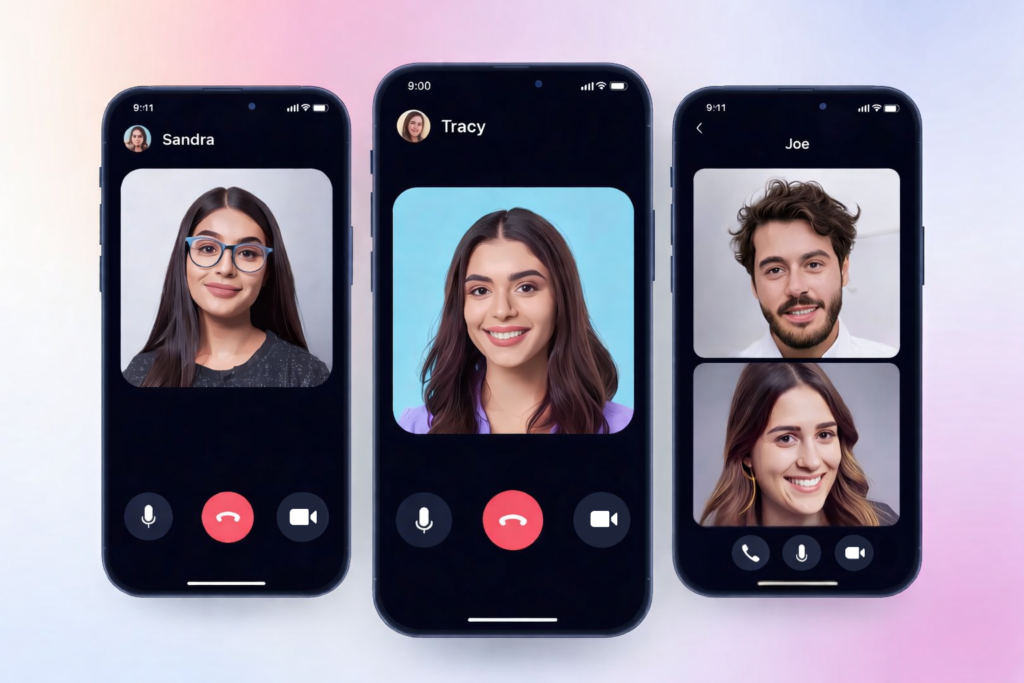
Video calling apps for Dubai on mobile phones showing Sandra, Tracy, and Joe in a group call interface, highlighting legal and approved options for UAE

Best Free and Legal Video Calling Apps That Work in UAE (2026 Guide)

If you live in Dubai or plan to visit, you may have asked, “which app is used in Dubai for video calling?” Many of the most familiar global apps like WhatsApp, Skype, or FaceTime don’t let you make video or voice calls on UAE networks unless you use a VPN, which is not ideal and may be restricted under local law. That’s why knowing the best dubai video calling app that works without a VPN and is legal to use matters. In this guide, we cover the apps approved in the UAE, how to download them, and how they keep you connected with family, friends, and colleagues. Why Many Popular Apps Don’t Work for Video Calling in UAE When you try a video call via WhatsApp or Skype in Dubai, you may notice the call fails. That’s because the Telecommunications and Digital Government Regulatory Authority (TDRA) in UAE does not permit unlicensed VoIP services to operate with unrestricted voice and video features. Traditional VoIP services like WhatsApp calling and FaceTime calling remain blocked on UAE networks, and using a VPN to bypass these restrictions can put you in legal trouble or violate local regulations For this reason, residents and visitors need video calling apps that work in UAE without VPN and are compliant with local telecom rules. These apps are approved by authorities and provide clear video calling without workarounds. What to Look For in a Dubai Video Calling App Before we go into specific options, here’s what you should check when choosing a video calling app allowed in Dubai: Works on UAE networks without a VPN  Free to download on iOS and Androi Offers both video and voice call Provides clear call qualit Is legally approved by UAE authoritie Easy to install and us Now let’s look at the apps that meet these criteria. 1. BOTIM App The first answer to the question ‘Which app can be used in Dubai for video calling?’ is often the BOTIM app. It is the most widely used legal video calling app in the UAE and one of the most popular and reliable choices for making video and voice calls Why You Should Consider BOTIM Free to download from Google Play Store and Apple App Stor Fully functional without needing a VP Secure, encrypted video and voice call Supports group calling and messagin Works over 4G, 5G, and Wi‑Fi without restriction The BOTIM app lets you stay connected with friends and family while giving you messaging and multimedia features in one place. It has a clean interface and reliable performance on most internet connections, making it a popular choice for both locals and expats in Dubai. 2. GoChat Another strong contender among dubai video calling app free options is GoChat. It is supported by local telecom providers and is designed to work smoothly across UAE networks without needing a VPN. Features of GoChat Free to download and use on mobile device Video and voice calls without VP Encrypted chats and calls for privac Extra features such as messaging and reward GoChat provides an experience similar to global messaging platforms but works within the UAE legal framework. It also offers encrypted communication, so your calls and messages remain secure while you’re connected. 3. Voico If you prefer a straightforward dubai video calling app free download that focuses on essential calling features, Voico is worth considering. This app is approved to work in UAE and provides reliable voice and video calls. Why People Use Voico Easy to install and setu Free video and voice calls that operate without VP Works on Android and iOS device Includes messaging and basic chat function Voico is a good choice if you want an uncomplicated and dependable app for daily calls to family or colleagues without extra clutter. 4. C’Me and HiU Messenger Beyond BOTIM, GoChat, and Voico, there are additional apps like C’Me and HiU Messenger that are also officially permitted for use in UAE without VPN. C’Me Legal in UAE and functional without VP Video and voice calling suppor Messaging and basic sharing feature Suitable for casual us HiU Messenger Works without VP Messaging tools plus video call Used by some local communitie These apps are part of the ecosystem of UAE‑approved communication tools that let you stay in touch without running afoul of local telecom rules. 5. Conference and Professional Tools That Work Without VPN In addition to personal chat apps, some widely used meeting platforms also operate in UAE without a VPN: ZoomZoom is a popular tool for both 1-to-1 calls and larger group meetings, working seamlessly in the UAE without a VPN. It’s free to download and offers high-quality video calls, screen sharing, and more. Google MeetGoogle Meet is another platform that functions without a VPN in the UAE. It’s widely used for business meetings, classes, and online gatherings. Microsoft TeamsMicrosoft Teams is built for teams and business users, providing secure video calls, chat, and collaboration tools, all without the need for a VPN. These tools are especially useful for professional communication or for users who need more than casual one‑to‑one calls. Apps to Avoid for Video Calls in UAE Many familiar global apps still do not support voice or video calls in UAE networks without VPN. Popular services like WhatsApp, Skype, and FaceTime remain restricted for video and voice calls in the UAE. That means if you rely on these apps for free video calls elsewhere, they won’t work for calling in Dubai without workarounds. Although WhatsApp recently added voice and video calling on its web platform globally, UAE networks still block WhatsApp calling features unless you use approved alternatives, so the update does not enable WhatsApp calls in the UAE without a VPN or official approval. Common Apps Used for Video Calling in Dubai For most people in UAE, especially residents and expats, the BOTIM app tends to be the first choice when answering the question “which app is used in Dubai for video calling?” This is because it combines legal

Read more
Top Apps for Chicagoans in 2026 - Chicago Cityscape

Best Apps for Living and Exploring Chicago in 2026

Living in Chicago can be challenging, but the right apps for Chicagoans make everything easier like navigating the city’s busy streets to finding places to eat, shop, and explore. The city’s vastness and constant activity can sometimes be overwhelming, but technology offers solutions to streamline everything from transportation to entertainment. Whether you’re getting around the city, looking for an affordable place to eat, or just trying to find parking, there are plenty of apps that can help you maximize your time and energy. In 2026, these apps are essential for Chicagoans, whether you live in the city or are just visiting. From free event listings to the best ways to commute and meet new people, here’s a comprehensive guide to the best apps every Chicagoan should know about. 1. Getting Around the City: Best Transportation Apps Getting from one place to another in a bustling city like Chicago can be tricky. Traffic, unpredictable weather, and the sheer size of the city can make navigating it a challenge. Fortunately, several apps help alleviate the stress of commuting, making it easier for residents and visitors alike to get from point A to point B. Best Apps for Chicago Transportation Transit App The Transit App is an essential tool for anyone using public transportation in Chicago. It provides real-time updates for bus and train schedules, so you never have to wait in uncertainty. With this app, you can also find rideshare options such as Uber and Lyft all in one place, giving you the flexibility to choose the most convenient mode of transport. CTA Train Tracker For those who rely on the Chicago ‘L’ train system, the CTA Train Tracker app is a must-have. It provides real-time train arrival information, allowing you to plan your trips more efficiently. This app is perfect for commuters and tourists alike who need to know when the next train is coming and which platform to head to. Divvy Bikes Divvy Bikes offers an eco-friendly and convenient way to navigate Chicago. With numerous bike stations scattered throughout the city, the app allows users to locate and rent bikes for short trips. Whether you’re exploring the lakefront or commuting through downtown, Divvy provides an affordable and efficient alternative to driving or public transit. Uber/Lyft When you need a quick and hassle-free way to get around the city, Uber and Lyft are always reliable options. These rideshare apps are great for Chicagoans who want to avoid the stress of parking or the unpredictability of public transport. Whether you’re headed to the airport, meeting friends for dinner, or heading out to a show, Uber and Lyft offer a fast, comfortable ride at any time of day or night. Metra For those commuting from the suburbs, the Metra app is an indispensable tool. It provides schedules, real-time updates, and alerts for trains heading into and out of the city. With this app, suburban commuters can easily plan their trips and stay up-to-date on delays or cancellations. 2. Free Apps for Chicago Living in Chicago doesn’t have to come with a hefty price tag. There are many apps available that are completely free and offer value in terms of entertainment, dining, and local events. These apps ensure that you can enjoy the city without breaking the bank. Chicago Reader For anyone interested in staying up-to-date on what’s happening around the city, the Chicago Reader is a fantastic app. It covers a wide range of local events, news, and reviews, from free concerts to food festivals. The app’s comprehensive event listings help users find exciting things to do no matter the day or time of year. Chicago Food Finder Food lovers will appreciate the Chicago Food Finder app, which helps users locate the best eateries in the city. Whether you’re craving deep-dish pizza, international cuisine, or something new and innovative, this app provides detailed recommendations based on food type, neighborhood, and budget. Eventbrite Eventbrite is a widely-used platform that helps you discover both free and paid events happening in Chicago. From concerts to workshops to food festivals, Eventbrite has a comprehensive list of events that cater to all interests. You can easily filter by event type and price to find the best options for your schedule. Chime Managing your finances in a large city like Chicago is important, and Chime makes it easy. This free app helps you monitor your spending, track your savings, and manage your budget, all with no hidden fees. Chime is a convenient app for anyone looking to simplify their finances and stay on top of their spending in an easy-to-use interface. 3. Best Parking Apps for Chicago Finding parking in Chicago can be a stressful experience, especially in busy areas like the Loop or near popular tourist attractions. Fortunately, there are apps that can help make parking a breeze, whether you need a spot for a few hours or an entire day. SpotHero If you’re planning to drive into the city, SpotHero is a must-have app. It helps users find and book parking spots in advance, often at discounted rates. SpotHero allows you to reserve a spot at parking garages, lots, and other locations, taking the guesswork out of finding parking. ParkWhiz Like SpotHero, ParkWhiz allows users to find parking spots ahead of time, but it also focuses heavily on major events. Whether you’re going to a concert, sporting event, or theater show, ParkWhiz provides you with the option to book parking spots in advance, ensuring you don’t waste time circling the block looking for an available spot. Park Chicago For street parking, Park Chicago is an excellent option. The app allows you to pay for metered parking directly from your phone, meaning you don’t have to worry about finding a meter or running back to feed it. You can also extend your parking time remotely, making it more convenient if you’re running late or want to enjoy an extra hour at your favorite restaurant or store. 4. Best Dating Apps for Chicago Finding love or simply making

Read more
Minimalist workspace designed for mobile app development with smartphone, laptop, and business tools.

Custom Mobile App Development: What You Need to Know in 2026

Mobile applications are no longer optional for businesses that want to stay competitive. From customer engagement and internal operations to sales and service delivery, mobile apps play a direct role in how businesses grow. While off-the-shelf apps may work for basic needs, they often fall short when requirements become more specific. This is where Custom Mobile App Development becomes essential. Custom-built mobile apps are designed to match exact business goals, user expectations, and technical requirements. Instead of adapting your operations to a generic app, mobile app custom development adapts the app to your business. What Is Custom Mobile App Development? It is the process of designing and building a mobile application tailored to a business’s unique needs. Unlike ready-made solutions, custom apps are developed from scratch, allowing full control over functionality, design, performance, and scalability. With customized mobile app development, businesses can define: Features specific to their workflows User journeys based on real customer behavior Backend logic that integrates with existing systems Security standards aligned with data sensitivity This approach results in applications that are more reliable, scalable, and aligned with long-term objectives. Why Businesses Choose Mobile App Custom Development Generic apps often come with unnecessary features while lacking critical functionality. Over time, this leads to inefficiencies, poor user experience, and limited scalability. Mobile app custom development solves these challenges by: Building only what the business actually needs Supporting future feature expansion Improving performance and stability Enabling seamless system integrations For businesses that rely on mobile platforms to deliver value, custom development provides long-term control and flexibility. Customized Mobile App Development Benefits The custom mobile application development benefits extend beyond appearance and branding. They directly impact performance, security, and user adoption. Tailored User Experience Custom apps are designed around real user behavior, resulting in intuitive navigation and better engagement. Scalability As your business grows, custom apps can handle increased users, data, and functionality without rebuilding the entire system. Better Performance Clean architecture and optimized code improve load times and reduce crashes. Enhanced Security Security features are built into the app’s foundation, reducing reliance on third-party plugins and minimizing vulnerabilities. Seamless Integrations Custom apps can easily integrate with CRMs, ERPs, payment gateways, and third-party services. Custom Mobile App Development for Startups For early-stage companies, custom mobile apps development for startups offers a strong foundation for growth. Startups often need flexibility to test ideas, adjust features, and scale quickly. Custom development allows startups to: Launch MVPs without unnecessary features Pivot functionality based on user feedback Maintain ownership of their product Avoid limitations of no-code or template platforms By building a custom app early, startups reduce technical debt and prepare for long-term expansion. Custom Mobile App Development Services Explained Professional custom mobile application development services typically cover the entire lifecycle of an application, including: Product discovery and planning UI/UX design Backend and frontend development API and third-party integrations Quality assurance and testing Deployment and ongoing maintenance Working with an experienced development partner ensures the app is built with scalability, performance, and security in mind. Custom Mobile Application Design and Development Design plays a critical role in adoption and retention. Mobile application design and development focuses on usability, accessibility, and consistency across devices. Key design considerations include: Platform-specific UI guidelines (iOS & Android) User flow optimization Accessibility standards Performance-driven layouts When design and development work together, the result is a stable and user-friendly mobile application. Custom Enterprise Mobile App Development Large organizations often require complex mobile solutions that support internal processes and large user bases. Custom enterprise mobile app development is designed for: Internal communication tools Employee management systems Secure data access Workflow automation Role-based permissions Enterprise apps prioritize security, scalability, and system integration, making custom development the preferred approach. Choosing a Custom Mobile App Development Company Selecting the right custom mobile app development company is critical to project success. Businesses should look for teams that understand both technical requirements and business goals. Important factors include: Experience with similar projects Transparent development process Strong communication practices Post-launch support capabilities Proven security and testing standards Reliable custom mobile app development companies focus on long-term value rather than quick delivery. Custom Mobile Software Development Process A structured development process ensures quality and reduces risk. Custom mobile software development generally follows these stages: Requirement analysis and planning UX/UI design Development and integration Testing and quality assurance Deployment Maintenance and updates Each stage ensures the application meets functional, technical, and user expectations. iOS, Android, and Cross-Platform Development Custom mobile apps can be built for: iOS Android Cross-platform frameworks The right choice depends on target audience, budget, performance needs, and long-term goals. Custom development allows businesses to choose the most suitable approach rather than being locked into one platform. Long-Term Value of Custom Mobile App Development While custom apps may require more initial planning, they offer better long-term value by reducing limitations, improving performance, and supporting growth. Businesses benefit from: Lower maintenance costs over time Better user retention Easier feature upgrades Improved data security Stronger brand consistency Custom apps are built to evolve rather than be replaced. Why Businesses Work With Qualix Solutions Qualix Solutions delivers custom mobile app development services focused on practical business outcomes. Our approach prioritizes clean architecture, performance optimization, and scalable design. We support: Startups launching MVPs Businesses modernizing mobile platforms Enterprises building secure internal apps By aligning technology with business strategy, we help clients build mobile solutions that deliver long-term value. Conclusion Custom Mobile App Development provides businesses with the flexibility, control, and scalability needed to succeed in a mobile-first world. Instead of adjusting your operations to a generic app, custom development ensures the app works around your business. From startups to enterprises, investing in customized mobile app development creates a stronger foundation for growth, innovation, and user satisfaction. For organizations seeking reliable custom mobile application development services, Qualix Solutions offers tailored mobile solutions built to perform, scale, and adapt. FAQs Will mobile application development be dead in 10 years? Mobile application development is unlikely to disappear as businesses continue to rely on

Read more
Custom web development code displayed on laptop screen in modern workspace environment

Custom Web Development: A Practical Approach to Building Websites That Scale

A website should support how your business actually works, not force you to adapt to platform limitations. Many companies start with templates or page builders, but as traffic grows and requirements become more complex, those shortcuts often turn into obstacles. This is where custom web development becomes essential. Custom-built websites are designed around real business needs, technical requirements, and long-term growth plans. Instead of relying on generic features, developing custom website focuses on performance, flexibility, and control from day one. What Custom Web Development Really Means Web development involves building a website or web application specifically for a business, rather than modifying an existing template or theme. The design, functionality, backend logic, and integrations are developed to match exact requirements. In custom website development, decisions are made based on: Business workflows Target users Performance expectations Security requirements Future scalability This approach allows businesses to own their platform fully, without being restricted by third-party limitations. Why Businesses Move Away From Templates Template-based websites can work for basic use cases, but they often create issues as a business grows. Common challenges include slow performance, limited customization, plugin conflicts, and security risks. With web development custom solutions, businesses avoid these problems by building only what they need and nothing they don’t. The result is a website that is easier to maintain, faster to load, and simpler to scale. Benefits of Custom Web Development The benefits of development go beyond appearance. They directly affect performance, usability, and long-term cost. Tailored Functionality Custom development allows features to be built around actual business processes instead of forcing workarounds into pre-built systems. Improved Performance Clean code and optimized architecture lead to faster page loads and better overall site performance. Scalability As traffic, users, or data increase, custom-built websites can grow without needing a complete rebuild. Stronger Security Custom solutions reduce dependence on third-party plugins and allow security measures to be implemented based on real risks. SEO-Ready Structure Custom website development gives full control over site structure, page speed, URLs, and technical SEO foundations. Custom Web Development vs Pre-Built Platforms   Aspect Custom Web Development Pre-Built Platforms Flexibility Fully customizable Limited Performance Optimized Often bloated Security Controlled Plugin-dependent Scalability High Restricted Long-Term Cost Predictable Increases over time For businesses that rely on their website for leads, sales, or operations, custom development provides better long-term value. Custom Web Development Solutions for Different Business Types Different industries require different digital capabilities. These solutions are mostly used for: SaaS products Business dashboards Healthcare and compliance-based systems eCommerce platforms Internal management tools Client portals By aligning the website with business operations, custom solutions improve efficiency and user experience. Technology-Focused Custom Development Options Choosing the right technology stack plays a major role in long-term success. Custom Laravel Web Development Laravel is well-suited for applications that require structured architecture and strong security. Custom Laravel web development is often used for: SaaS platforms CRM systems Enterprise applications It provides flexibility while maintaining clean, maintainable code. Custom Python Web Development Custom Python web development works well for applications that handle complex logic, large datasets, or integrations. Commonly it is used for: Data-driven platforms Automation systems AI-enabled applications Python frameworks allow stable development without sacrificing performance. Custom Magento Web Development For large or complex eCommerce projects, custom Magento web development offers advanced control over products, checkout flows, and integrations. It is suitable for businesses that need flexibility beyond standard eCommerce platforms. How Custom Website Development Is Approached A structured development process reduces risk and ensures long-term usability. Instead of relying on rigid templates, custom website development focuses on building a scalable and technically sound foundation tailored to business needs. At a technical level, this typically includes: Modular backend architecture for scalability Secure API integrations for safe data exchange Optimized databases to maintain speed and stability Role-based user access for controlled permissions SEO-friendly frontend frameworks for search visibility Cloud-ready deployment for flexibility and growth Together, these practices ensure the website remains stable, high-performing, and adaptable as the business evolves. Choosing Custom Web Development Services in USA Many businesses choose custom development services in the USA because of structured development standards, clear communication processes, and experience handling complex projects. Working with established teams often means better documentation, defined workflows, and scalable solutions. Qualix Solutions provides custom web services for U.S. and international clients, focusing on long-term value rather than quick fixes. Their approach emphasizes: Clean, scalable architecture Practical and business-driven solutions Maintainability and performance Sustainable development practices Long-Term Value of Custom Website Development While custom development may require more planning upfront, it typically reduces long-term costs and operational friction. Businesses avoid frequent rebuilds, plugin conflicts, and recurring performance issues. Key long-term advantages include: Easier updates and feature expansion Greater performance stability Lower ongoing maintenance costs Improved user experience Stronger technical foundations Custom websites are designed to grow with the business rather than being replaced every few years. Security, Quality, and Reliability Security becomes critical when a website handles customer data, financial transactions, or internal operations. Custom development allows security to be built into the core system architecture from the start instead of being added later as patches. A responsible development process also includes structured quality assurance, testing, and documentation to ensure the website remains reliable, secure, and stable over time. When Custom Web Development Makes Sense Custom development is especially beneficial when: Your business has specific operational requirements Standard platforms feel restrictive Performance and security directly impact revenue The website is a core business tool You plan significant long-term growth When a website plays a strategic role in business success, custom development offers greater flexibility, control, and long-term sustainability. Conclusion Developing custom websites enables businesses to create websites that align with their current operations and future growth plans. Instead of forcing your business to adapt to a platform, custom development tailors the platform to suit your business. By choosing custom web solutions, companies gain flexibility, stability, and a stronger foundation for long-term success. For businesses looking for reliable custom website development, Qualix Solutions provides practical, scalable, and secure web solutions built around

Read more
Contact us

Partner with Us for Comprehensive IT

We’re happy to answer any questions you may have and help you determine which of our services best fit your needs.

Your benefits:
What happens next?
1

We Schedule a call at your convenience 

2

We do a discovery & consulting meeting 

3

We prepare a proposal 

Schedule a Free Consultation